


In css, the target pseudo-class is ":target", and the syntax format is "E:target{css style}", which means that all elements matching E are selected, and the matching elements are pointed to by the relevant URL; this selection The selector is a dynamic selector, and the style effect can only be effective when there is a URL pointing to the matching element.

(Recommended tutorial: CSS video tutorial)
In css, the target pseudo-class selector is ": target" is one of the many dynamic pseudo-class selectors in CSS3, used to match the element pointed to by the anchor and highlight the active HTML anchor.
Syntax:
E:target{css样式}means to select all elements matching E, and the matching elements are pointed to by the relevant URL. This selector is a dynamic selector, and the style effect will only be effective when there is a URL pointing to the matching element. The process of "
:target" taking effect in CSS is as follows: when the hash in the browser address (the part after the # sign in the address) matches the ID specified by the :target pseudo-selector, it The style will take effect on this ID element.
Example:
<!DOCTYPE html>
<html>
<head>
<meta charset="UTF-8">
<style>
/* would apply to all targetted elements */
:target {
color: #000;
}
/* applies to H2's */
h2:target {
color: #f00;
}
</style>
</head>
<body>
<div>
<p>点击下面的链接,你会看到浏览器地址是hash值的变化,以及相应链接的CSS样式变化!这是:target伪选择器在起作用。</p>
<p>
<a href="#anchor">Heading 1</a> |<br>
<a href="#anchor2">Heading 2</a> | </p>
<h2 id="anchor">Anchor 1</h2>
<h2 id="anchor2">Anchor 2</h2>
</div>
</body>
</html>Rendering:
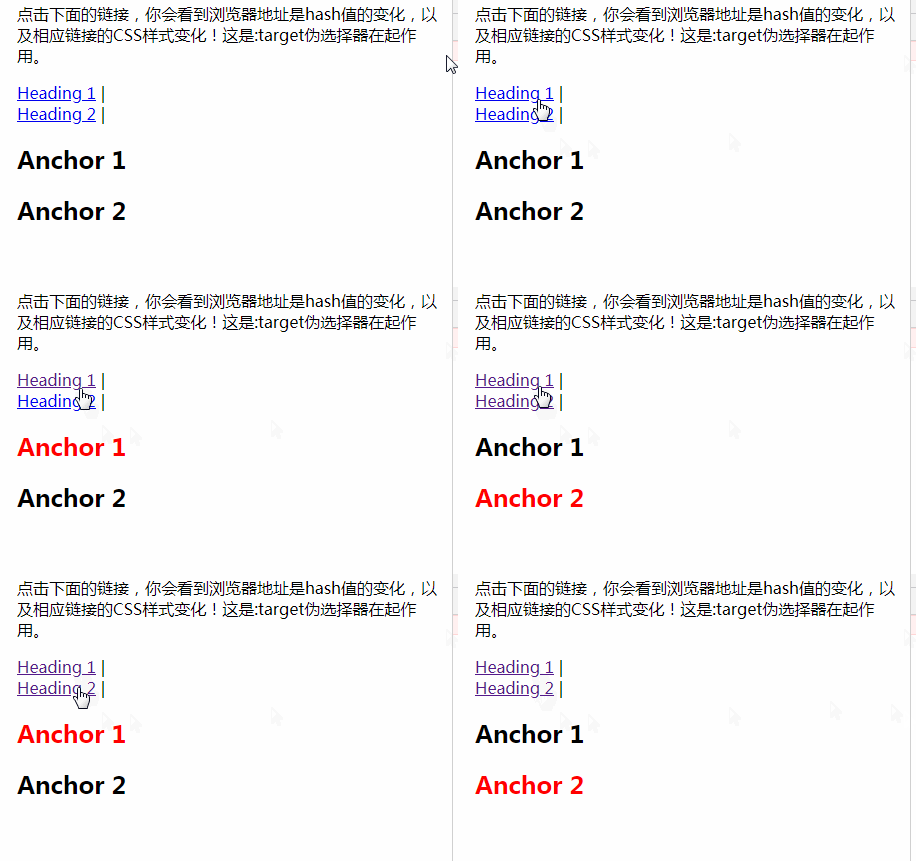
Note: IE8 and below This version of the browser does not support the E:target selector
For more programming-related knowledge, please visit: Programming Learning Website!!
The above is the detailed content of What is the css target pseudo-class?. For more information, please follow other related articles on the PHP Chinese website!



















![[Web front-end] Node.js quick start](https://img.php.cn/upload/course/000/000/067/662b5d34ba7c0227.png)



