


3 methods: 1. Use the "$("td").width (width value)" statement to set the width of the td element. 2. Use the "$("td").css("width","width value")" statement to add a width style to the td element. 3. Use "$("td").css("width","width value")".

The operating environment of this tutorial: windows7 system, jquery1.10.2 version, Dell G3 computer.
There are many ways to modify the width of elements in jquery:
1. Use the width()
width() method to set the width of the matching element.<!DOCTYPE html>
<html>
<head>
<meta charset="utf-8">
<script src="js/jquery-1.10.2.min.js"></script>
<script>
$(document).ready(function() {
$("button").click(function() {
$("td").width(200);
});
});
</script>
</head>
<body class="ancestors">
<table border="1">
<tr>
<th>商品</th>
<th>价格</th>
</tr>
<tr>
<td>T恤</td>
<td>¥100</td>
</tr>
<tr>
<td>牛仔褂</td>
<td>¥250</td>
</tr>
<tr>
<td>牛仔库</td>
<td>¥150</td>
</tr>
</table><br>
<button>修改td宽度</button>
</body>
</html>2. Use css()
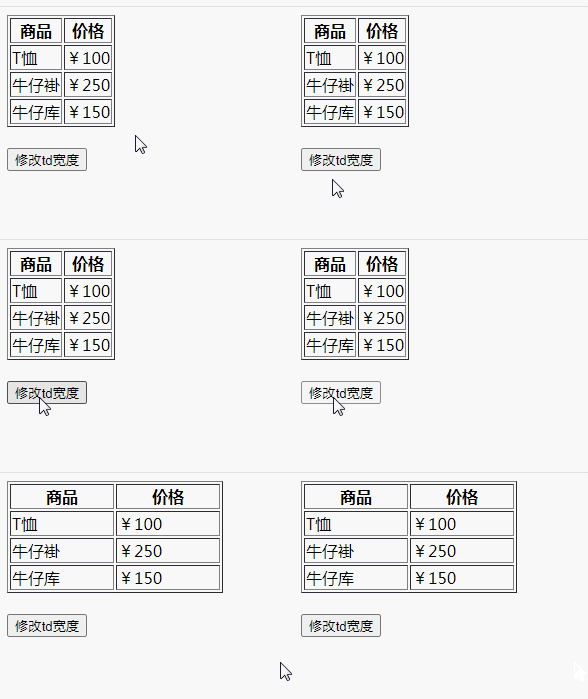
Use css() to add width style to td element$(document).ready(function() {
$("button").click(function() {
$("td").css("width","100px");
});
});
3. Use attr()
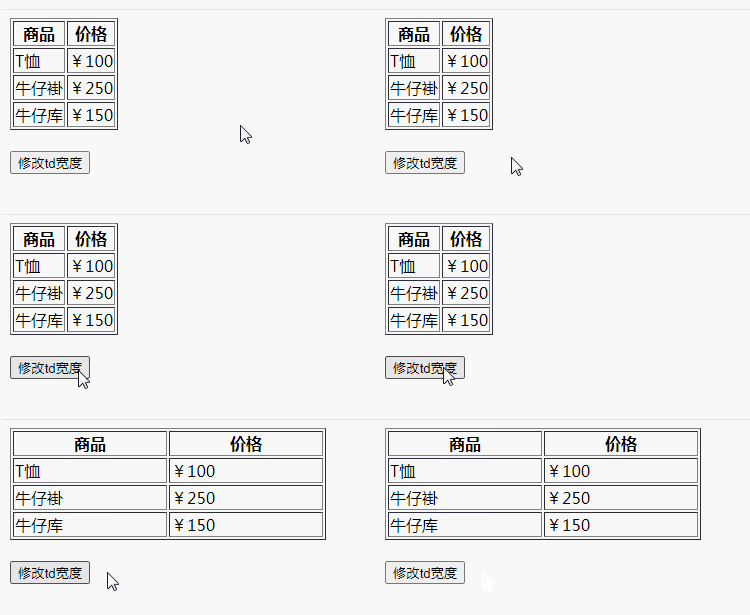
Use attr() to control the style attribute value and add the width style to the td element$(document).ready(function() {
$("button").click(function() {
$("td").attr("style","width:150px");
});
});
jQuery video tutorial, web front-end video】
The above is the detailed content of How to modify td width in jquery. For more information, please follow other related articles on the PHP Chinese website!






























![[Web front-end] Node.js quick start](https://img.php.cn/upload/course/000/000/067/662b5d34ba7c0227.png)



