


Recommend two software that can set 'open password' for PDF

If you want to set an "open password" for PDF files, you need to use special software tools. You can try the following two softwares.
Software 1: PDF Editor
The PDF editor can not only be used to read and edit files, but also has password functions.
Take Foxit as an example. After opening the PDF file through the editor, click [Password Encryption] in the [Protect] list of the menu tab.

After the dialog box pops up, enter and confirm the password again in the password field, then click [OK], and the "Open Password" of the PDF file will be set.

If subsequent PDF files no longer require password protection, that is, you do not want to "enter the password" every time you open the file, you can also remove the "open password" through the PDF editor.
First, open the PDF file through the PDF editor. You need to enter the originally set password to open the file.

After opening the PDF file, click [Remove Security Settings] in the [Protection] list of the menu tab.

After the "Confirm" reminder pops up, click [OK], and the "Open Password" of the PDF file will be deleted.

Question: How to set an opening password for PDF files? Quick Description: Setting a password for a PDF file helps protect its contents from unauthorized access and ensures its confidentiality. This guide will show you two ways to set a PDF opening password, including using Adobe Acrobat and the PDF Multi-Tool. Details: In this article, PHP editor Xiaoxin will guide you step by step to use Adobe Acrobat and PDF multi-tool to set an open password for PDF files. You will learn: How to add an open password in Adobe Acrobat How to set a password in PDF multi-tool How to set a password using the command line method By reading this guide, you will master the necessary knowledge to set an open password for PDF files to protect your files Confidentiality and Integrity.
The above is the detailed content of Recommend two software that can set 'open password' for PDF. For more information, please follow other related articles on the PHP Chinese website!

Hot AI Tools

Undress AI Tool
Undress images for free

Undresser.AI Undress
AI-powered app for creating realistic nude photos

AI Clothes Remover
Online AI tool for removing clothes from photos.

Clothoff.io
AI clothes remover

Video Face Swap
Swap faces in any video effortlessly with our completely free AI face swap tool!

Hot Article
Hot Tools

Notepad++7.3.1
Easy-to-use and free code editor

SublimeText3 Chinese version
Chinese version, very easy to use

Zend Studio 13.0.1
Powerful PHP integrated development environment

Dreamweaver CS6
Visual web development tools

SublimeText3 Mac version
God-level code editing software (SublimeText3)


 how to add page numbers in word
Aug 05, 2025 am 05:51 AM
how to add page numbers in word
Aug 05, 2025 am 05:51 AM
To add page numbers, you need to master several key operations: First, select the page number position and style through the "Insert" menu. If you start from a certain page, you need to insert the "section break" and cancel the "link to the previous section"; second, set the "Home page different" to hide the home page number, check this option in the "Design" tab and manually delete the home page number; third, modify the page number format such as Roman numerals or Arabic numerals, and select and set the starting page number in the "Page Number Format" after sectioning.
 How to add transitions between slides in a PPT?
Aug 11, 2025 pm 03:31 PM
How to add transitions between slides in a PPT?
Aug 11, 2025 pm 03:31 PM
Open the "Switch" tab in PowerPoint to access all switching effects; 2. Select switching effects such as fade in, push, erase, etc. from the library and click Apply to the current slide; 3. You can choose to keep the effect only or click "All Apps" to unify all slides; 4. Adjust the direction through "Effect Options", set the speed of "Duration", and add sound effects to fine control; 5. Click "Preview" to view the actual effect; it is recommended to keep the switching effect concise and consistent, avoid distraction, and ensure that it enhances rather than weakens information communication, and ultimately achieve a smooth transition between slides.
 Complete guide to collaborate in Word and Real Time Co -authorship
Aug 17, 2025 am 01:24 AM
Complete guide to collaborate in Word and Real Time Co -authorship
Aug 17, 2025 am 01:24 AM
Microsoft Word CollolaBate: How to work with co -authors in Word, edit in real time and manage versions easily.
 How to customize the tapes in Office step by step
Aug 22, 2025 am 06:00 AM
How to customize the tapes in Office step by step
Aug 22, 2025 am 06:00 AM
Learn to customize the tapes in Office: Change names, hide chips and create your own commands.
 How AI Will Give Superpowers To ERP Solutions
Aug 29, 2025 am 07:27 AM
How AI Will Give Superpowers To ERP Solutions
Aug 29, 2025 am 07:27 AM
Artificial intelligence holds the key to transforming ERP (Enterprise Resource Planning) systems into next-generation powerhouses—equipping organizations with what can only be described as digital superpowers. This shift isn't just a minor upgrade; i
 How to use free Word: all the advantages of the Office online version
Aug 14, 2025 pm 02:30 PM
How to use free Word: all the advantages of the Office online version
Aug 14, 2025 pm 02:30 PM
Do you want to use free Word? Discover here all the advantages that the Microsoft Office online version can offer you for your team.
 Get a list of unique values in Excel & extract unique rows
Aug 18, 2025 am 07:39 AM
Get a list of unique values in Excel & extract unique rows
Aug 18, 2025 am 07:39 AM
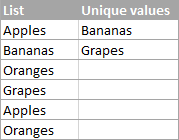
This is the concluding segment of the Excel Unique Values series, detailing how to retrieve distinct or unique values from a column using formulas, along with customization tips for various data types. You'll also discover how to swiftly generate a d
 How to create a table with a repeating header row in Word
Aug 08, 2025 am 04:41 AM
How to create a table with a repeating header row in Word
Aug 08, 2025 am 04:41 AM
Ensurethefirstrowofyourtablecontainscolumnheaderslike"Name"or"Date"andmaintainspropertablestructurewithoutmergedcells.2.Clickanywhereinthefirstroworselectitentirelybyclickingitsleftedge.3.GototheTableDesigntab(Windows)orTabletab(M
