


Talend API Tester
Talend API Tester plug-in main functions
1. Send requests and check responses
Talend API Tester-free version available Handle all HTTP requests, no matter how complex. Requests can be made dynamic by inserting variables. Security and authentication as well as hypermedia and HTML forms are fully supported. You can visualize, beautify and inspect HTTP responses.
2. Verify API behavior
Whether you want to check the specified behavior of the API or confirm the responsiveness of a third-party API, Talend API Tester allows you to perform a variety of API response tests. Use assertions to verify values such as headers, body, or response time. Environment variables can also be created to improve test reusability.
How to use the Talend API Tester plug-in
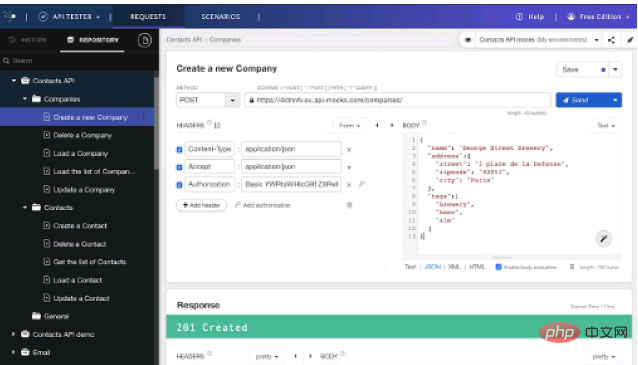
The Talend API Tester plugin interacts with REST or simple HTTP APIs through an intuitive and easy-to-use UI.
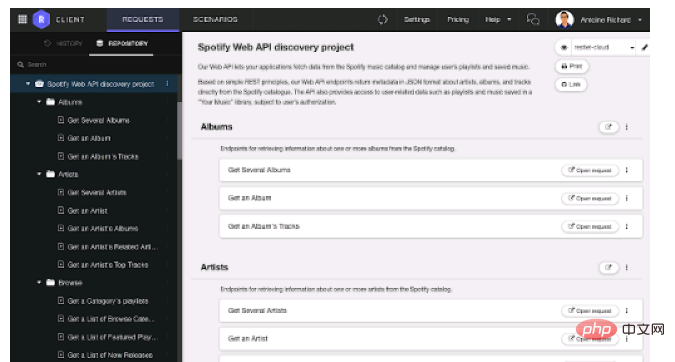
2. Ability to save and organize your requests into projects and services.
3. You can use the assertion function to verify the response.
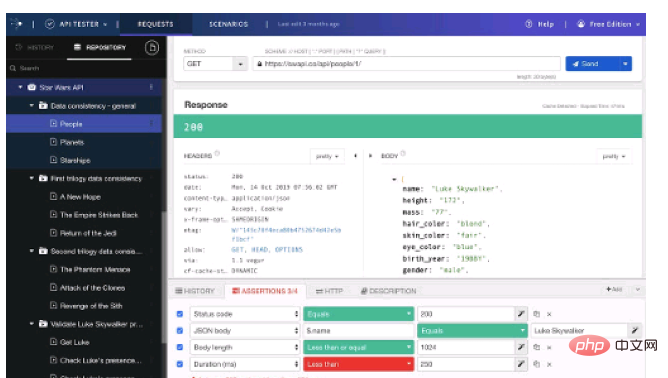
4. Different views can be used to visualize and inspect responses in different formats.
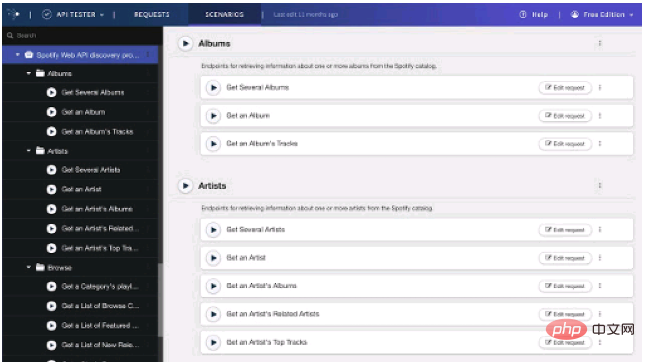
5. Easily import your Postman collection, Swagger/OAS/OpenAPI and HAR (HTTP Archive).
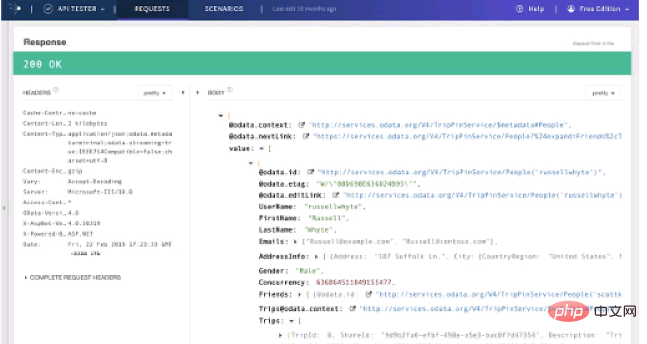
6. Build dynamic requests with custom variables, security and authentication.
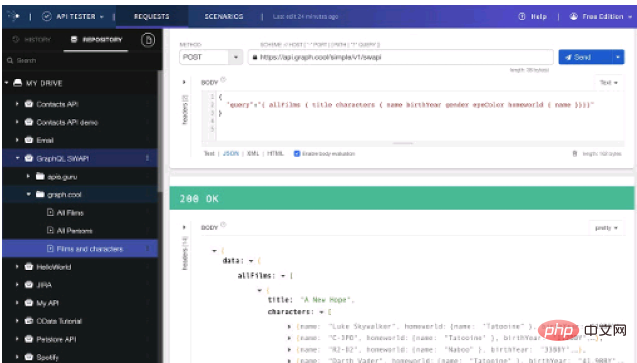
7. Viewing and searching your call history is a breeze. And requests from history can be edited and resent.
Talend API Tester plug-in FAQ
Why does Talend API Tester need to "read and change the websites you visit" All data on" and "Communicate with partner sites" permissions?
Chrome extensions that need to access Internet resources must declare the resource in a manifest, which can be a URL list or a URL mask. For example, http://*/* allows access to any URL. Allowing access to any URL is the main feature of Talend API Tester. The Chrome Web Store interprets URL masks with wildcards to mean that Talend API Tester can read and change all data on the sites you visit, without implying that the app is doing something wrong.
All resources on this site are contributed by netizens or reprinted by major download sites. Please check the integrity of the software yourself! All resources on this site are for learning reference only. Please do not use them for commercial purposes. Otherwise, you will be responsible for all consequences! If there is any infringement, please contact us to delete it. Contact information: admin@php.cn

 How to install the ChatGPT plug-in in Google Chrome? Tutorial on using AI tools in Chrome sidebar
13 Dec 2025
It is necessary to install a plug-in or script that is compatible with the Chrome kernel: 1. Install the "ChatGPT for Google" plug-in in the Chrome App Store; 2. Use Tampermonkey to inject the KeepChatGPT script; 3. Manually install it by dragging the CRX file offline.
 Google Chrome plug-in cannot be enabled. Solution to Google Chrome extension problem
22 Jan 2026
Plug-ins that appear gray or prompt "disabled" in Chrome are usually caused by unauthorized permissions, policy restrictions, or loading exceptions; you need to check the activation status and site permissions, enable developer mode to reload the plug-in, clear the cache and data, modify the registry to remove ManifestV2 restrictions, and enable legacy extension support through chrome://flags.
 Obtaining and managing OAuth 2.0 REST API access tokens in Talend
21 Dec 2025
This tutorial provides detailed guidance on how to implement OAuth 2.0 authorized REST API calls in Talend Open Studio. The content covers the entire process from understanding OAuth credentials, building Base64-encoded authorization headers, to sending access token requests. The article emphasizes the importance of API testing outside Talend and provides examples using cURL. Finally, it guides how to use the obtained Bearer token in Talend's tHttpRequest component to make subsequent API data requests, and discusses key considerations such as token expiration management, aiming to help users integrate OAuth 2.0-protected APIs efficiently and securely.
![How to install translation plug-in for Bing browser_Bing translation plug-in installation process [Instructions]](https://img.php.cn/upload/article/202601/12/2026011210363094265.jpg) How to install translation plug-in for Bing browser_Bing translation plug-in installation process [Instructions]
How to install translation plug-in for Bing browser_Bing translation plug-in installation process [Instructions]
12 Jan 2026
Bing desktop browser needs to enable developer mode and install the Chrome translation plug-in or use the built-in translation function; the mobile version does not support plug-ins, and the built-in translation is limited to 60 languages and has no word delineation function.
![How to install the PDF viewing plug-in for Google Chrome_How to install the PDF viewing plug-in for Google Chrome [Review]](https://img.php.cn/upload/article/202601/14/2026011421450472629.jpg) How to install the PDF viewing plug-in for Google Chrome_How to install the PDF viewing plug-in for Google Chrome [Review]
How to install the PDF viewing plug-in for Google Chrome_How to install the PDF viewing plug-in for Google Chrome [Review]
14 Jan 2026
You need to install a third-party PDF plug-in to obtain annotation, OCR and other functions. The methods include: 1. Install online in the Chrome App Store; 2. Drag and drop CRX files offline (developer mode needs to be turned on); 3. Load the decompressed extension folder; 4. Disable Chrome's built-in PDF reader to ensure that the plug-in takes effect.
 Tutorial on obtaining and applying OAuth 2.0 REST API access token in Talend
25 Dec 2025
This tutorial provides detailed guidance on how to handle OAuth 2.0 authorized REST API calls in Talend Open Studio. Core content includes understanding the OAuth 2.0 token acquisition process, using Base64 encoding to handle API credentials, obtaining access tokens through external tools or Talend components, and using the tHttpRequest component in Talend jobs to make subsequent API requests, and emphasizes best practices such as token expiration handling.


Popular tool
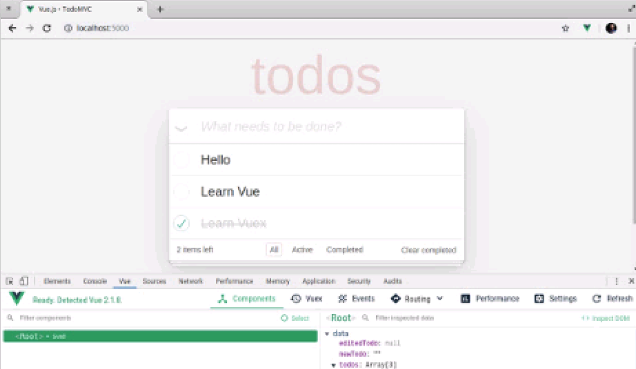
Vue.js devtools V5.1.1
Vue.js devtools is a developer browser extension for debugging vue.js applications based on the Google Chrome browser. You can debug code under the browser developer tools. IT engineers who do front-end development should be familiar with this tool. They can check the code while viewing the page in the sidebar pane. Since Vue is data-driven, there is nothing that can be parsed by viewing the DOM structure during development and debugging. But with the help of the vue-devtools plug-in, we can easily parse and debug the data structure
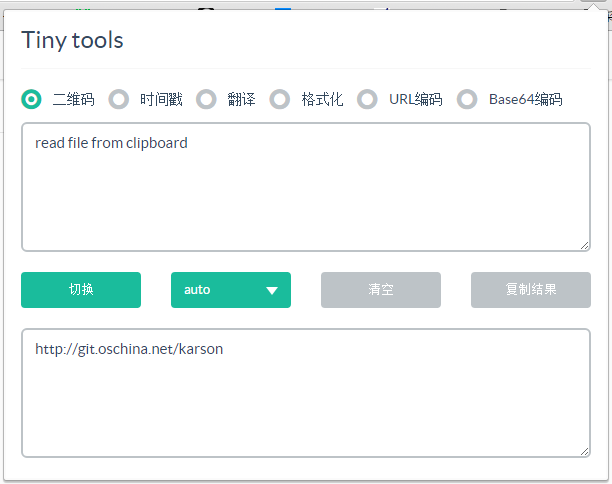
Karson / tinytools
Tiny tools is a Chrome extension that contains many useful tools, such as QR code generator, QR code decoding, translation, timestamp conversion, source format, JSON format, image base64 character encoding, etc.
Angular debugging pluginAngularJS Batarang
The angularjs batarang plug-in is a powerful Angular debugging plug-in that can be installed on Google Chrome. Installing and using this angularjs batarang plug-in can make your development process more convenient.
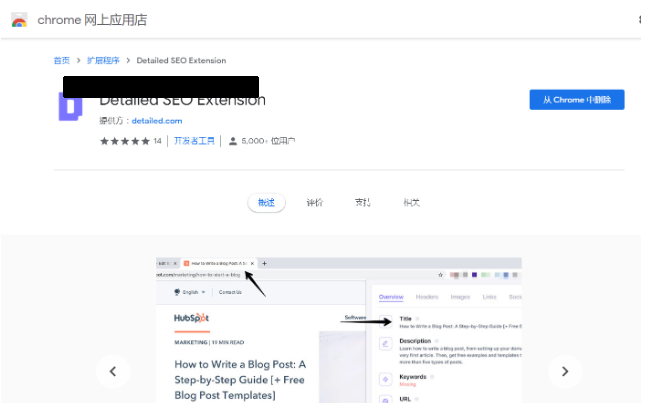
Detailed SEO Extension
SEO is a search engine optimization technology. Website operators need to publish some high-quality content to meet the needs of users, so as to win the favor of search engines and bring search traffic from search engines. Measuring the search engine's love for a website is usually composed of this SEO indicator. Regarding SEO, we have introduced many plug-ins such as SEO toolbar: SEOquake, META SEO inspector, 5118 Webmaster Toolbox - Essential SEO plug-in, etc. Wait, today the editor has brought you a tool that can quickly analyze the title of a certain web page.