


Karson / tinytools
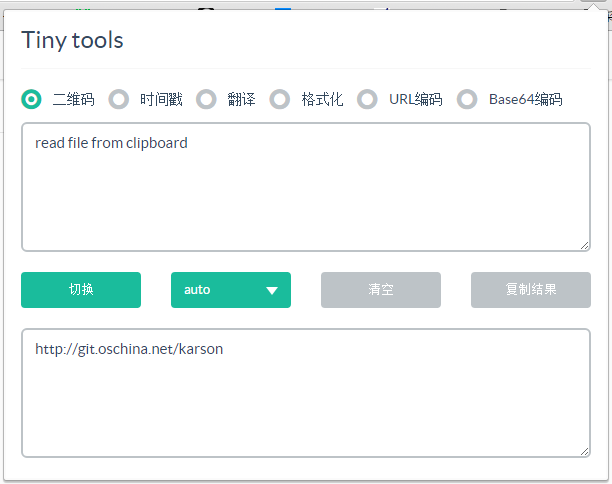
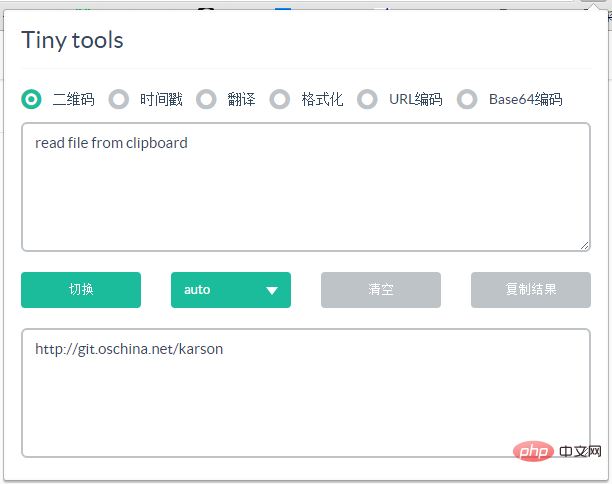
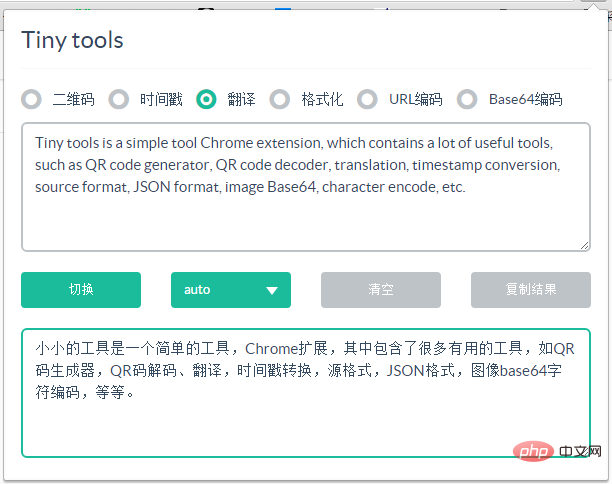
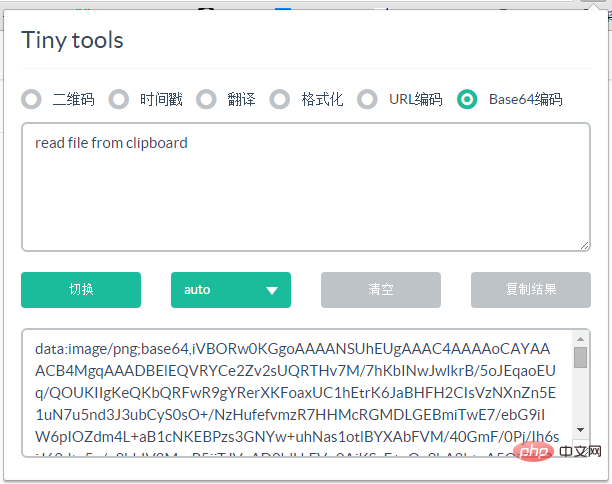
Tiny tools is a Chrome extension that contains many useful tools, such as QR code generator, QR code decoding, translation, timestamp conversion, source format, JSON format, image base64 character encoding, etc. wait.
##Features
Read content from the clipboard first (supports text and pictures), and then read the URL of the current page of the browser
Supported Directly decode QR and generate image Base64
Support recognition of Unix timestamps and generate corresponding date and time
Support CSS, Javascript, HTML, XML, SQL, JSON code formatting
Supports Urlencode, Urldecode, Uniencode, Unidecode
## To download the plug-in, please package the source code, download and decompress it and directly use Chrome developer mode to load the extension

All resources on this site are contributed by netizens or reprinted by major download sites. Please check the integrity of the software yourself! All resources on this site are for learning reference only. Please do not use them for commercial purposes. Otherwise, you will be responsible for all consequences! If there is any infringement, please contact us to delete it. Contact information: admin@php.cn

 How to install the ChatGPT plug-in in Google Chrome? Tutorial on using AI tools in Chrome sidebar
13 Dec 2025
It is necessary to install a plug-in or script that is compatible with the Chrome kernel: 1. Install the "ChatGPT for Google" plug-in in the Chrome App Store; 2. Use Tampermonkey to inject the KeepChatGPT script; 3. Manually install it by dragging the CRX file offline.
 Google Chrome plug-in cannot be enabled. Solution to Google Chrome extension problem
22 Jan 2026
Plug-ins that appear gray or prompt "disabled" in Chrome are usually caused by unauthorized permissions, policy restrictions, or loading exceptions; you need to check the activation status and site permissions, enable developer mode to reload the plug-in, clear the cache and data, modify the registry to remove ManifestV2 restrictions, and enable legacy extension support through chrome://flags.
![How to install translation plug-in for Bing browser_Bing translation plug-in installation process [Instructions]](https://img.php.cn/upload/article/202601/12/2026011210363094265.jpg) How to install translation plug-in for Bing browser_Bing translation plug-in installation process [Instructions]
How to install translation plug-in for Bing browser_Bing translation plug-in installation process [Instructions]
12 Jan 2026
Bing desktop browser needs to enable developer mode and install the Chrome translation plug-in or use the built-in translation function; the mobile version does not support plug-ins, and the built-in translation is limited to 60 languages and has no word delineation function.
![How to install the PDF viewing plug-in for Google Chrome_How to install the PDF viewing plug-in for Google Chrome [Review]](https://img.php.cn/upload/article/202601/14/2026011421450472629.jpg) How to install the PDF viewing plug-in for Google Chrome_How to install the PDF viewing plug-in for Google Chrome [Review]
How to install the PDF viewing plug-in for Google Chrome_How to install the PDF viewing plug-in for Google Chrome [Review]
14 Jan 2026
You need to install a third-party PDF plug-in to obtain annotation, OCR and other functions. The methods include: 1. Install online in the Chrome App Store; 2. Drag and drop CRX files offline (developer mode needs to be turned on); 3. Load the decompressed extension folder; 4. Disable Chrome's built-in PDF reader to ensure that the plug-in takes effect.
 How to Fix a 'This plug-in is not supported' Error in Chrome? (Flash & HTML5)
15 Dec 2025
IfChromeshows“Thisplug-inisnotsupported,”useRuffletoemulateFlash,enableHTML5playbackviachrome://flags,replaceSWFembedswithHTML5video/audiotags,or—temporarily—launchChromewithlegacyflagsforlocalSWFfiles.
![Google Chrome account cannot be logged in and synchronized_Solving the problem of Google Chrome synchronization function suspension [Repair]](https://img.php.cn/upload/article/202512/22/2025122210450540998.jpg) Google Chrome account cannot be logged in and synchronized_Solving the problem of Google Chrome synchronization function suspension [Repair]
Google Chrome account cannot be logged in and synchronized_Solving the problem of Google Chrome synchronization function suspension [Repair]
22 Dec 2025
Google Chrome sync displays "Paused" and can be solved in seven steps: 1. Re-log in to the account to refresh credentials; 2. Reset profile settings; 3. Create a new profile to bypass damaged data; 4. Disable the account-consistency experimental function; 5. Install the Chrome sync auxiliary plug-in; 6. Clear cache and cookies; 7. Turn off the clear data when exiting setting.


Popular tool
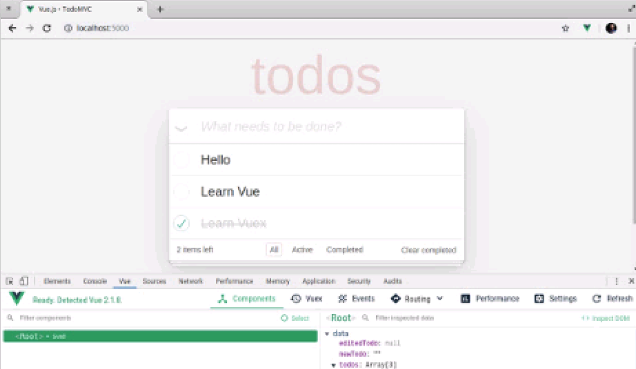
Vue.js devtools V5.1.1
Vue.js devtools is a developer browser extension for debugging vue.js applications based on the Google Chrome browser. You can debug code under the browser developer tools. IT engineers who do front-end development should be familiar with this tool. They can check the code while viewing the page in the sidebar pane. Since Vue is data-driven, there is nothing that can be parsed by viewing the DOM structure during development and debugging. But with the help of the vue-devtools plug-in, we can easily parse and debug the data structure
Talend API Tester
The Talend API Tester plug-in, formerly known as Restlet Client, is designed and developed by developers as a tool that can help programmers debug web pages. Talend API Tester makes it easy to call, discover and test HTTP and REST APIs. Enables visual interaction with REST, SOAP and HTTP APIs.
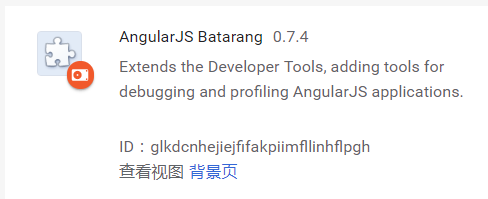
Angular debugging pluginAngularJS Batarang
The angularjs batarang plug-in is a powerful Angular debugging plug-in that can be installed on Google Chrome. Installing and using this angularjs batarang plug-in can make your development process more convenient.
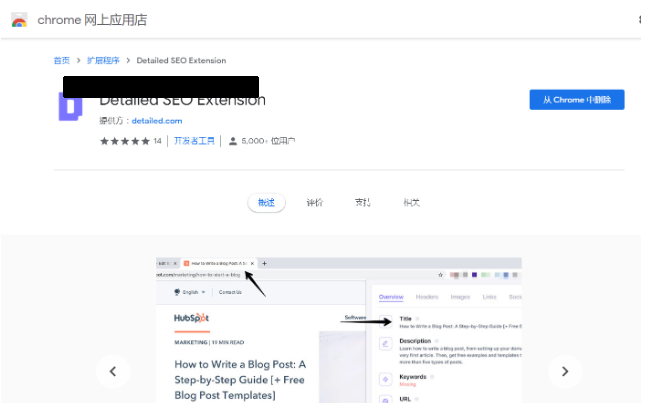
Detailed SEO Extension
SEO is a search engine optimization technology. Website operators need to publish some high-quality content to meet the needs of users, so as to win the favor of search engines and bring search traffic from search engines. Measuring the search engine's love for a website is usually composed of this SEO indicator. Regarding SEO, we have introduced many plug-ins such as SEO toolbar: SEOquake, META SEO inspector, 5118 Webmaster Toolbox - Essential SEO plug-in, etc. Wait, today the editor has brought you a tool that can quickly analyze the title of a certain web page.