


php editor Banana will introduce to you the solution to the problem that the Win7 system cannot verify the digital signature of the file. Win7 system is a widely used operating system, but sometimes users may encounter the problem of being unable to verify the digital signature of a file. This will cause users to be unable to install or run some software properly. Fortunately, there are some simple steps we can take to fix this problem. In this article, we will introduce the solution in detail to help you easily solve the file digital signature verification problem in Win7 system.

Solution to the problem that the Win7 system cannot verify the digital signature of the file:
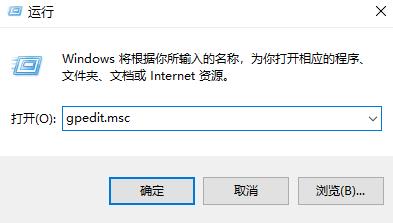
1. Press the shortcut key "win r" to open the run and enter "gpedit.msc ".
2. Click "User Configuration—>Management Template—>System" in sequence.
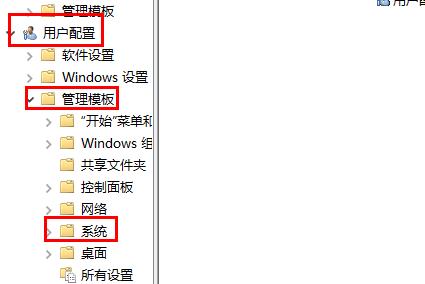
#3. Then click "Driver Installation" under the system.
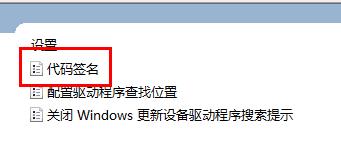
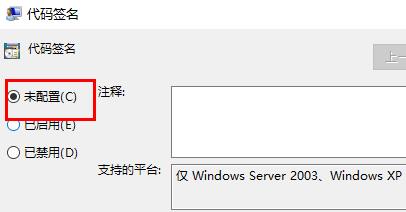
4. Click to open "Code Signing" on the right, check Not configured, and click OK.
The above is the detailed content of Solution to the problem that the Win7 system cannot verify the digital signature of the file. For more information, please follow other related articles on the PHP Chinese website!
 Introduction to screenshot shortcut keys in Windows 7 system
 Solution to the problem that win7 system cannot start
 How to repair win7 system if it is damaged and cannot be booted
 Solution to no sound in win7 system
 Detailed process of upgrading win7 system to win10 system
 The specific process of connecting to wifi in win7 system
 How to use months_between in SQL
 How to modify file name in linux





















![[Web front-end] Node.js quick start](https://img.php.cn/upload/course/000/000/067/662b5d34ba7c0227.png)



