


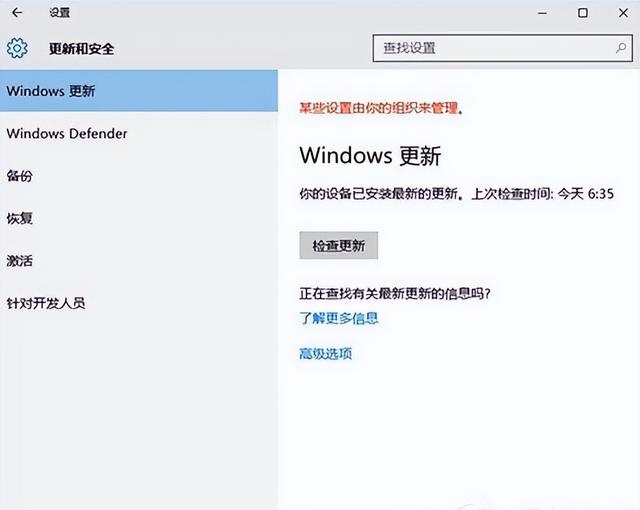
php editor Apple introduces you to a common problem: Win10 update stuck at 10%. Many users encountered this problem when updating the system, causing the system to fail to upgrade normally. This problem may occur due to various reasons, such as software conflicts, network problems, etc. In this article, we will provide you with some solutions to help you successfully complete the system update and avoid being stuck at 10%.
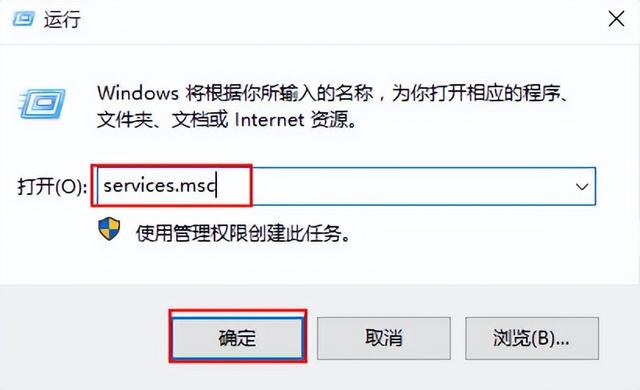
1. Use win r to open the window, enter the services.msc command and press enter, as shown in the following figure:
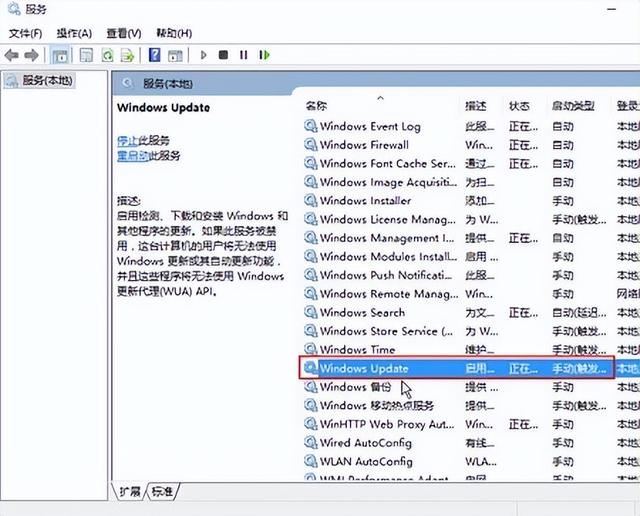
2. Select the "Windows Update" service and double-click to open it , as shown in the figure below:
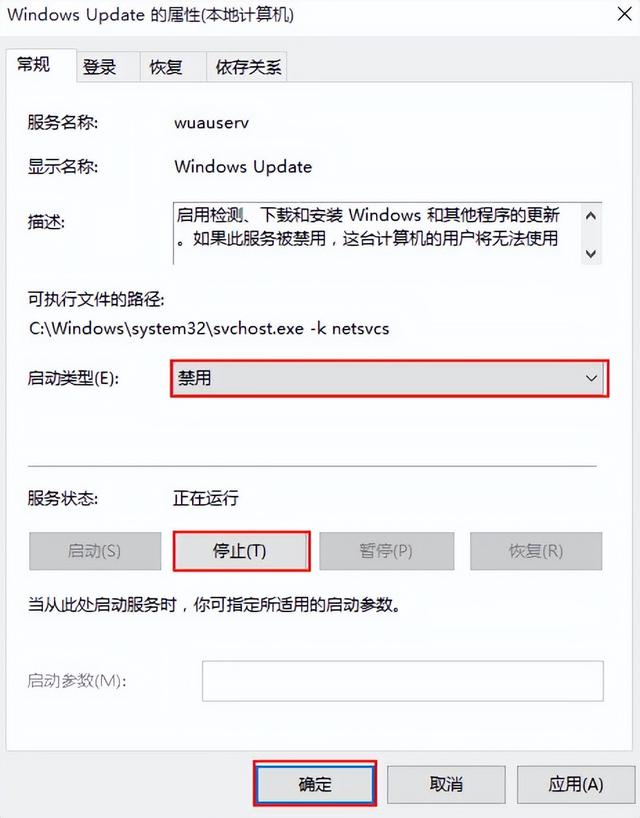
3. Change the startup type to "Disabled", click the "Stop" button, and click OK, as shown in the figure below:
4. Rename the C:\Windows\SoftwareDistribution folder to SDfolder, as shown in the following figure:
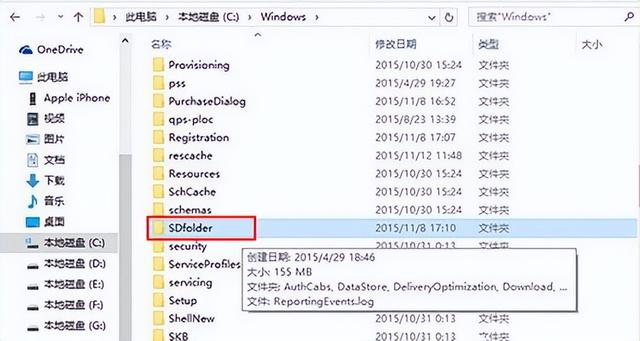
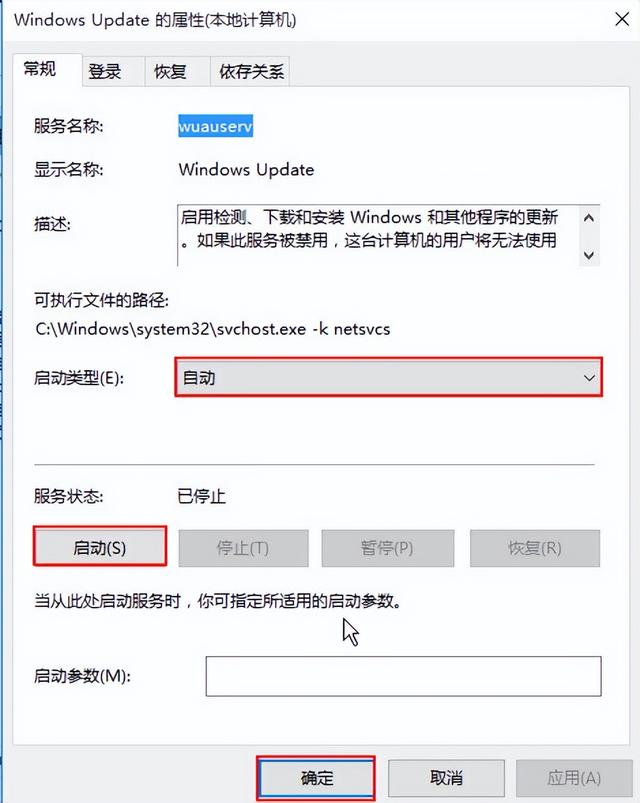
5. Restart the Windows Update service and try to check for updates and installation, as shown in the following figure:
The above is the detailed content of win10 update stuck on 10. For more information, please follow other related articles on the PHP Chinese website!
 win10 bluetooth switch is missing
 Why do all the icons in the lower right corner of win10 show up?
 The difference between win10 sleep and hibernation
 Win10 pauses updates
 What to do if the Bluetooth switch is missing in Windows 10
 win10 connect to shared printer
 Clean up junk in win10
 How to share printer in win10





















![[Web front-end] Node.js quick start](https://img.php.cn/upload/course/000/000/067/662b5d34ba7c0227.png)



