



Steps to check the apache version:
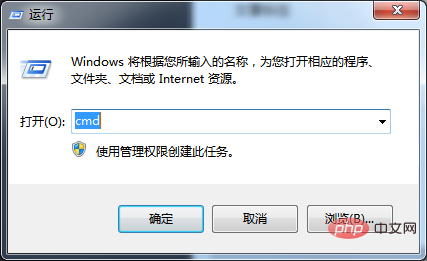
1. Enter the cmd command window
Press the key combination [win r], Open the run window, enter the cmd command and press Enter to enter the cmd command line
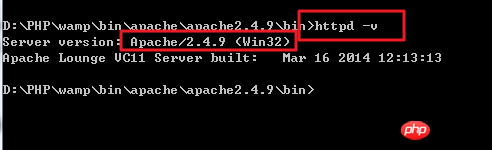
2. Use the cd command to switch to the bin directory of Apache
3. Use httpd -v command query
The above is the detailed content of How to check the apache version?. For more information, please follow other related articles on the PHP Chinese website!
 What does apache mean?
 apache startup failed
 What are artificial intelligence technologies?
 Kernelutil.dll error repair method
 How to solve the problem that Apple cannot download more than 200 files
 What are the configuration management tools?
 What are the formal digital currency trading platforms?
 Server monitoring software





















![[Web front-end] Node.js quick start](https://img.php.cn/upload/course/000/000/067/662b5d34ba7c0227.png)



