

The shortcut key for the format painter in WORD needs to be copied on the source format. The shortcut key is Ctrl shift C, and then pasted on the target format. The shortcut key is Ctrl shift V. For specific operation steps, please refer to the steps below.

#1. The software used in this demonstration is word processing software, and the software version is office home and student version 2016.

#2. In order to make the demonstration more intuitive, first add some formatting to the source text format.
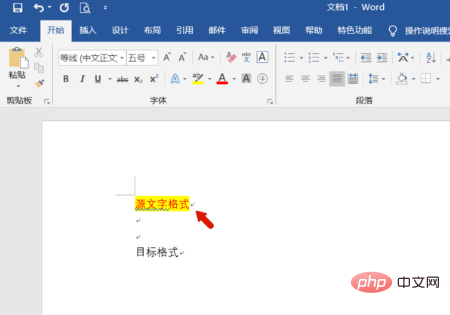
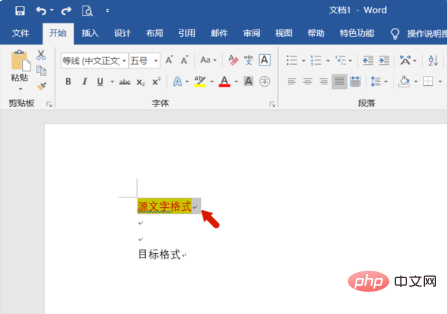
#3. Then select the text we added formatting and use the shortcut key "Ctrl shift C" to copy the format.
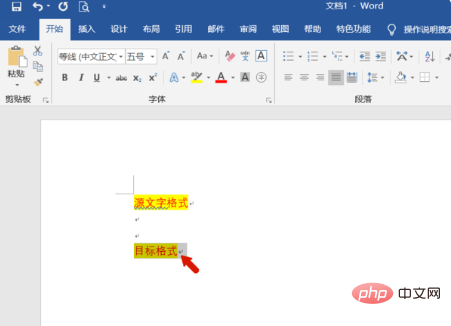
4. Then select the target text and use the shortcut key "Ctrl shift V" to paste the format we copied. You can see that we have used the format painter to format it. copy.
The above is the detailed content of What is the shortcut key for word format brush?. For more information, please follow other related articles on the PHP Chinese website!
 Can Microsoft Visual C++ be uninstalled?
 What java workflow engines are there?
 How to display two divs side by side
 How to uniformly replace ppt background images
 How to save files to USB drive
 How to define an array
 word to jpg
 How to solve the problem that the folder does not have security options









![[Web front-end] Node.js quick start](https://img.php.cn/upload/course/000/000/067/662b5d34ba7c0227.png)



