

linux虚拟机一直连不上外网,感觉应该是有一些地方没有正确设置好。
使用的是vmware centos虚拟机,桥接模式,连接xshell使用,但在连接外网时却出现问题了。
首先:执行 vi /etc/sysconfig/network-scripts/ifcfg-eth0 命令后: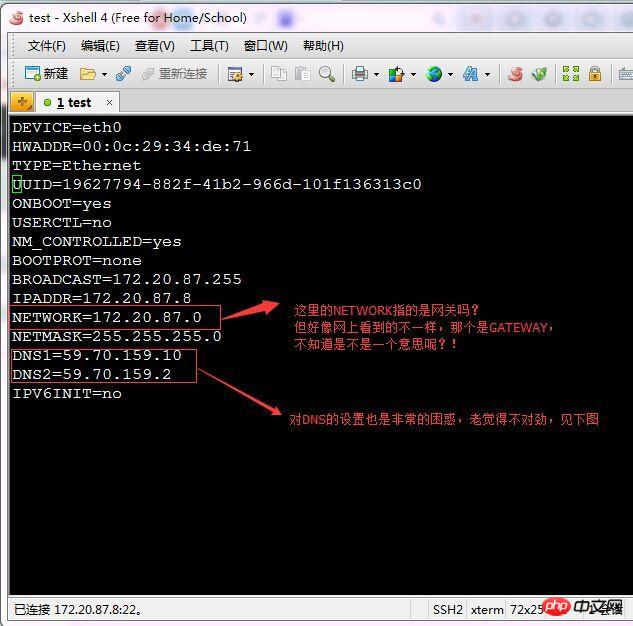
执行 vi /etc/resolv.conf 命令后: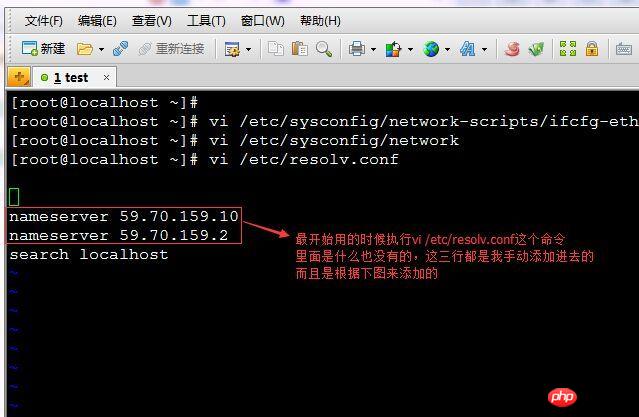
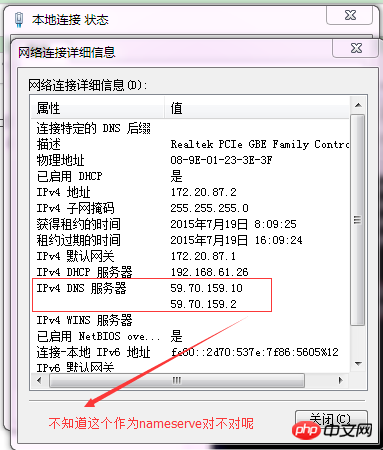
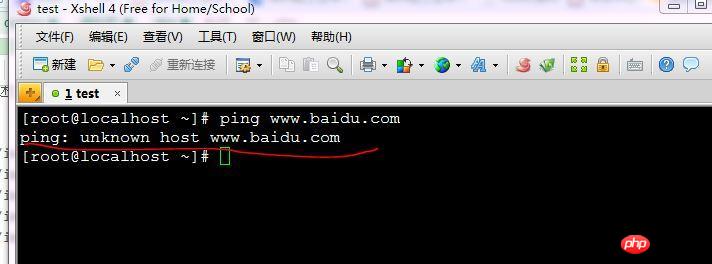
但很明显,ping所添加的DNS并不成功: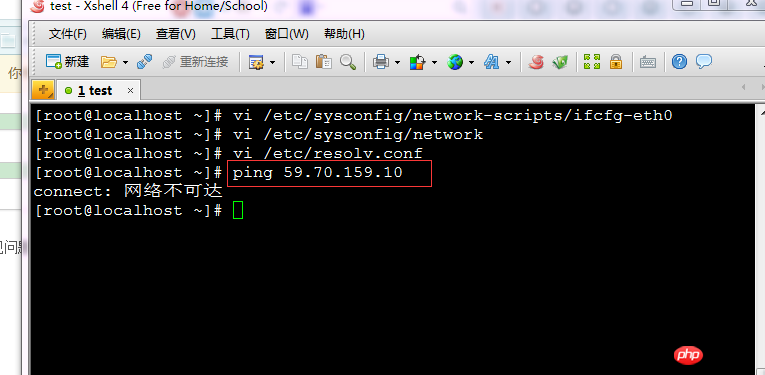
网上看到的DNS大都是202.开头的,对比一下就感觉出问题了,但又不知道如何解决,求助。
更新:
进行一番修改之后,NETWORK改为GATEWAY=172.20.87.1,现在是可以ping通DNS了,可要是去ping外部网络,就做不到了:
这个该如何解决呢,有点烦!












![[Web front-end] Node.js quick start](https://img.php.cn/upload/course/000/000/067/662b5d34ba7c0227.png)




The NETWORK parameter has not been used. GATEWAY should be set so that you know how to go when going to the external network. I don’t know what the NETWORK parameter is used for. It’s possible that illegal parameters have been ignored.
Are you using NAT or bridging? If you are bridging, you just need to ensure that your virtual machine IP is in the same network segment as your physical machine, and use the same network management and DNS
Is the problem solved? If you can ping the dns, the external network should be able to connect.
Please close iptables and see if the default firewall has any rules
After changing the configuration file, you need to restart the service:
After restarting, try again
pingBaiduYour dns is the dns of Qingyuan. Generally there is no problem, but it is better to change it...
Replace with four 114s and four 8s
I know that under Windows, you can reset the network connection settings in settings
Unknown host is basically incorrect dns configuration.
And why the dns is the ip of the Light Industry College instead of some mobile or telecom, it’s so amazing.
He said he didn’t know much about dns and asked someone to help spread the knowledge...
I encountered this problem when I was in college, because the school had internal and external network restrictions. My solution was:
When connected to the external network, install the system in the virtual machine, so you don't have to worry about bridge mode or other modes.