


How to add watermark to pictures? FastStone Capture is a professional image processing tool that provides a convenient and fast function for adding watermarks to images. Want to know how? Read on!
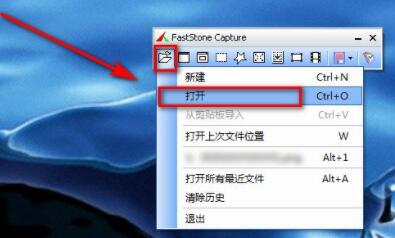
First, open FastStone Capture, click Open in the drop-down menu of the first icon of the tab
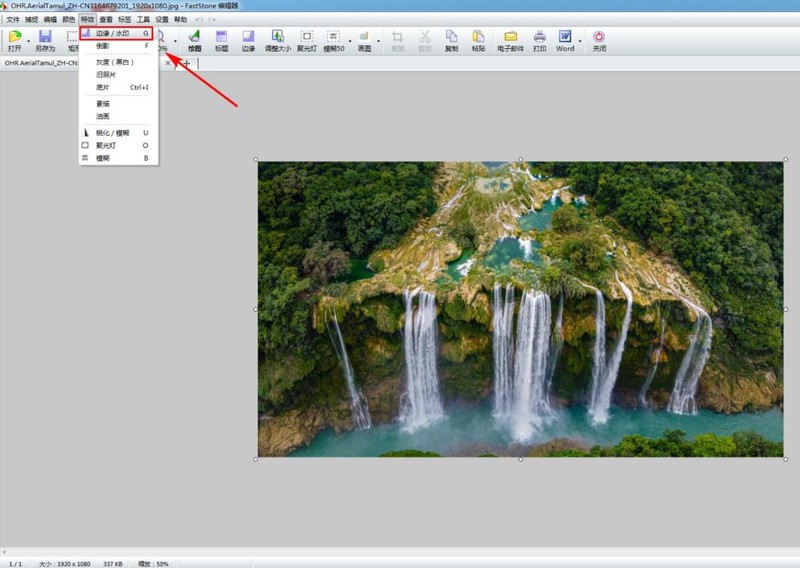
Then, click on the special effects in the upper menu bar-Edge/ Watermark
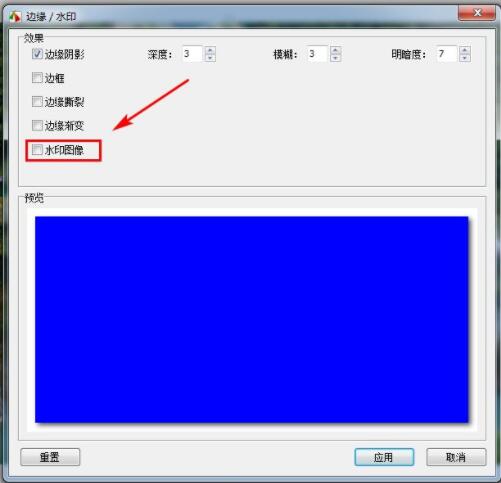
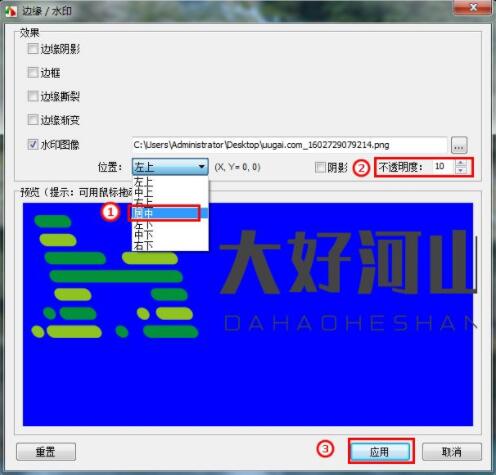
Then, a dialog box pops up, check the watermark image
Click browse and add your watermark
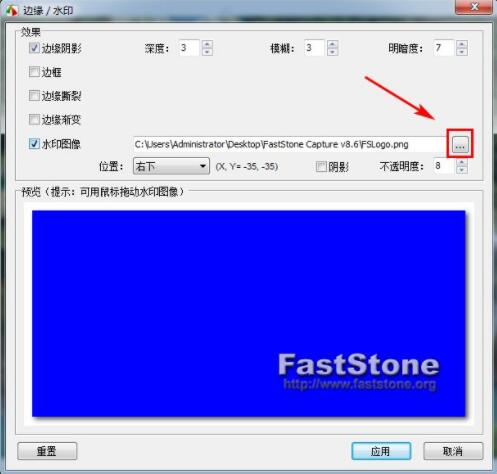
Next, change the watermark position and opacity, and then apply
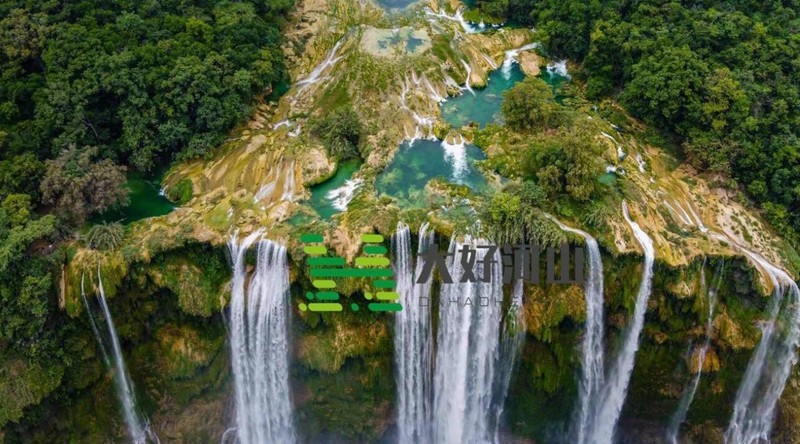
The effect is as follows, the watermark is added successfully
The above is the detailed content of How to add watermark to FastStone Capture How to add watermark to pictures. For more information, please follow other related articles on the PHP Chinese website!





























![[Web front-end] Node.js quick start](https://img.php.cn/upload/course/000/000/067/662b5d34ba7c0227.png)



