


How to quickly convert uppercase letters to lowercase letters in Excel? This problem bothers many users. In order to solve this problem, PHP editor Xigua carefully compiled a detailed conversion method. The article will start with the necessity of converting uppercase letters to lowercase and introduce a variety of practical techniques, including the use of functions, shortcut keys, and online conversion tools. Through step-by-step explanation, after reading this article, users will master the skills to quickly convert Excel uppercase letters to lowercase letters, thereby improving work efficiency.
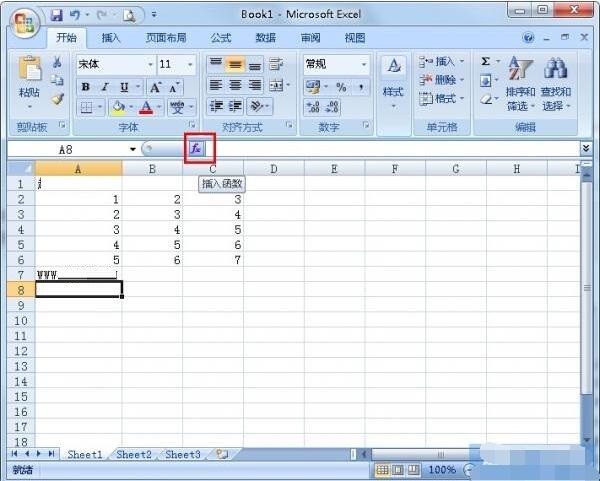
1. Open the Excel table and click [Insert Function].
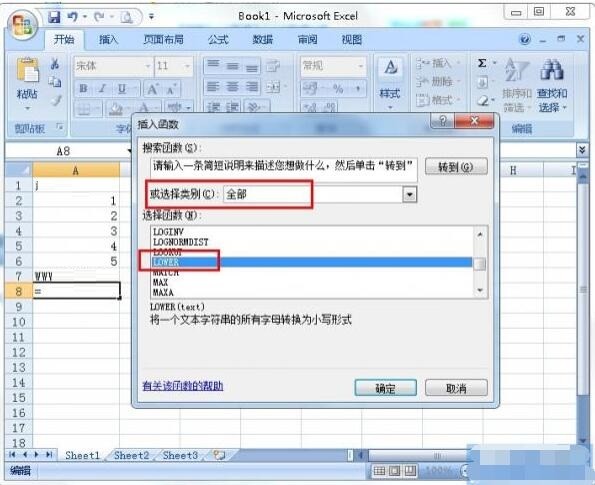
2. Select the function category as [All], then come down to find [LOWER] and click it.
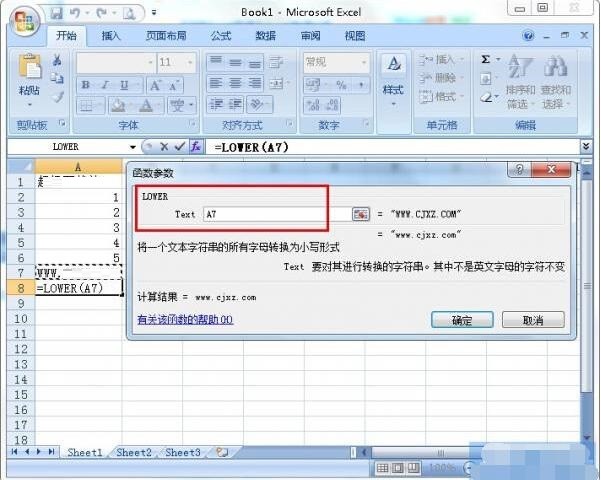
3. Select the cell where the uppercase letters are located, and click OK after selecting.
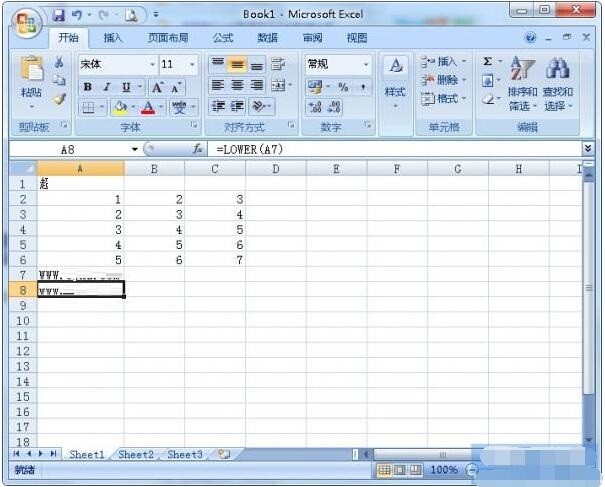
4. In this way, uppercase letters can be quickly converted into lowercase letters.
The above is the detailed content of How to quickly convert uppercase letters in Excel to lowercase letters_How to quickly convert uppercase letters in Excel to lowercase letters. For more information, please follow other related articles on the PHP Chinese website!
 China Bitcoin Trading Platform
 What is the difference between wechat and WeChat?
 How to connect vb to access database
 What are the methods to prevent sql injection?
 Error connecting to apple id server
 Introduction to the usage of sort() function in python
 What is the difference between legacy and uefi?
 How to view Tomcat source code




















![[Web front-end] Node.js quick start](https://img.php.cn/upload/course/000/000/067/662b5d34ba7c0227.png)



