


Many users choose to use computers to open WiFi connections to share networks, but sometimes we find that connecting to WiFi shows that it is unavailable. So what is the solution to this situation? Let’s take a look now.
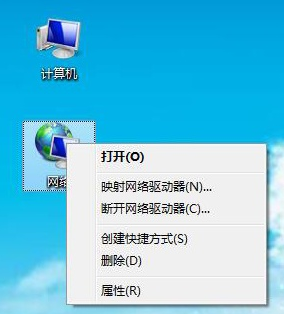
1. Right-click the network icon on the desktop and select Properties.
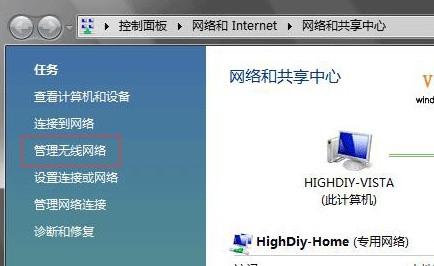
2. Open the Network and Sharing Center and select "Manage Wireless Networks"
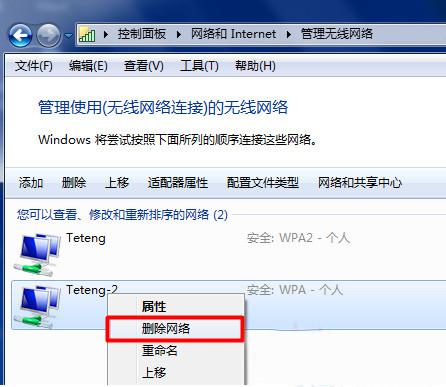
3. Find your WiFi Name, right-click to delete, and then search for the connection again.
The above is the detailed content of Win7 cannot connect to WiFi network. For more information, please follow other related articles on the PHP Chinese website!
 Is wifi signal amplifier useful?
 What does network access denied mean wifi?
 Why does wifi have an exclamation mark?
 wifi shows no ip assigned
 How to set the computer to automatically connect to WiFi
 How to create virtual wifi in win7
 WiFi shows no access to the Internet
 Why does wifi have an exclamation mark?




















![[Web front-end] Node.js quick start](https://img.php.cn/upload/course/000/000/067/662b5d34ba7c0227.png)



