


PHP supports one-dimensional and multi-dimensional arrays. In the previous article "PHP Array Learning How to Create and Initialize a One-Dimensional Array (Detailed Code Explanation)" we gave you a detailed introduction to one-dimensional arrays through code examples There are several methods of creating and initializing arrays, so let’s take a look at two-dimensional arrays (multi-dimensional arrays) in PHP and see how to create two-dimensional arrays (multi-dimensional arrays). Let’s learn together!
In this article, we will first introduce the creation method of two-dimensional array through code examples, and then expand on the creation method of multi-dimensional array. Let’s take a look below.
The so-called two-dimensional array, simply put, is to define multiple one-dimensional arrays inside a one-dimensional array, that is, the value in one array can be another array (it may be a bit one-sided, but the two-dimensional array The principle is roughly like this). A two-dimensional array is essentially an array with an array as an array element, that is, an "array of arrays", and the type specifier is "array name[constant expression][constant expression]". (Attachment:PHP function array array function video explanation)
1. Creation of two-dimensional array
2 The creation method of dimensional array and one-dimensional array is the same, just replace the elements in the array with an array. There are also two methods: "directly assigning values to array elements" and "array() function". Below we will introduce these two methods in detail with our actual code examples.
1. Directly assign values to array elements
We can use the form "$array variable name[row subscript][column subscript]= value ;” format to create and initialize the two-dimensional array
Output result:
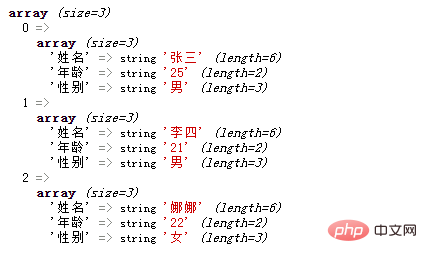
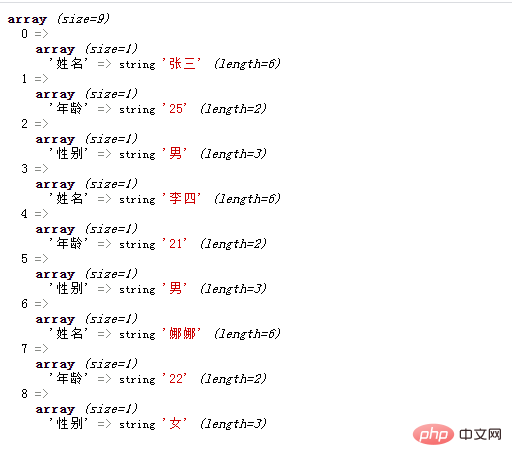
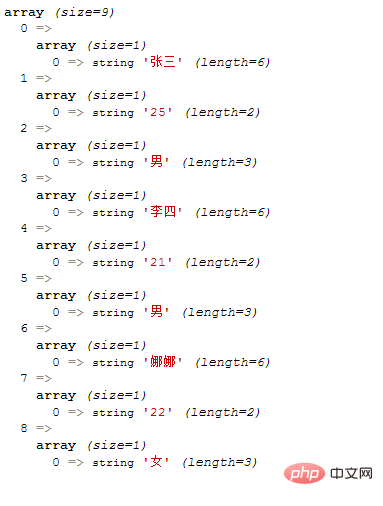
Row subscript of the two-dimensional arrayandcolumn subscriptscan be empty (that is, no specific index value is specified), then the default is a numeric index, and the index value increases sequentially starting from 0 by default.
Example 1: "Column subscript" is empty
Output result:
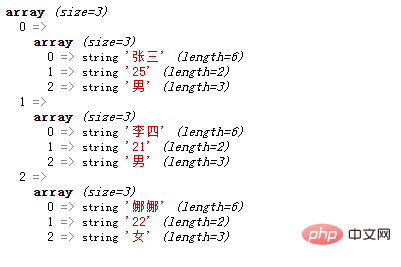
Example 2: "Row subscript" is Empty
Output result:
Example 3: "Row subscript" and "Column subscript" are both empty
Output result:
2. Use the array() function
Use the array() function to declare a two-dimensional array and declare a one-dimensional array Arrays are similar.
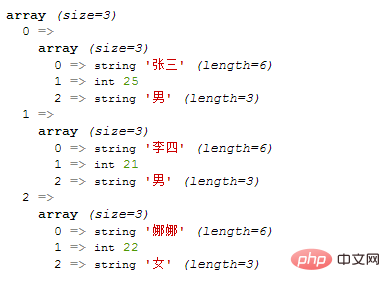
1) Index array
Output result:
2) Associative array
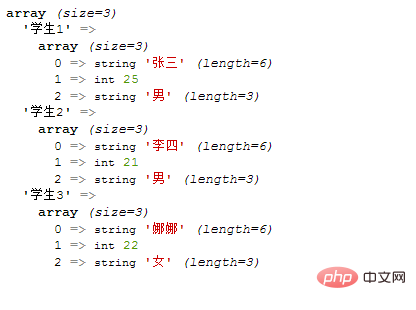
Example 1 :
array("张三",25,"男"), "学生2"=>array("李四",21,"男"), "学生3"=>array("娜娜",22,"女") ); var_dump($array); ?>
Output result:
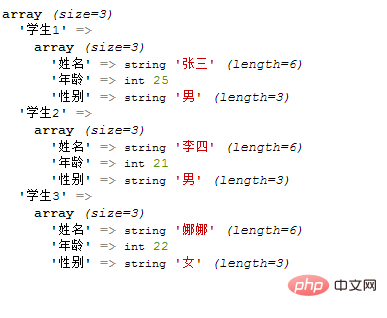
Example 2:
array("姓名"=>"张三","年龄"=>25,"性别"=>"男"), "学生2"=>array("姓名"=>"李四","年龄"=>21,"性别"=>"男"), "学生3"=>array("姓名"=>"娜娜","年龄"=>22,"性别"=>"女") ); var_dump($array); ?>
Output result:
Instructions: Get the elements in the two-dimensional array
Just need to indicate the subscript of each dimension
"张三","年龄"=>25,"性别"=>"男"), array("姓名"=>"李四","年龄"=>21,"性别"=>"男"), array("姓名"=>"娜娜","年龄"=>22,"性别"=>"女") ); echo $array[0]['姓名'].'同学的年龄为'.$array[0]['年龄'].'岁'; ?>
Output result:
张三同学的年龄为25岁
2. Creation of multi-dimensional array
A multi-dimensional array is an array containing one or more arrays.
In a multi-dimensional array, each element in the main array can also be an array, and each element in the sub-array can also be an array.
With reference to the two-dimensional array, we can easily understand the creation method of the multi-dimensional array
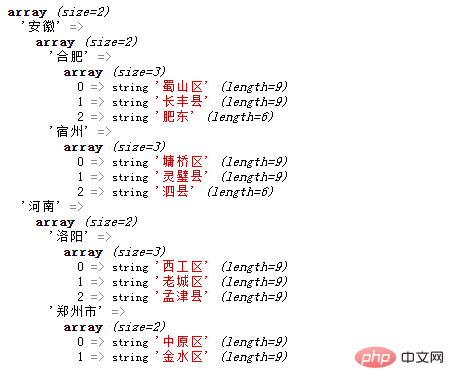
Example: Creation of the three-dimensional array
array( '合肥'=>array('蜀山区','长丰县','肥东'), '宿州'=>array('墉桥区','灵璧县','泗县') ), '河南' => array( '洛阳'=>array('西工区','老城区','孟津县'), '郑州市'=>array('中原区','金水区') ) ); var_dump($array); ?>
Output result:
Recommended:《2021 PHP interview questions summary (collection)》《php video tutorial》
The above is the detailed content of A brief analysis of two-dimensional array creation methods for PHP array learning. For more information, please follow other related articles on the PHP Chinese website!





























![[Web front-end] Node.js quick start](https://img.php.cn/upload/course/000/000/067/662b5d34ba7c0227.png)



