


Javascript method to hide the drop-down menu: first create a "demo.html" and "demo.css"; then create a "demo.js"; finally pass "function hideSubMenu(li) {...} "Just hide it.

The operating environment of this article: windows7 system, javascript version 1.8.5, Dell G3 computer.
How to hide the drop-down menu in javascript?
javascript implements display and hiding of drop-down menu
demo.html
<!DOCTYPE html>
<html lang="en">
<head>
    <meta charset="UTF-8">
    <title>实现下拉菜单效果</title>
    <link rel="stylesheet" type="text/css" href="demo.css">
    <script type="text/javascript" src="demo.js"></script>
</head>
<body>
<p id="nav">
    <ul>
        <li><a href="#">首页</a></li>
        <li onmouseover="displaySubMenu(this)" onmouseout="hideSubMenu(this)"><a href="#">课程大厅</a>
            <ul>
                <li><a href="#">JavaScript</a></li>
                <li><a href="#">Html/CSS</a></li>
            </ul>
        </li>
        <li onmouseover="displaySubMenu(this)" onmouseout="hideSubMenu(this)"><a href="#">学习中心</a>
            <ul>
                <li><a href="#">视频学习</a></li>
                <li><a href="#">实例练习</a></li>
                <li><a href="#">问与答</a></li>
            </ul>

        </li>
        <li><a href="#">经典案例</a></li>
        <li><a href="#">关于我们</a></li>

    </ul>

</p>
</body>
</html>demo.js
function displaySubMenu(li) {

    var subMenu = li.getElementsByTagName("ul")[0];

    subMenu.style.display = "block";

}

function hideSubMenu(li) {

    var subMenu = li.getElementsByTagName("ul")[0];

    subMenu.style.display = "none";

}demo.css
*{ margin:0px; padding:0px;}
body{ font-family:Verdana, Geneva, sans-serif; font-size:14px;}
#nav{ width:600px; height:40px; background-color:#eee; margin:0 auto;}
ul{ list-style:none;}
ul li{ float:left; line-height:40px; text-align:center; width:100px;}

a{ text-decoration:none; color:#000; display:block;}
a:hover{ color:#F00; background-color:#666;}


ul li ul li{ float:none;background-color:#eee; margin:2px 0px;}

ul li ul{ display:none;}Effect:
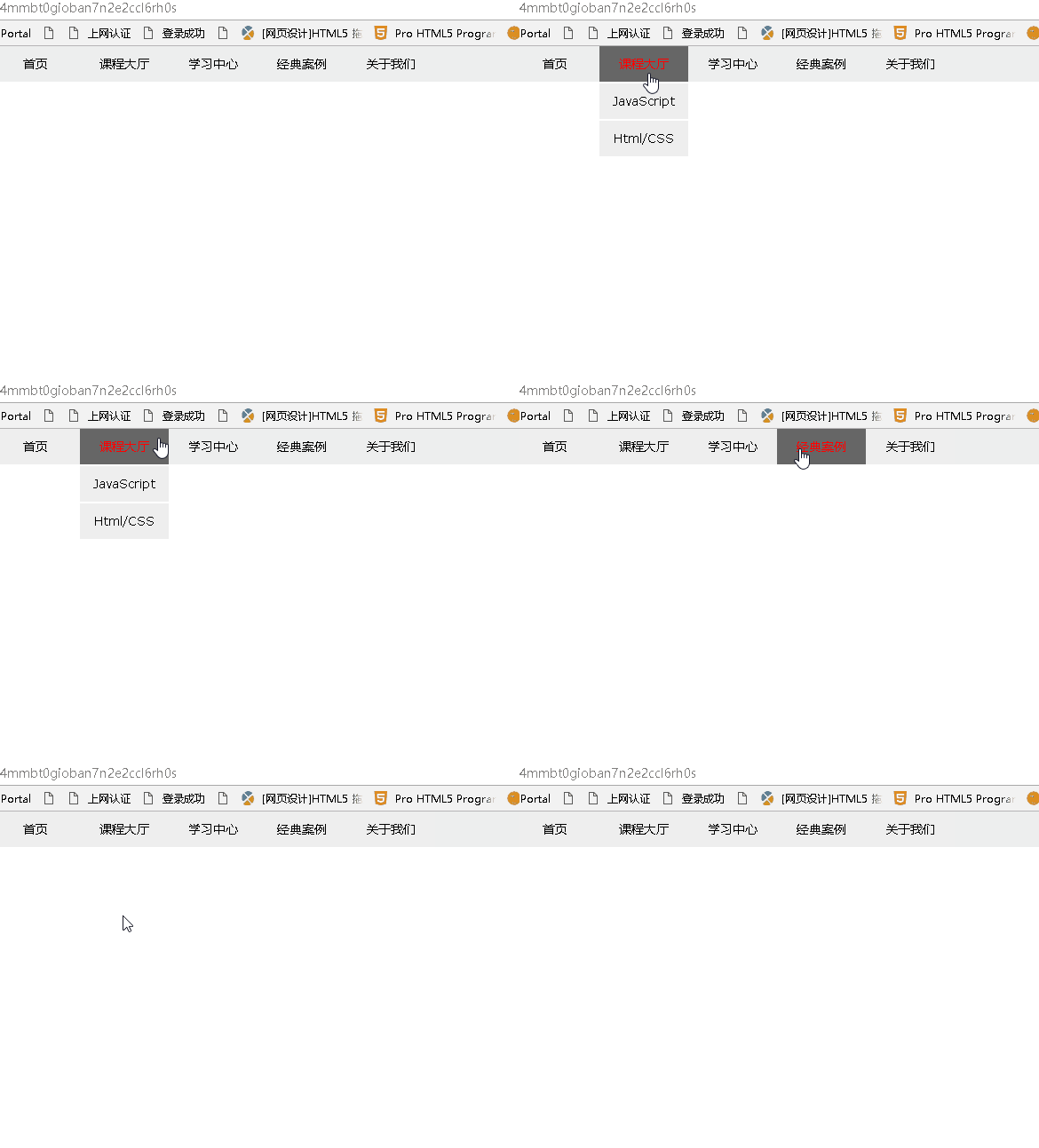
Recommended study: "javascript Advanced Tutorial"
The above is the detailed content of How to hide drop-down menu in javascript. For more information, please follow other related articles on the PHP Chinese website!
















![[Web front-end] Node.js quick start](https://img.php.cn/upload/course/000/000/067/662b5d34ba7c0227.png)



