


How to join a homegroup in win10: 1. Find the This Computer application on your computer and click to open it; 2. In the This Computer interface that opens, click Homegroup on the left; 3. Jump In the interface, click the Join Now option; 4. Enter the password you need to join the family group; 5. After the input is completed, you can successfully join the family group.

#The operating environment of this article: Windows 10 system, Dell G3 computer.
1. Find this computer application on your computer and click to open it.

#2. In the computer interface that opens, click Home Group on the left.
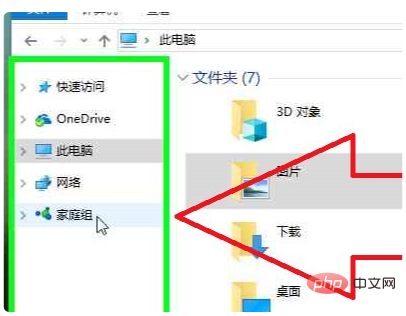
#3. In the jump interface, click the Join Now option.
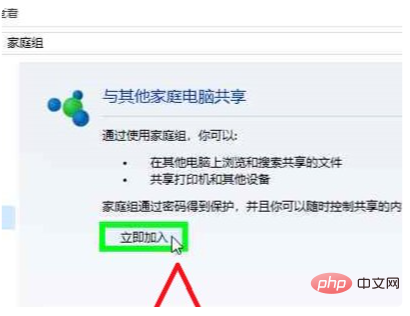
#4. In the jump interface, enter the password you need to join the home group.

#5. After the input is completed, you can successfully join the family group.

For more related knowledge, please visit the FAQ column!
The above is the detailed content of How to join a homegroup in win10. For more information, please follow other related articles on the PHP Chinese website!
 win10 bluetooth switch is missing
 Why do all the icons in the lower right corner of win10 show up?
 The difference between win10 sleep and hibernation
 Win10 pauses updates
 What to do if the Bluetooth switch is missing in Windows 10
 win10 connect to shared printer
 Clean up junk in win10
 How to share printer in win10





















![[Web front-end] Node.js quick start](https://img.php.cn/upload/course/000/000/067/662b5d34ba7c0227.png)



