


The following tutorial column will introduce to you how to solve the 404 problem when opening phpMyAdmin after installing PHPStudy. I hope it will be helpful to friends in need!
First of all, it is because Mysql has not set a password. Now enter PHPStudy→Other Options Menu→MySQL Tools. The first one is to set or modify the password. The initial password is root, and then modify it. password. At this time, phpMyAdmin still cannot be opened. The reason is that there is no phpMyAdmin folder in the root directory of the website or the folder was deleted by mistake.
Download and install phpMyAdmin from the official website, portal: https://www.phpmyadmin.net/downloads/
What I downloaded is this:
After downloading, unzip it to the root directory of the website, change the file name to phpMyAdmin and it’s OK~ Attached is the rendering!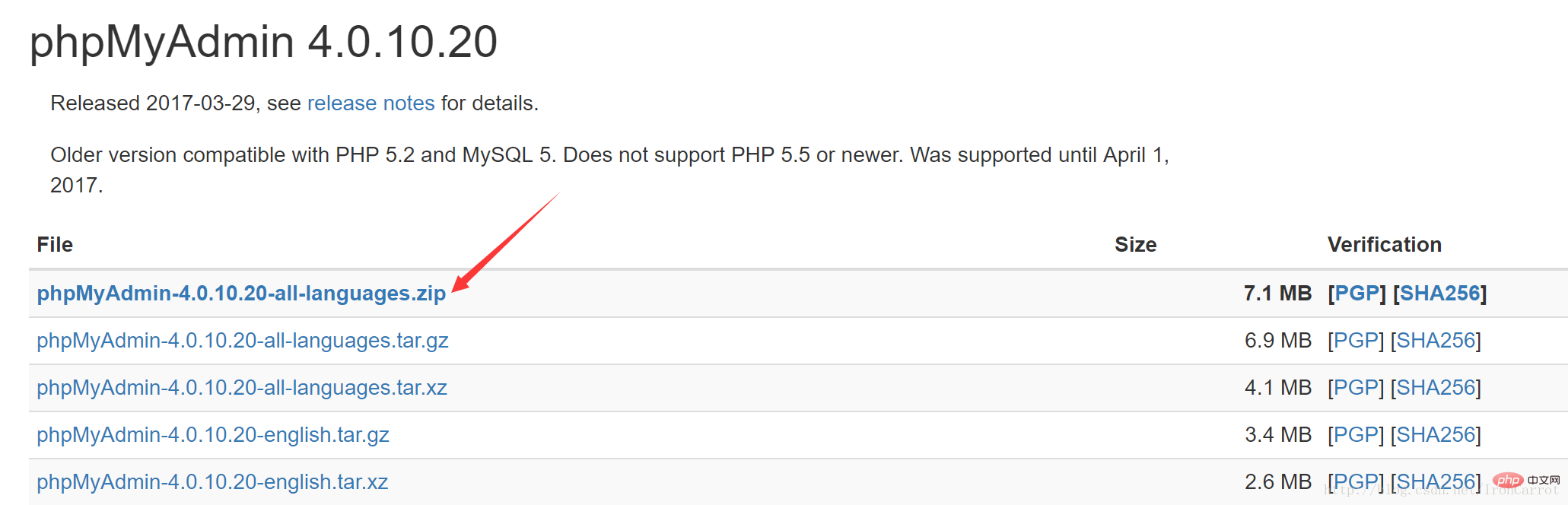
The above is the detailed content of Solve the problem of 404 displayed when opening phpMyAdmin after installing PHPStudy. For more information, please follow other related articles on the PHP Chinese website!
 Commonly used mysql management tools
 What to do if phpmyadmin fails to import sql file
 How to change phpmyadmin to Chinese
 What's going on when phpmyadmin can't access it?
 Configure java environment variables
 How to connect asp to access database
 The difference between Fahrenheit and Celsius
 What do computer software systems include?




















![[Web front-end] Node.js quick start](https://img.php.cn/upload/course/000/000/067/662b5d34ba7c0227.png)



