

The solution to directly wrap the line if there is a blank space on the right side of the word: First open the Word document and enter the text content on the page; then select the paragraph of text, right-click the mouse, and click "Paragraph" in the pop-up options "; then set the indent character on the right to "0"; and finally click the OK button.

The operating environment of this tutorial: Windows 7 system, Microsoft Office word 2010 version, DELL G3 computer.
Cause: It may be that the right indentation is set, resulting in spaces left on the right side of the page and text cannot be entered.
Solution:
1. First open the Word document and enter the text content on the page. You can see that the right side of the page wraps without reaching the page margin.
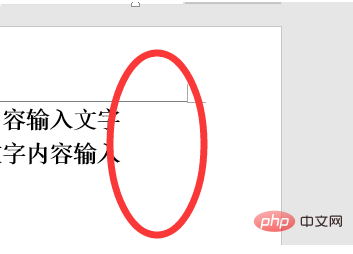
#2. Select the paragraph, right-click the mouse, and click "Paragraph" in the pop-up options.

#3. Then in the opened paragraph dialog box, I found that the indentation on the right side was set with characters and numbers.
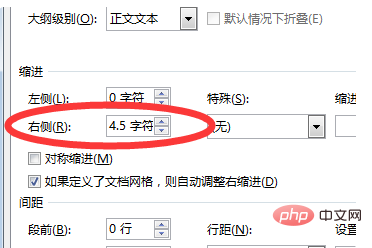
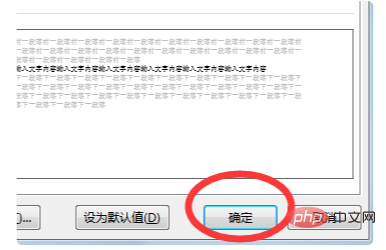
#4. Set the indent character on the right to "0" and click the OK button in the lower right corner.
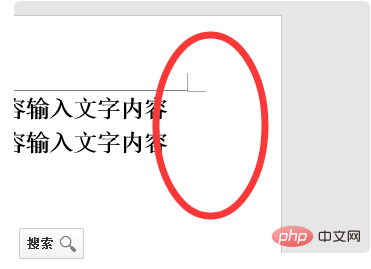
#5. You will find that the original space on the right has been filled with text.
Recommended: "Word Tutorial"
The above is the detailed content of What should I do if there is a blank space on the right side of the word and I just wrap it in a new line?. For more information, please follow other related articles on the PHP Chinese website!
 How to change word background color to white
 How to delete the last blank page in word
 Why can't I delete the last blank page in word?
 Word single page changes paper orientation
 word to ppt
 Word page number starts from the third page as 1 tutorial
 Tutorial on merging multiple words into one word
 word insert table





















![[Web front-end] Node.js quick start](https://img.php.cn/upload/course/000/000/067/662b5d34ba7c0227.png)



