


The following tutorial column fromsublimewill introduce to you how to use sublime 3 to read android source. I hope it will be helpful to friends in need!

Recently the android I downloaded source4.4.2 and planned to learn it. I used to use vim in the Linux environment, with the ctag plug-in for jump viewing, but on windows, there are no good tools, and I am not used to using si to view,
A long time ago, I learned that sublime is a very good text editor. You can customize any code style. It is smooth to use and the plug-in installation is also very convenient. Convenient, use it to build android today Source reader, convenient for reading and jumping.
In order to facilitate your download, I have found the sublime address here: http://www.sublimetext.com/
After entering, download and install,
I use Sublime Text 3,
We use the package control component here, which can directly install various plug-ins online, which is very convenient
Steps:
1. Press Ctrl ` to bring up the console (Note: This shortcut key will conflict if the QQ input method is installed. Input method property settings-input method management-cancel the hotkey to switch to QQ Pinyin)
2. Paste the following code into the bottom command line and press Enter:
import## urllib.request,os; pf='Package Control.sublime-package'; ipp=sublime.installed_packages_path(); urllib.request.install_opener( urllib.request.build_opener( urllib.request.ProxyHandler()) );open(os.path.join(ipp, pf),'wb').write(urllib.request.urlopen('http://sublime.wbond.net/'pf.replace(' ',' ')).read())
3. Restart Sublime Text 3.
4. If you see the package control item in Perferences->package settings, the installation is successful.
By the way, post the code of Sublime Text2
importurllib2,os; pf='Package Control.sublime-package'; ipp=sublime.installed_packages_path ()
Attached to the picture above:
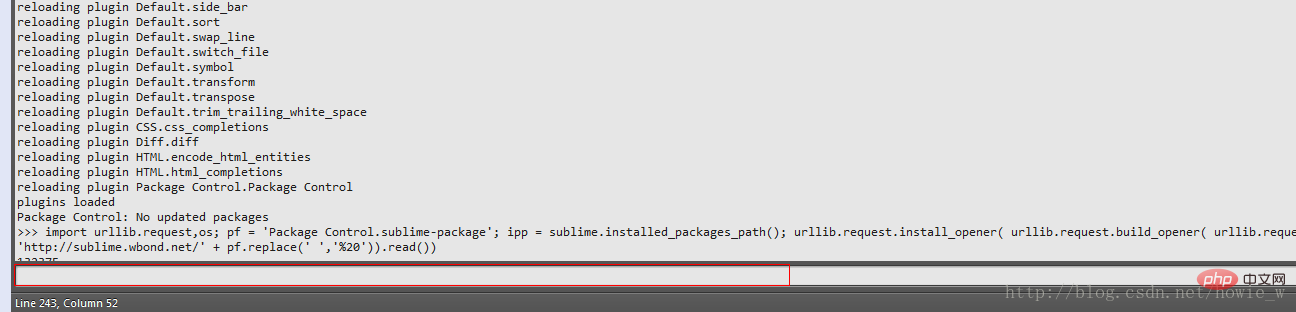
# #After successful installation, use ctrl shift p to open the plug-in search box:
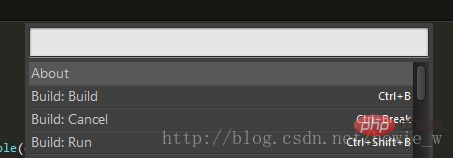
#Search for ctags and install the ctags plug-in,
Then download the ctags executable file: Give the address: http://ctags.sourceforge.net/
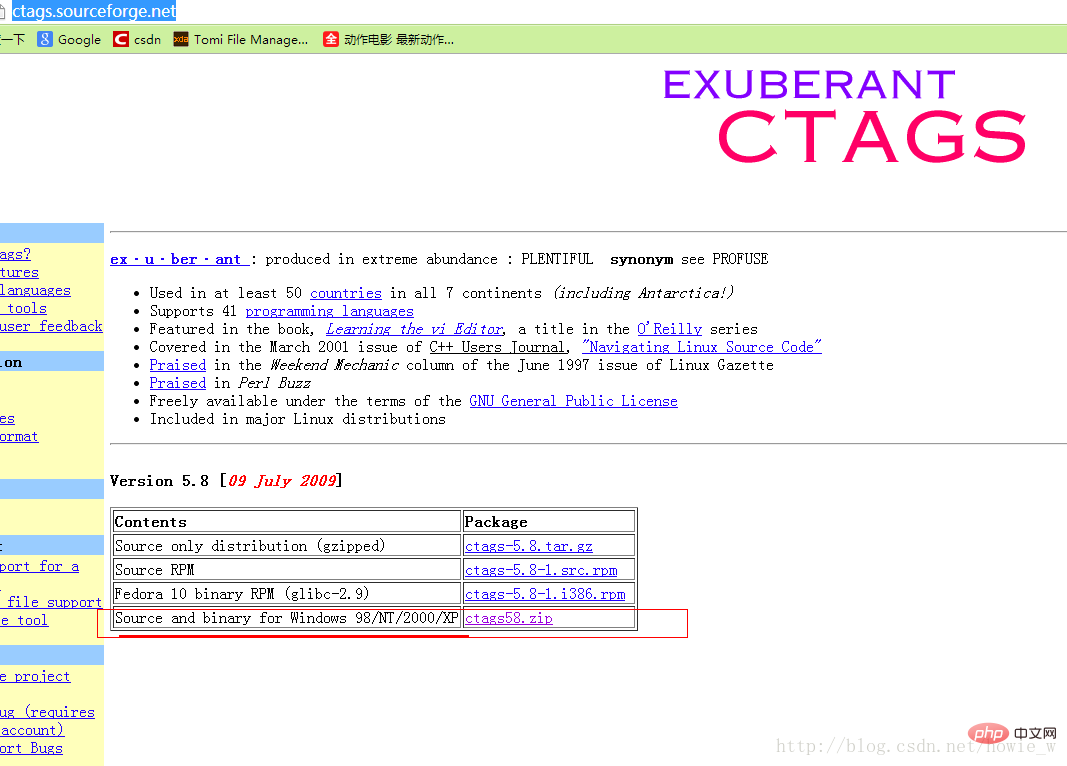
Then configure the ctags environment in Sumlime Text 3:
Open ctags default configuration as shown:
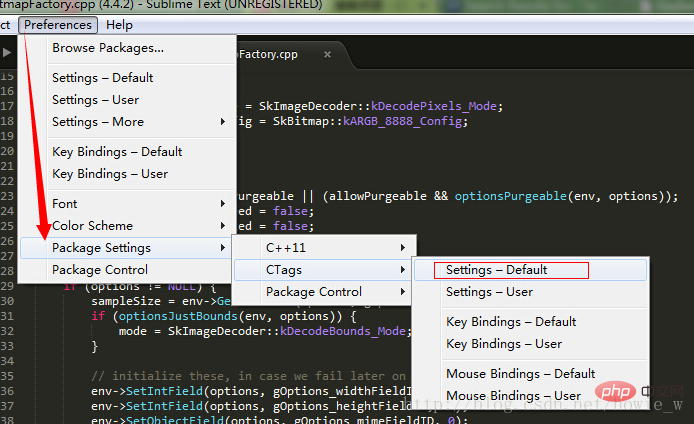
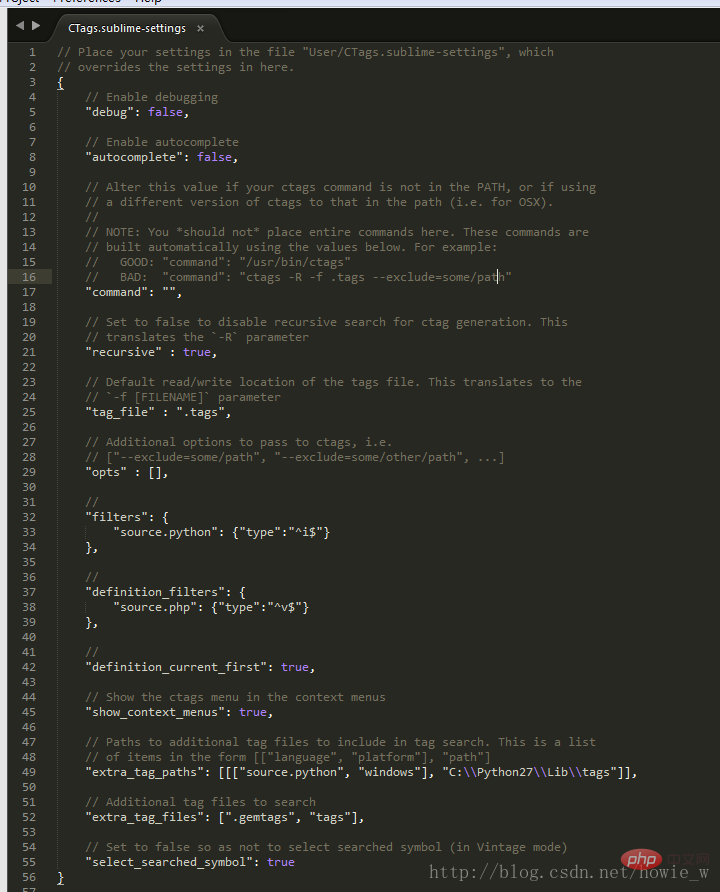
#Copy the contents to
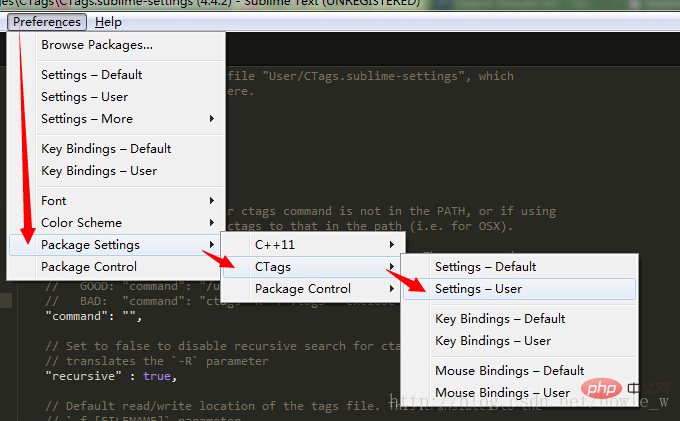
as the picture shows:

Note the slash, it is /
##At this point ctags has been configured . Start generating the tags environment for ctags
In the directory, right-click the pop-up menu:
As shown in the picture:
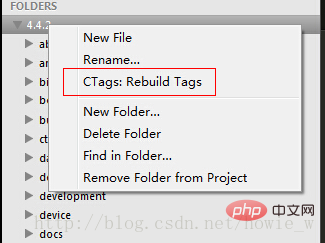
##After creating tags, you can use ctrl shift left mouse button to jump to the code.
The above is the detailed content of Teach you to use sublime 3 to read android source. For more information, please follow other related articles on the PHP Chinese website!
 Three major frameworks for android development
 What system is android
 How to unlock android permission restrictions
 What are the methods for restarting applications in Android?
 Android voice playback function implementation method
 Sublime input Chinese method
 How to turn off sublime auto-completion
 How to install third-party libraries in sublime




















![[Web front-end] Node.js quick start](https://img.php.cn/upload/course/000/000/067/662b5d34ba7c0227.png)



