


Right-click the start menu in the lower left corner to open the "Settings" panel
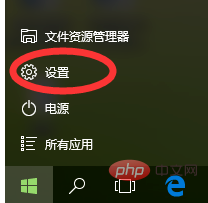
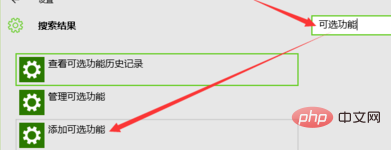
In the search box on the right side of the "Settings" window Search for "Optional Features" and click "Add Optional Features"
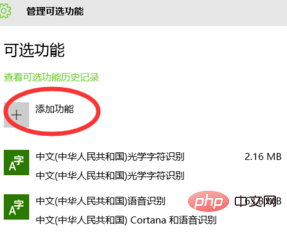
Click [Add Features]
Find the font with garbled characters, such as Japanese, click to install
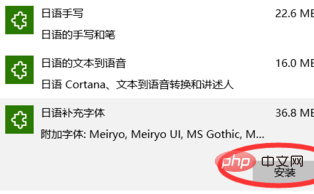
After you click to install, you will find that it disappears. At this time, click the return button in the upper left corner, and you will see the progress prompt as shown below
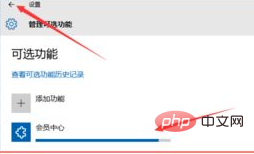
When the progress bar is full, it indicates that the function is installed.
Recommended related articles and tutorials:windows tutorial
The above is the detailed content of Some fonts in win10 system have garbled boxes. For more information, please follow other related articles on the PHP Chinese website!
 What is ^quxjg$c
 win10 bluetooth switch is missing
 Why do all the icons in the lower right corner of win10 show up?
 The difference between win10 sleep and hibernation
 Win10 pauses updates
 What to do if the Bluetooth switch is missing in Windows 10
 win10 connect to shared printer
 Clean up junk in win10





















![[Web front-end] Node.js quick start](https://img.php.cn/upload/course/000/000/067/662b5d34ba7c0227.png)



