


The
Nowadays, everyone is accustomed to referencing various third-party scripts in the page. If the third-party service provider has some minor problems, such as delay, the page will be blank.
scripttag is used to load scripts and execute scripts. It can be said to be a very important tag in front-end development.
If you use thescriptscript directly,htmlwill load and execute the script in order. During the script loading & execution process, subsequentDOM## will be blocked. #render.
Fortunately,
script provides two ways to solve the above problems, async and defer. These two attributes make script Neither will block the rendering of DOM. But since there will be two attributes, it means that there must be a difference between these two attributes.
If theWe made a test page, which contains the loading of twoscript
tag sets this attribute, the browser will download the file asynchronously and will not affect the subsequentDOMrendering;If there are multiple
scripttags withdeferset, allscriptwill be executed in order;
deferThe script will be executed after the document is rendered and before theDOMContentLoadedevent is called.
script tags, and adds the defer logo to them.
P.S. In order to be more intuitive, we added a delay of 1s to script1.js and 2s to script2.js Delay. 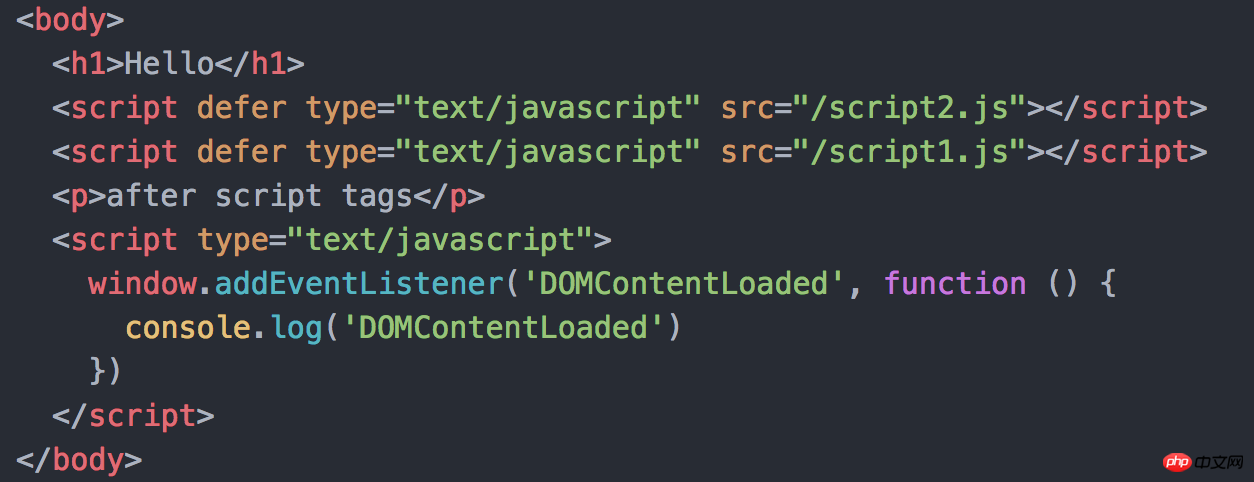 The picture below is the page loading process&
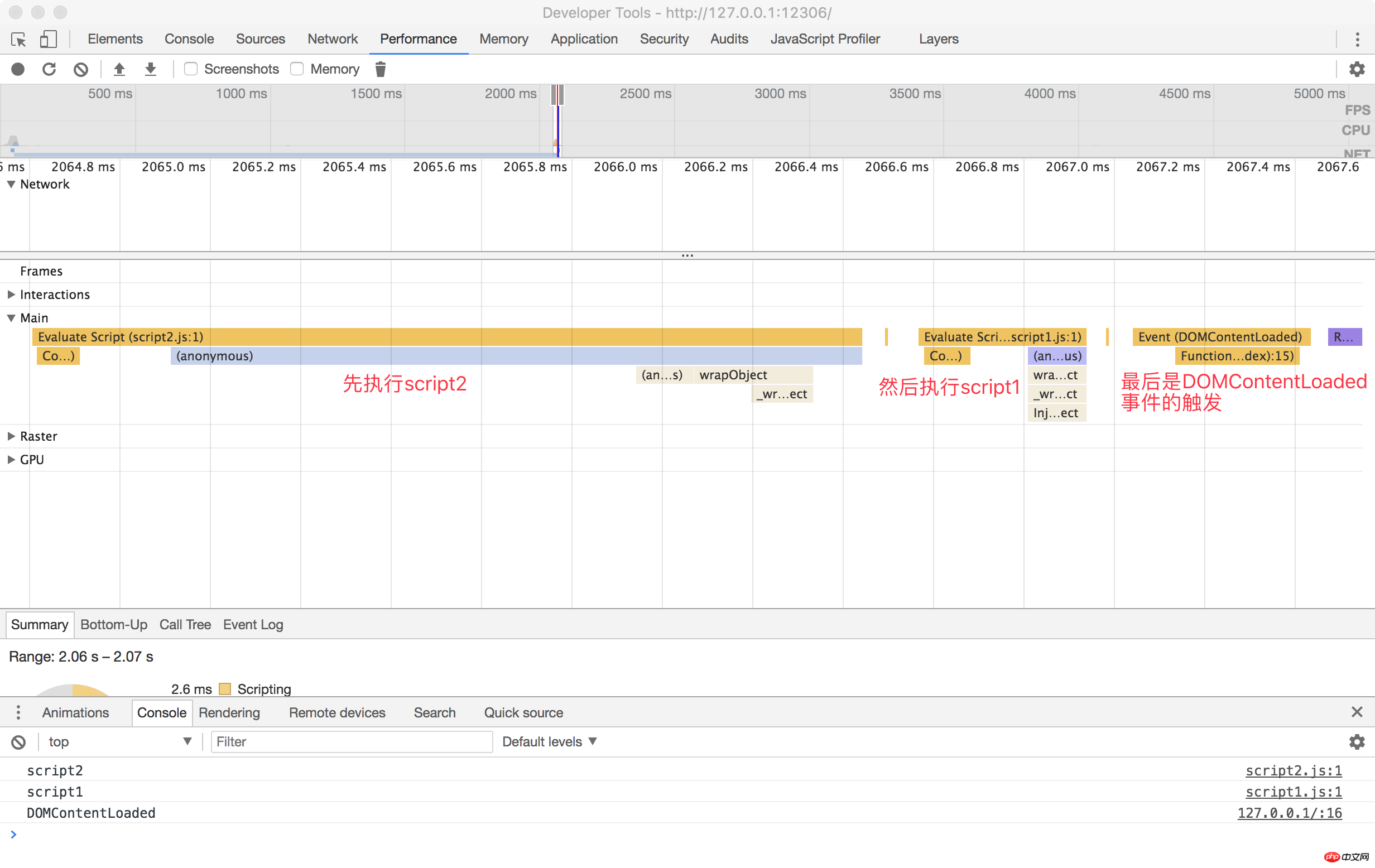
scriptThe output sequence of the script. It is not difficult to see that although the loading time of
script1 is shorter than that of script2, due to the limitation of defer, it can only wait for the previous script to be executed. can only be executed later. The setting of 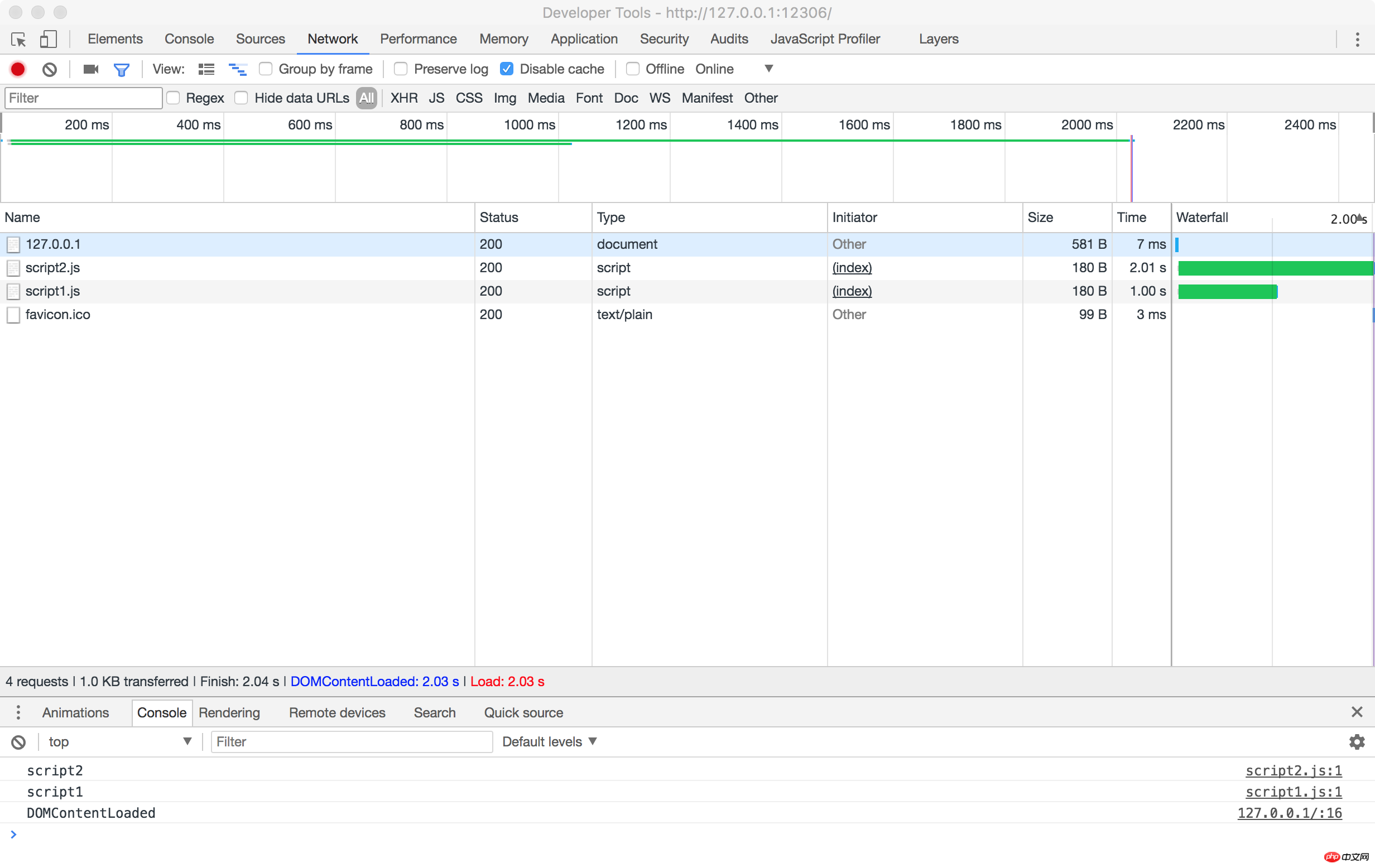
 ##async
asyncwill make the
We modified the test page as follows:scriptscript asynchronous Loading and executingasync
when allowed will not be executed in the order ofscripton the page, but whoever loads it first will execute it.
We got the following results. There is no change in the page loading time. After all, they are all asynchronously loaded scripts. 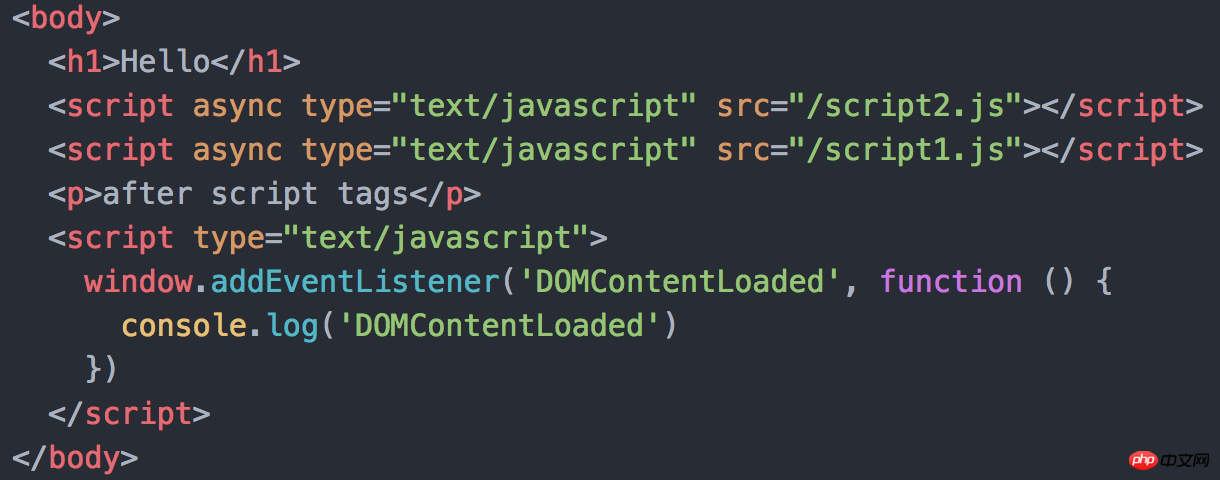 But we can see a small detail. The triggering of the
DOMContentLoaded event is not affected by the asyncscript loading. Before the script is loaded, DOMContentLoaded has been triggered. 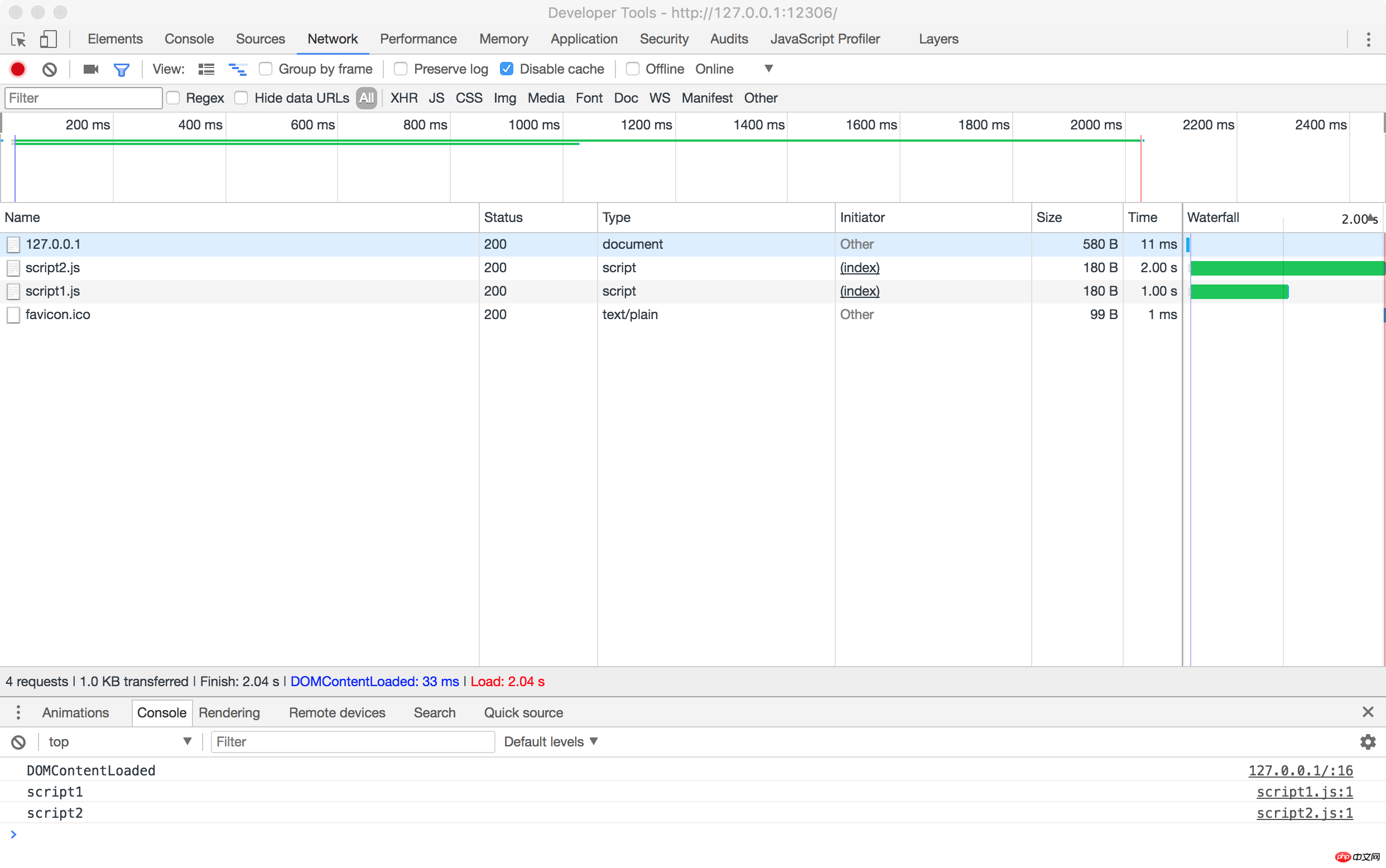
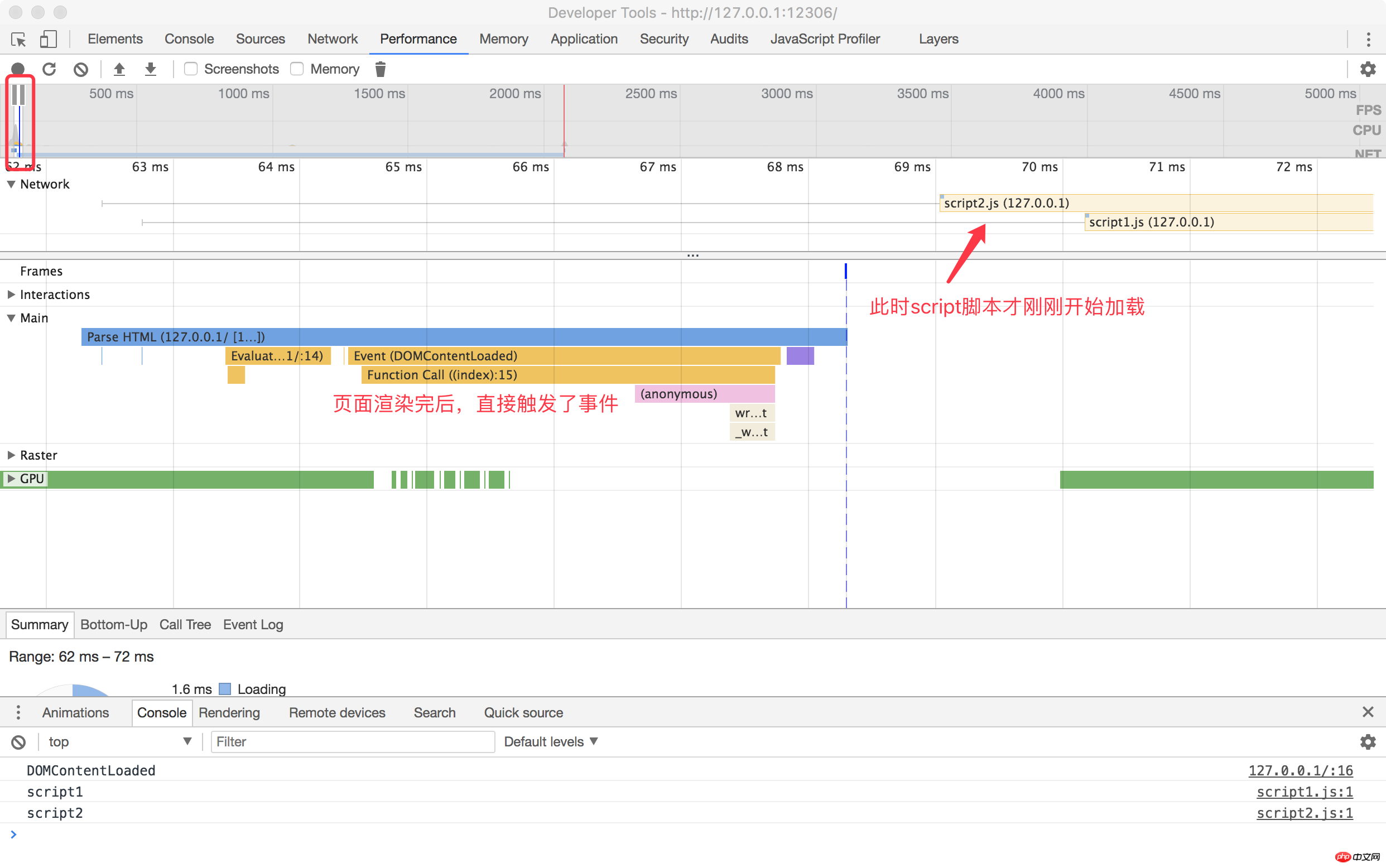
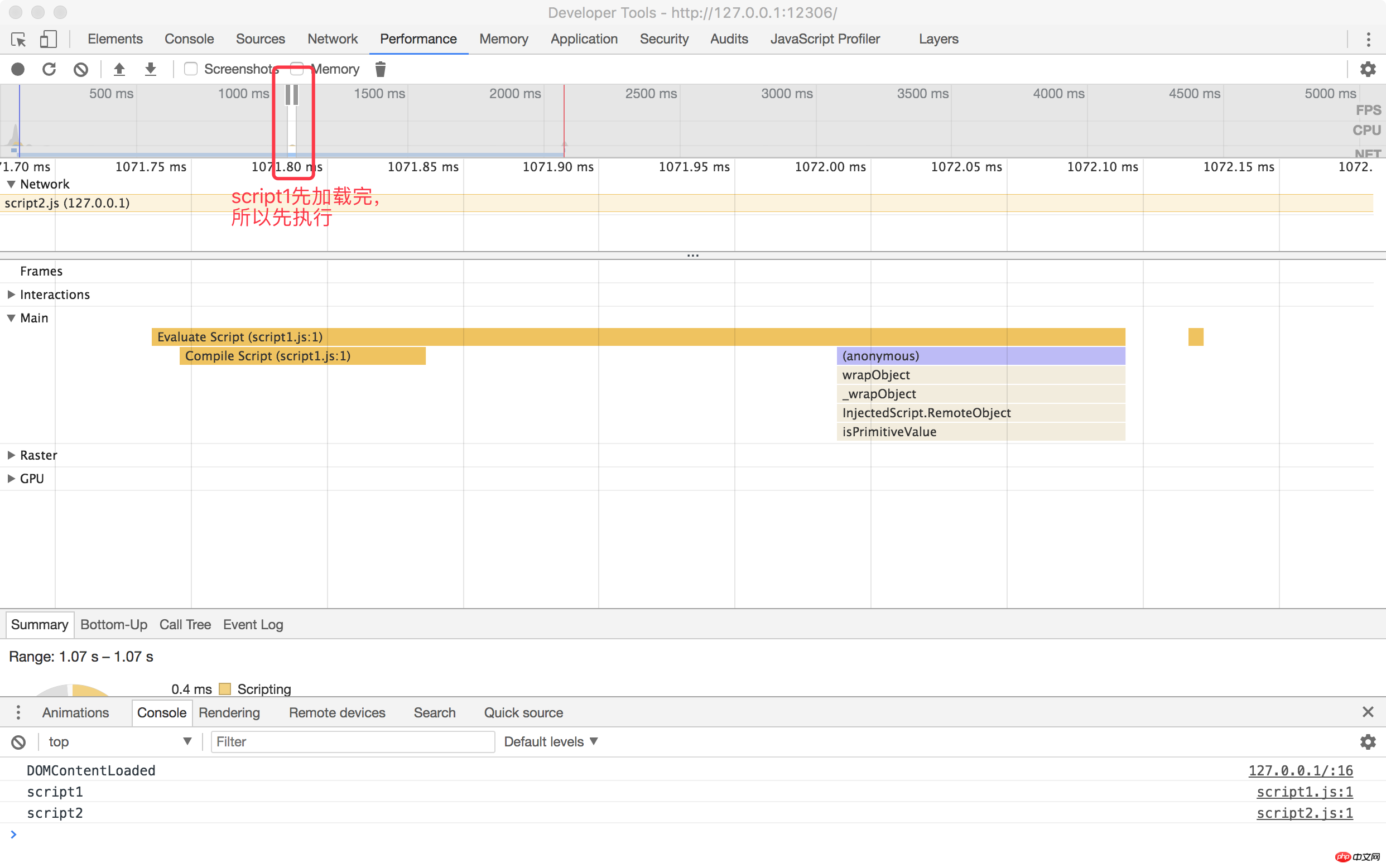
We then modify the test page. Load a script script without delay so that the script can be loaded immediately.
We want to test if the async script loads quickly enough, whether it will be executed before DOMContentLoaded (This experiment is based on async's description of the "execution if allowed" argument ).
At the same time, in order to ensure the stability of the test, we added thousands of empty p nodes after the introduction of the script script to extend the rendering time of the document. 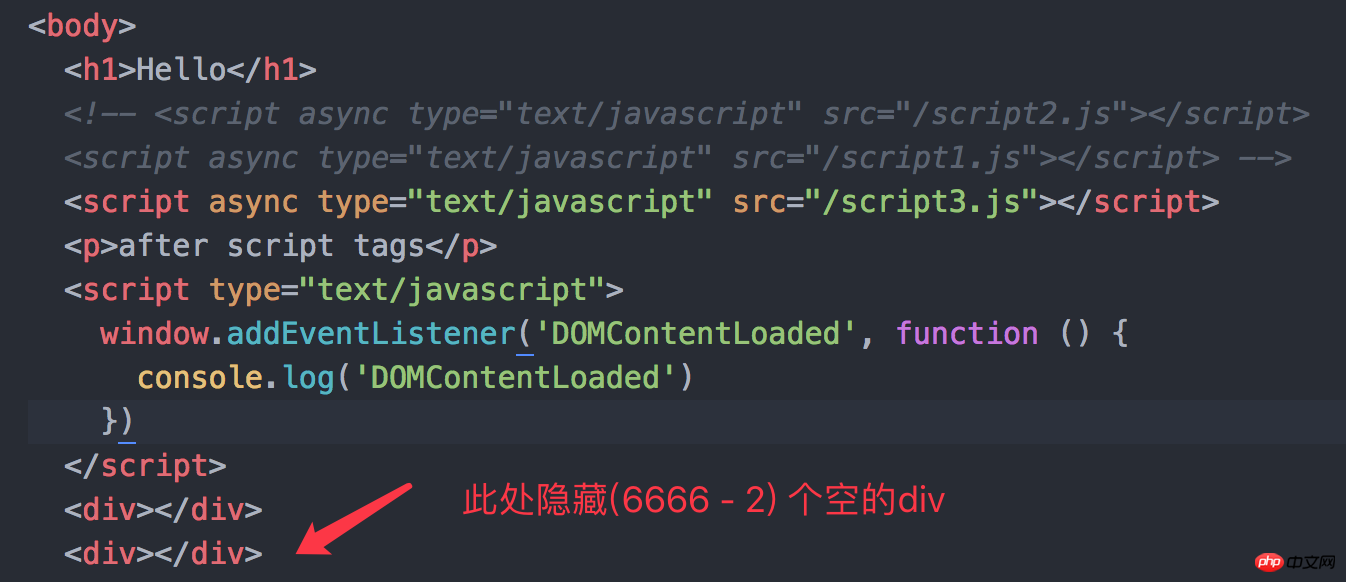
The execution result is as expected. If async is given a certain amount of time, it is possible to execute it before the DOMContentLoaded event. 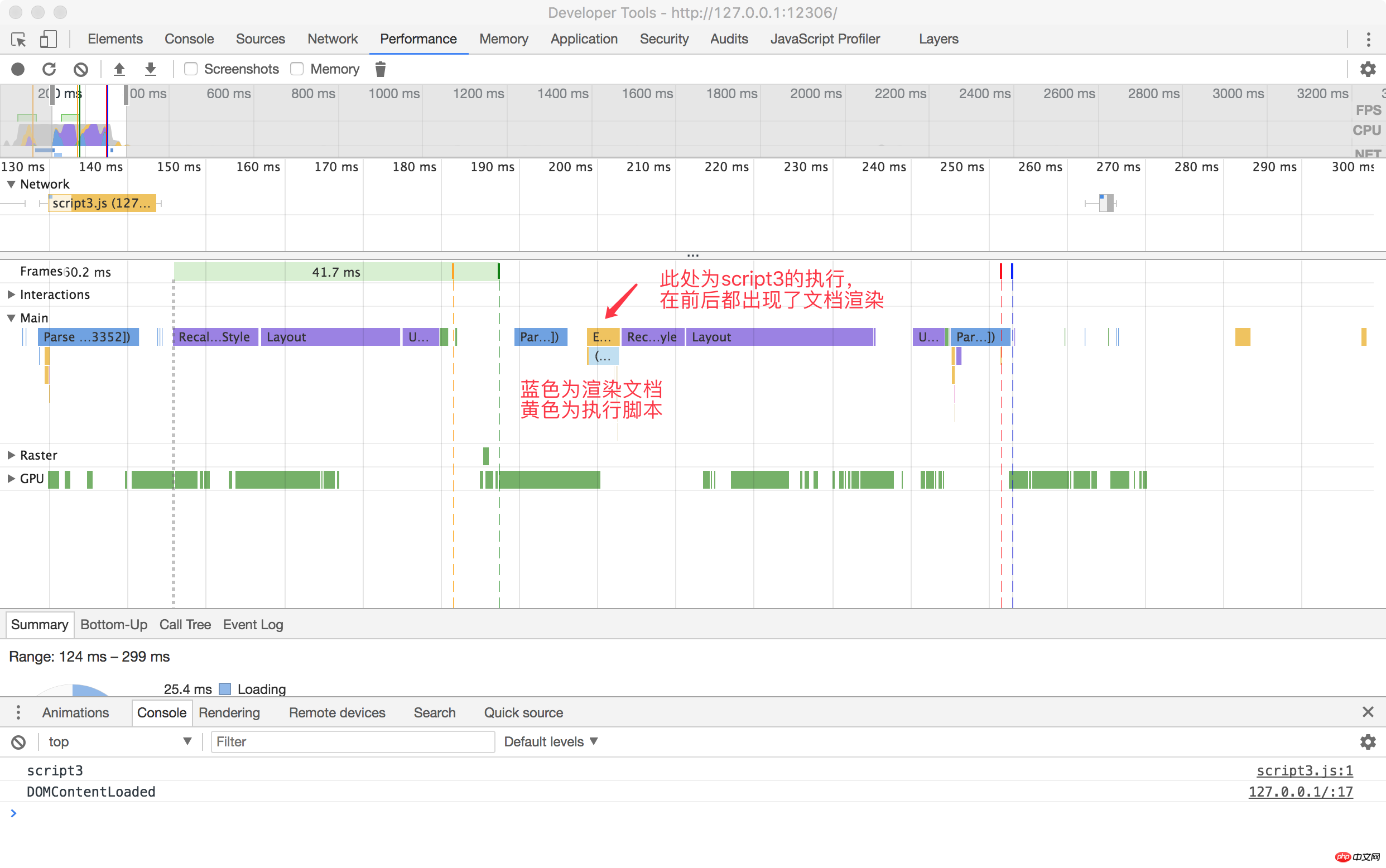
P.S. From the flame graph in the upper left corner of the picture above, we can also see that there are multiple segments of blue (Update: I was confused when I wrote it at night, purple The one is rendering, the blue one is parsing) document rendering. And the order of Console below.
Explanation Indeed, the execution of async is executed after loading is completed, unlike defer which has to wait for all scripts to be loaded and executed in order.
There are many similar pictures on the Internet, but they are basically just examples using a script
It is too shabby. So let’s get a deluxe version and draw a Gantt chart when loading multiple scripts
Just like the major mobile phone manufacturers in recent years, they all like to have an X+X plus when they release new phones
Use four different colors to indicate the meaning of each 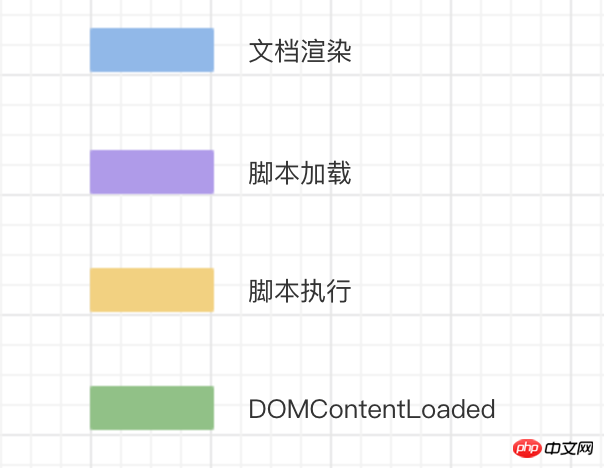
During the document parsing process, if you encounter a script script , it will stop the rendering of the page and download it (but it will not affect the subsequent parsing, parsing and rendering are two different things).
The download of resources is carried out during the parsing process. Although the script1 script will be loaded quickly, the script2 in front of it is not loaded & executed, so it only It can be in a suspended state, waiting for script2 to finish executing before executing it.
When both scripts are executed, the page will continue to be rendered. 
When parsing the document, if a script with defer is encountered, it will be downloaded in the background, but the document will not be blocked. Rendering, when the page parsing & rendering is completed.
It will wait until all defer scripts are loaded and executed in order. After the execution is completed, the DOMContentLoaded event will be triggered. 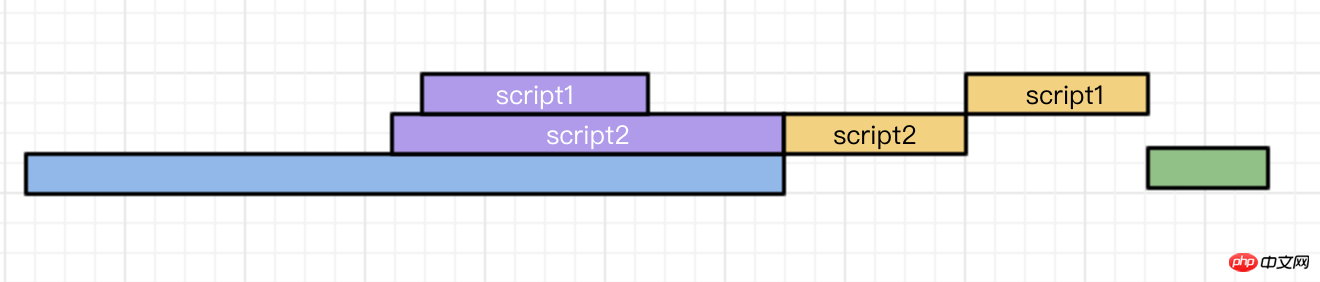
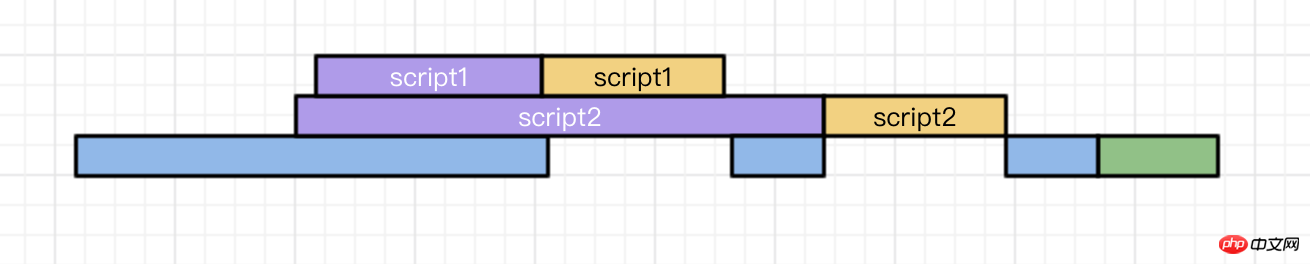
asyncThe script will be executed after loading. asyncThe loading of the script is not included in the DOMContentLoaded event statistics, which means that both situations in the figure below are possible

If your script code depends on the DOM element in the page (whether the document is rendered Completed), or depended on by other script files.
Example:
Comment box
Code syntax highlighting
polyfill.js
If your script doesn’t care about the DOM elements in the page ( Whether the document has been rendered), and no data required by other scripts will be generated
The above is the detailed content of Async and defer usage in script tags. For more information, please follow other related articles on the PHP Chinese website!














![[Web front-end] Node.js quick start](https://img.php.cn/upload/course/000/000/067/662b5d34ba7c0227.png)



