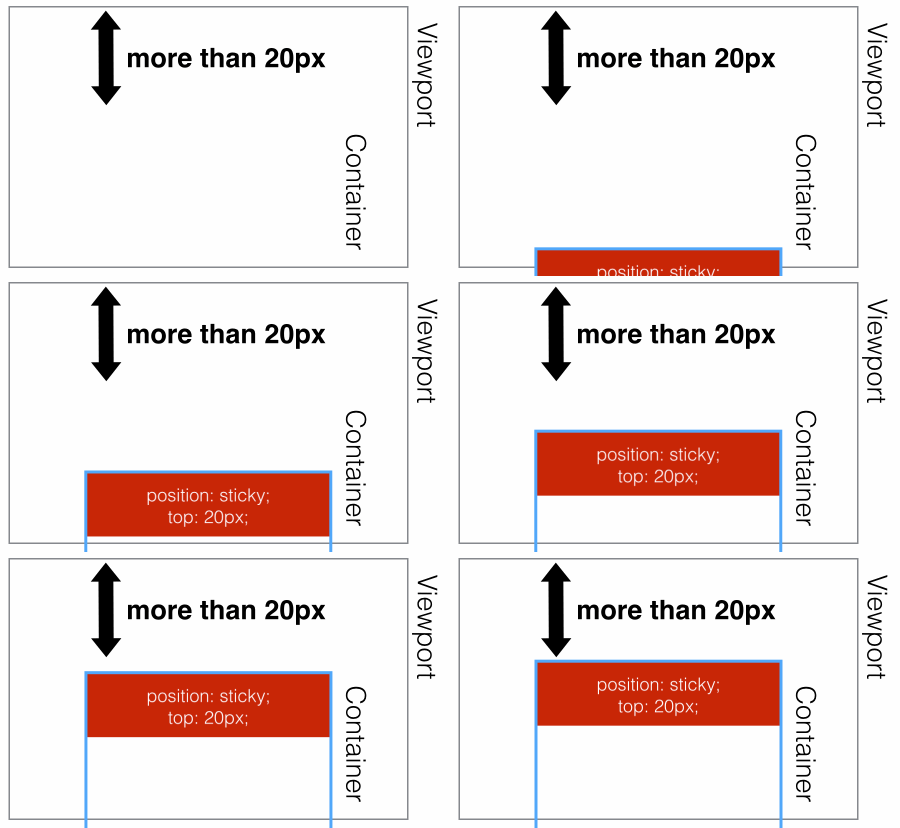
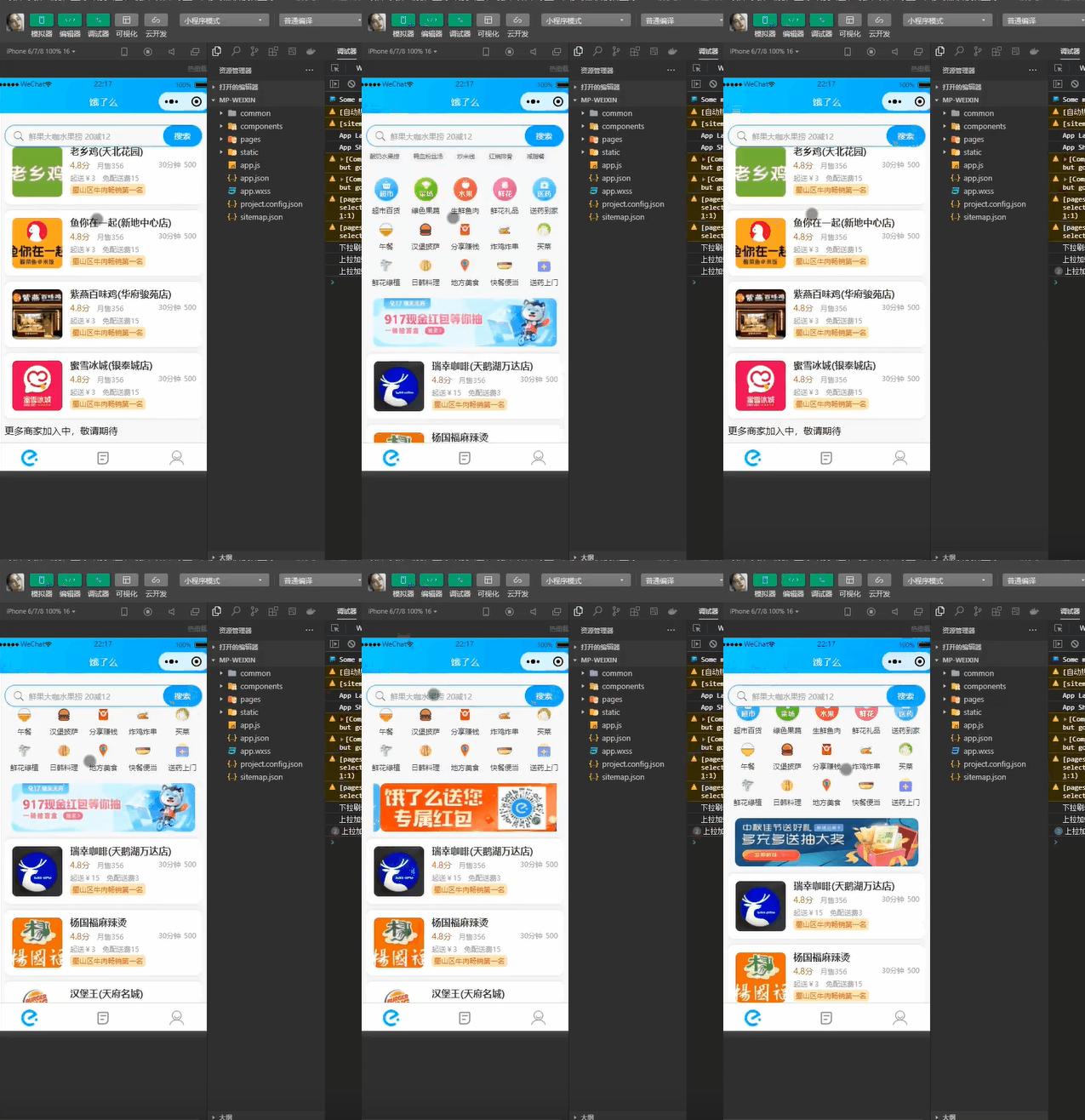
此新增屬性的應用非常廣泛,好東西大家都喜歡借鏡嘛~ 例如餓了麼微信小程式端的首頁佈局中,對搜尋框元素就採用了黏性佈局,具體是怎麼實現的呢?我們先來看看整體效果(如下圖 , 大家也可以打開餓了麼微信小程式體驗一把~)。
template程式碼:
<template>
<!-- 粘性定位搜索盒子 -->
<view class="search-box" :style="{top:top+'px'}">
<view class="ctn">
<view class="hx-search-box" @click="goSearch">
<view class="hx-search-text">
<uni-icons type="search" size="22"
color="#666666" />
<text>鲜果大咖水果捞 20减12</text>
</view>
<view>
<button class="search-txt">搜索</button>
</view>
</view>
</view>
</view>
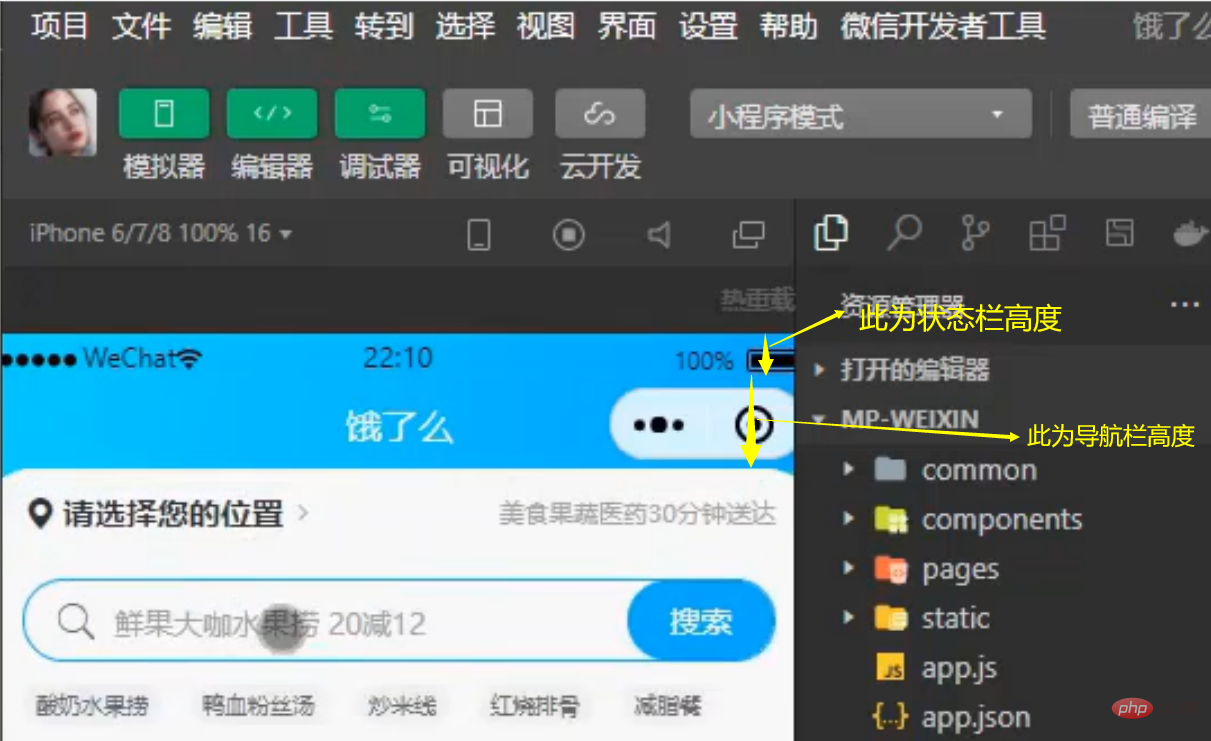
</template> 注意:這裡新增了動態屬性topbox盒子盒子,這是因為在小程式端,搜尋框在不同行動裝置上具體父元素的距離是變化的。如何求動態的top屬性值呢?
    <script>
        export default {
            data() {
			return {
			//在这里给到top属性一个默认的值为0
			    top: 0
			}
	     },
	     onLoad() {
			// 获取手机系统信息 状态栏高度
			const statusBarHeight = uni.getSystemInfoSync().statusBarHeight
			// 获取胶囊的位置
			const menuButtonInfo = uni.getMenuButtonBoundingClientRect()
		    //导航栏的高度 = (胶囊底部高度 - 状态栏的高度) + (胶囊顶部高度 - 状态栏内的高度)
		    this.navBarHeight = (menuButtonInfo.bottom - info.statusBarHeight) +
		                        (menuButtonInfo.top - info.statusBarHeight)
		      //top的值为状态栏的高度+导航栏的高度
			this.top = menuButtonInfo.bottom + menuButtonInfo.top - statusBarHeight;
		    }
        }
    </script>
    <style>
        .search-box {
        		position: sticky;
        		z-index: 2;
    </style>
#
以上是uniapp開發餓了麼微信小程式首頁sticky黏性定位佈局的詳細內容。更多資訊請關注PHP中文網其他相關文章!