這篇文章分享給大家的內容是關於css響應式的實現程式碼及效果,內容很有參考價值,希望可以幫到有需要的小夥伴。
CSS實作響應式網站的佈局要用到的就是CSS中的媒體查詢接下來來簡單介紹一下:
@media 類型and (條件1) and (條件二){css樣式}
#
我們只要用到width衍生出的max-width這個屬性,定義輸出裝置中的頁面可見區域寬度來控制該改變的樣式即可。
html程式碼如下:
nbsp;html>


    <meta>
    <title>响应式</title>

    <link>
    <link>
    <link>


    <p>
        头部
    </p>
    <p>
        </p><p>左部</p>
        <p>中部</p>
        <p>右部</p>

    <p>底部</p>
demo01.css樣式如下:
body{
    margin:0;
    text-align:center;
}

.header{
    height:100px;
    background-color:red;
}
.container{
    height:400px;
    background-color:pink;
}
.clearfix:after{
    display:block;
    content:"";
    visibility:hidden;
    height:0;
    clear:both;
}
.footer{
    height:100px;
    background-color:blue;
}
.left{
    width:20%;
    background-color:orange;
    float:left;
    height:300px;
}
.center{
    width:55%;
    background-color:gray;
    float:left;
    height:300px;
    margin:0 2.5%;
}
.right{
    width:20%;
    background-color:yellow;
    float:left;
    height:300px;
}demo02的樣式如下:
body{
    margin:0;
    text-align:center;
}

.header{
    height:100px;
    background-color:red;
}
.container{
    height:400px;
    background-color:pink;
}
.clearfix:after{
    display:block;
    content:"";
    visibility:hidden;
    height:0;
    clear:both;
}
.footer{
    height:100px;
    background-color:blue;
}
.left{
    width:30%;
    background-color:orange;
    float:left;
    height:300px;
}
.center{
    width:70%;
    background-color:gray;
    float:left;
    height:300px;
}
.right{
    width:100%;
    background-color:yellow;
    height:300px;
}demo03的樣式:
body{
    margin:0;
    text-align:center;
}

.header{
    height:100px;
    background-color:red;
}
.container{
    background-color:pink;
}
.clearfix:after{
    display:block;
    content:"";
    visibility:hidden;
    height:0;
    clear:both;
}
.footer{
    height:100px;
    background-color:blue;
}
.left{
    width:100%;
    background-color:orange;
    height:300px;
}
.center{
    width:100%;
    background-color:gray;
    height:300px;
}
.right{
    width:100%;
    background-color:yellow;
    height:300px;
}效果圖:
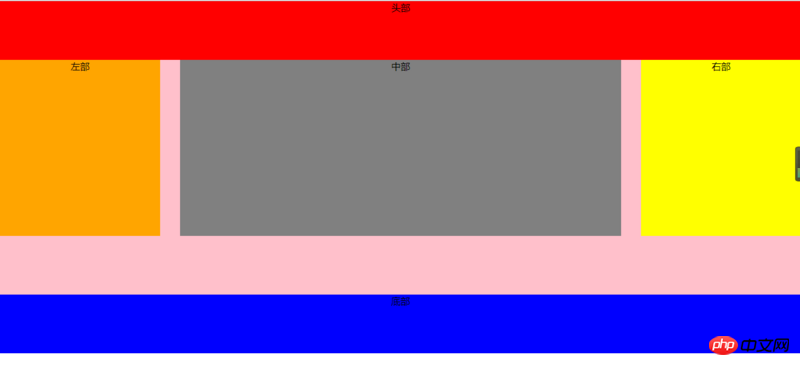
#視窗大於1024px時顯示的樣子
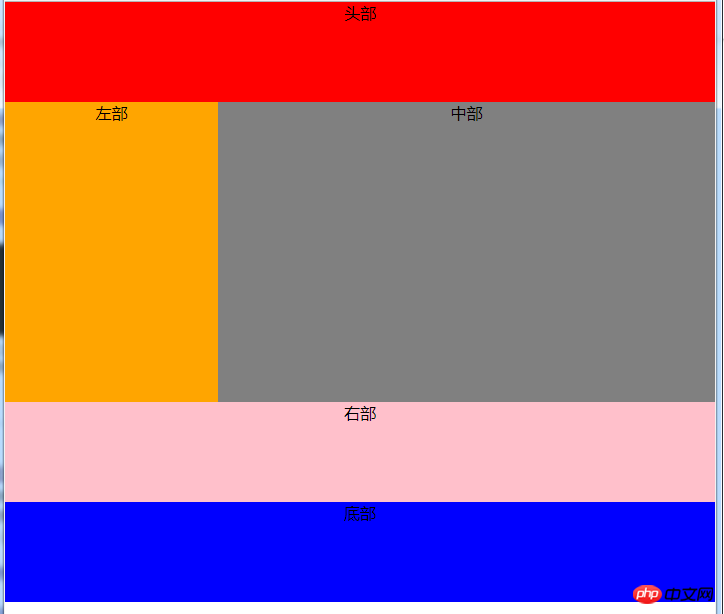
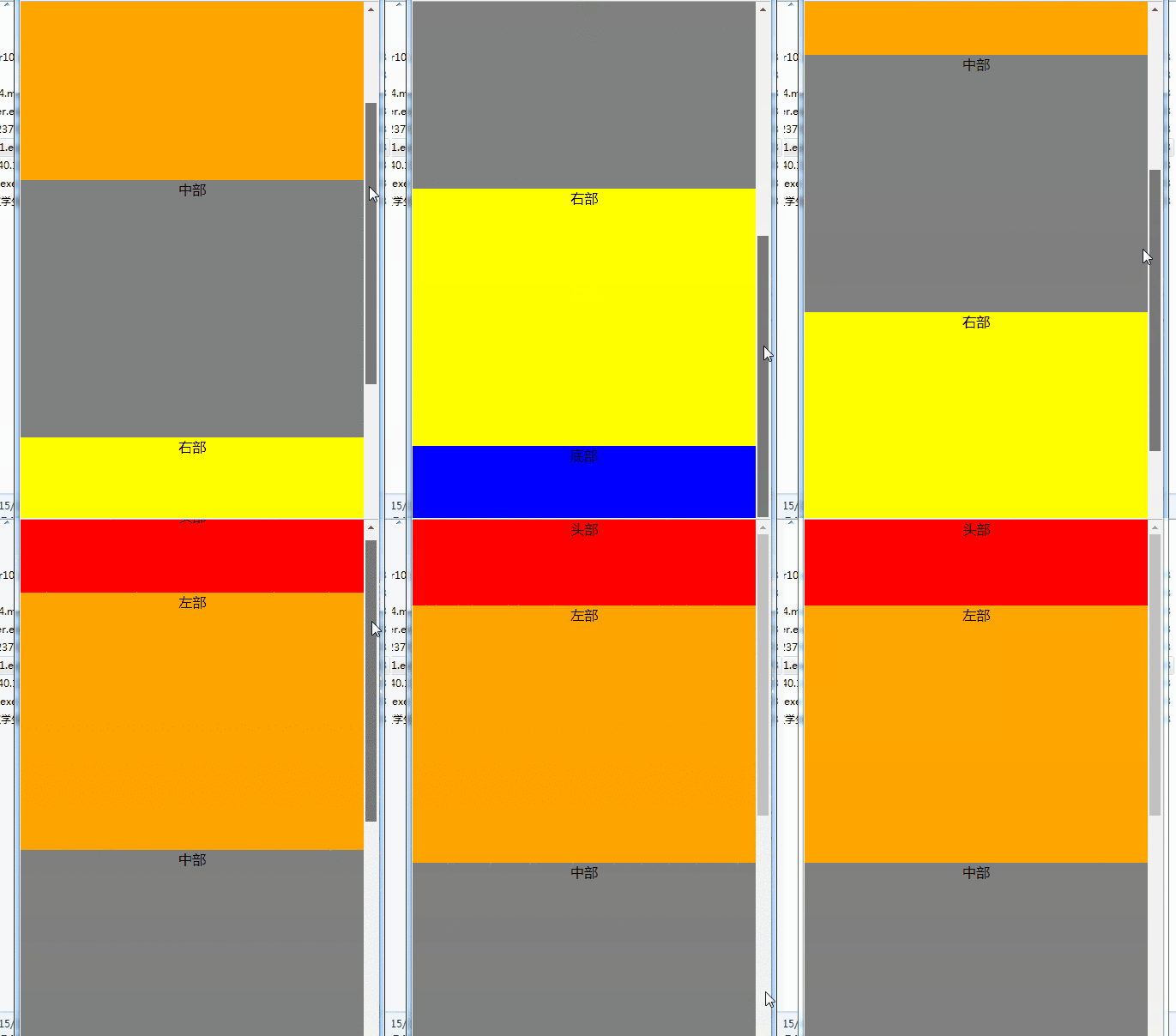
以上是關於css響應式的實現程式碼及效果的詳細內容。更多資訊請關注PHP中文網其他相關文章!