


 JS special effects
window effects
Click button pop-up window animation effects implemented with CSS
JS special effects
window effects
Click button pop-up window animation effects implemented with CSS
Click button pop-up window animation effects implemented with CSS
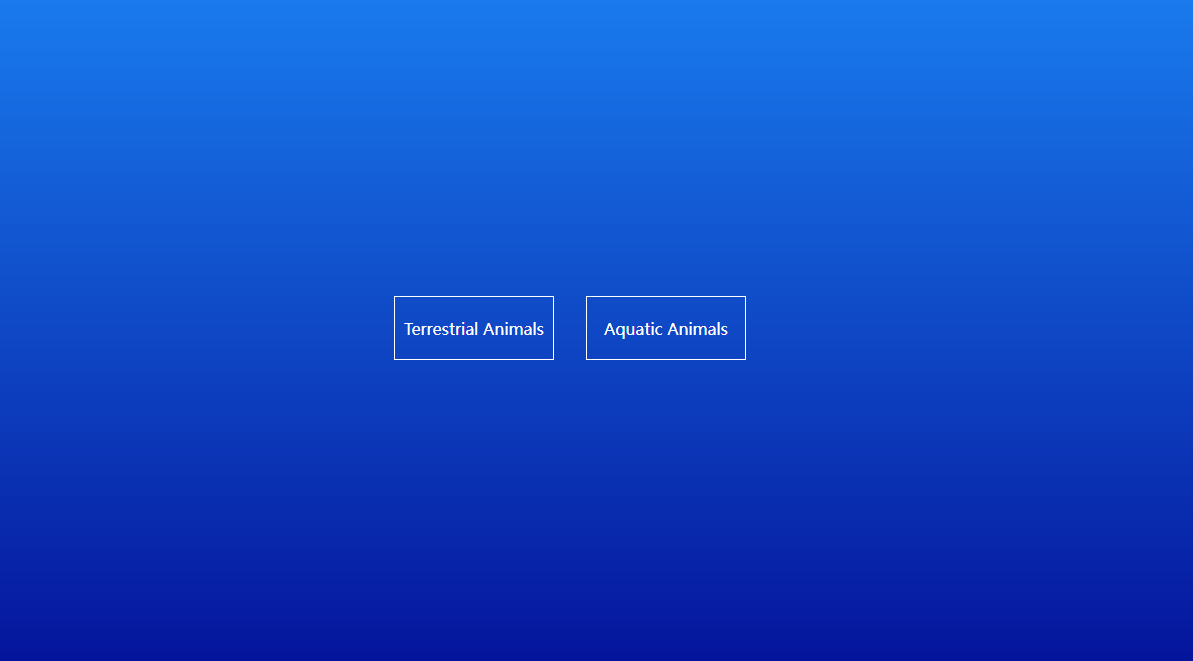
A CSS-implemented click button pop-up window animation effect
A CSS pop-up animation, click the button to pop up the window animation effect. Click the button to achieve the animation effect of the pop-up window opening. It is simple and practical, and conforms to the characteristics of web animation. Interested friends can click to preview.
All resources on this site are contributed by netizens or reprinted by major download sites. Please check the integrity of the software yourself! All resources on this site are for learning reference only. Please do not use them for commercial purposes. Otherwise, you will be responsible for all consequences! If there is any infringement, please contact us to delete it. Contact information: admin@php.cn

 How to Make Windows Transparent in Windows 10
02 Dec 2025
Windows Aero has added a few nice effects to desktop windows over the years, but even to this day, there's no official way to make a window transparent. Fortunately, there are third-party tools that can help us achieve this goal. Let's explore how
 Tutorial on dynamically changing icons while JavaFX application is running
12 Nov 2025
This tutorial details how to dynamically change window icons based on application state or user interaction after a JavaFX application has started. By managing the icons list of the Stage object, we can preload multiple icon resources and use the set() method of ObservableList to replace the currently displayed main icon at runtime, thereby achieving flexible icon switching effects.
 JavaScript regularly switches CSS classes to achieve dynamic interface effects
24 Nov 2025
This article will guide you on how to use JavaScript's setTimeout function, combined with CSS class operations, to automatically switch styles or states of page elements after a specific time, such as hiding or displaying a pop-up window at a scheduled time. This method can create dynamic and user-friendly interactive effects without refreshing the page, improving the responsiveness and user experience of the web page.
 Pandas rolling average edge processing and center alignment techniques
24 Dec 2025
This article aims to solve the common marginal data (NaN values) and output lag issues in Pandas rolling average calculations. By comparing the default rolling behavior of Pandas with the advantages of dynamically adjusting the window size of the MATLAB smooth function, this tutorial explains in detail how to achieve similar effects in Pandas. The core solution is to use the min_periods=1 parameter of the rolling method to allow the window to shrink at both ends of the data, and combine it with center=True to achieve center alignment, thereby generating a smooth data sequence with no NaN and no lag, ensuring effective processing of data from beginning to end.
 Smooth animated popup tutorial using CSS transitions and JavaScript
10 Nov 2025
This tutorial details how to create a modal pop-up window with smooth scaling and fade-in animation through HTML structure, CSS styles and transition effects, and JavaScript event handling. The article will focus on explaining how to use the opacity, visibility, and transform attributes to achieve professional opening and closing animations, and provide complete code examples and practical suggestions to help developers build user-friendly interactive interfaces.
 Solve the problem of JavaScript sidebar smooth scrolling and navigation highlighting failure
07 Nov 2025
This article aims to solve the problem that the click anchor point in the JavaScript sidebar cannot scroll smoothly to the specified area, and the navigation link highlighting fails when scrolling. The core is to correctly bind the global scroll event listener to the window object instead of an undefined variable, and to ensure that the jQuery library has been introduced correctly to achieve the expected smooth scrolling and navigation state update effects.
 LWJGL/GLFW: Window maximization (non-full screen) through code
14 Dec 2025
This tutorial will guide developers how to maximize the window through code in LWJGL/GLFW applications instead of entering full-screen mode. The article details the two strategies of using the glfwMaximizeWindow method to maximize the window at runtime, and setting the GLFW_MAXIMIZED window prompt to maximize the window when it is created to ensure that the taskbar and title bar are visible in the window, and provides clear code examples.
 How to move a tab to another window in Google Chrome_Chrome tab moving operation tutorial
09 Nov 2025
Answer: Tabs can be moved by dragging, right-click menu, cut and paste, or merging windows. Specifically: 1. Drag the tab to the target window; 2. Right-click and select "Move to another window"; 3. Use the shortcut key to close and restore in the target window; 4. Merge all window tabs through the history menu.
 Tkinter tutorial: Modify the main window Label text in the Toplevel window
27 Nov 2025
This tutorial aims to solve the common problem of updating the main window Label component text from the Toplevel sub-window in Tkinter applications. By analyzing scope errors, the article details how to use function parameters and lambda expressions to safely and effectively transfer the data of the Entry component in the Toplevel window to the callback function of the main window, thereby achieving cross-window data interaction and UI updates, and improving the modularity and user experience of Tkinter applications.


Popular tool

jQuery cool pop-up plug-in-hsycmsAlert.js
Share a cool jQuery pop-up plug-in-hsycmsAlert.js

Website functions guide users to prompt operation effects
Website functions guide users to prompt operation effects

19 kinds of html5+CSS3 gorgeous pop-up window animation transition effects
19 kinds of html5+CSS3 gorgeous pop-up window animation transition effects

Lightweight html5 WinBox.js page pop-up plug-in
A modern, lightweight html5 WinBox.js page pop-up plug-in

CSS3 login registration window interface sliding switching effect
CSS3 login registration window interface sliding switching effect