


 Tools Tags
 Backend Development
PHP
WeChat public platform developer documentation
Manage the relationship between devices and pages
Backend Development
PHP
WeChat public platform developer documentation
Manage the relationship between devices and pages
 directory

 Tools Tags
Manage the relationship between devices and pages


Configure the relationship between the device and the page
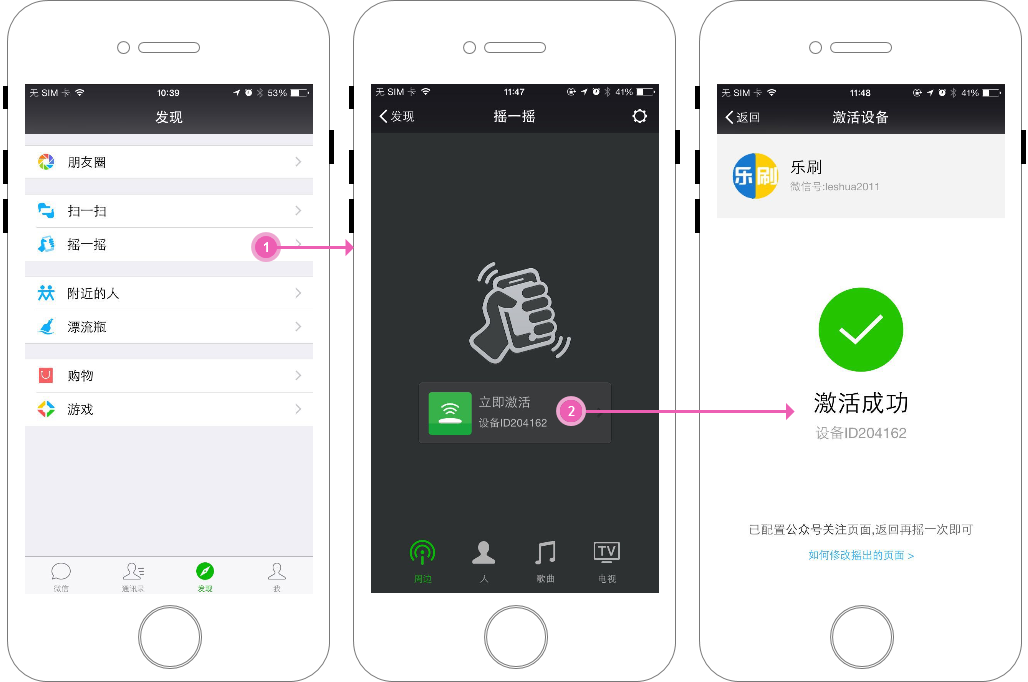
Interface Description
When configuring, pass in the id list of the pages that the device needs to be associated with (the original association of the device will be cleared directly);
The id list is allowed to be empty. When the id list of the page is empty, all associations of the device will be cleared.
After the configuration is completed, the associated page information can be shaken out within the signal range of this device.
After applying for the device ID, you can directly use the interface to directly configure the page.
If the device is configured with multiple pages, page information will appear randomly. A device can be configured with up to 30 associated pages.
Interface calling instructions
POST data example:
{
"device_identifier":{
"device_id":10011,
"uuid":"FDA50693-A4E2-4FB1-AFCF-C6EB07647825",
"major":1002,
"minor":1223
},
"page_ids":[12345, 2345 6, 334567]
}
Parameter Description
| Parameter | Is it required | Description |
| access_token | is the | calling interface credential |
| page_ids | is | List of pages to be associated |
| device_identifier | is | The device ID of the specified page |
| device_id | is | Device number. If UUID, major, and minor are filled in, the device number is not required. If both are filled in, the device number takes priority. |
| UUID, major, minor | is | UUID, major, minor. The three information must be filled in completely. If If you don’t have the device number, you don’t need to fill in this information |
Return instructions
Example of normal returned JSON data packet:
"data": {
},
"errcode": 0,
"errmsg": "success."
}
Interface description
Query the relationship between the device and the page. Two query methods are provided. You can specify the page ID to query all device information associated with the page in pages;
You can also query the device based on the device ID or complete UUID, Major, and Minor. All associated page information.
Interface calling instructions
POST data example:
When querying the page associated with the specified device:
{
"type": 1,
"device_identifier": {
"device_id": 10011,
"uuid": "FDA50693-A4E2-4FB1-AFCF-C6EB07647825",
"major": 1002,
"minor": 1223
}
}
When querying the device associated with the page:
{
"type": 2,
"page_id": 11101,
"begin": 0,
"count": 3
}
Parameter Description
| Parameter | Is it required | Description | ||||||||||||
| access_token | is the | calling interface credential | ||||||||||||
| type | is | inquiry mode.1: Query the association relationship of the device; 2: Query the association relationship of the page | ||||||||||||
| device_identifier | ## is | Specified device; when type is 1, this item is required | ||||||||||||
| device_id | is the | device number. If UUID, major, and minor are filled in, the device number does not need to be filled in. If both are filled in, the device number takes precedence | ||||||||||||
| UUID, major, minor | is | UUID, major, minor, three pieces of information need to be filled in completely. If the device number is filled in, this information does not need to be filled in | ||||||||||||
| yes | Specified page id; when type is 2, this item is required | |||||||||||||
| begin | is the starting index value of the | association list; when type is 2, this item is required | ||||||||||||
| count | is the number of associations to be queried, which cannot exceed 50; when type is 2 , this item is required | Return instructions Example of normal return JSON data packet: { ## "data": { "relations": [ "{ "device_id": 797994, "major": 10001, "minor": 10023, "page_id ": 50054, "uuid": "FDA50693-A4E2-4FB1-AFCF-C6EB07647825" }, "uuid": "device_id": 797994, "major": 10001, "minor": 10023, "page_id": 50055, "uuid": "FDA50693-A4E2-4FB1-AFCF-C6EB07647825" } ], "total_count" : 2 }, "errcode": 0, "errmsg": "success." } Parameter Description

Related videos Hot AI Tools

Undress AI Tool
Undress images for free 
AI Clothes Remover
Online AI tool for removing clothes from photos. 
Undresser.AI Undress
AI-powered app for creating realistic nude photos 
ArtGPT
AI image generator for creative art from text prompts. 
Stock Market GPT
AI powered investment research for smarter decisions  Hot Article
How to use AI Speech Enhancement in Premiere? (Audio Cleanup Guide)
1 months ago By 下次还敢
How to correctly migrate jQuery's drag and drop events to native JavaScript
4 weeks ago By DDD
What is 'EVM'? The significance of the Ethereum Virtual Machine
1 months ago By DDD
The Notepad upgrade, cheaper YouTube TV, and Nova Launcher's new owner: News roundup
3 weeks ago By DDD
How to dynamically set arbitrary depth value of nested array in PHP
1 months ago By DDD
 Hot Topics
# Douyin level price list 1-75
 20516
20516
 7
7
# wifi shows no ip assigned
13629
4
 Popular tool

Notepad++7.3.1
Easy-to-use and free code editor 
SublimeText3 Chinese version
Chinese version, very easy to use 
Zend Studio 13.0.1
Powerful PHP integrated development environment 
Dreamweaver CS6
Visual web development tools 
SublimeText3 Mac version
God-level code editing software (SublimeText3) |







![Getting Started with PHP Practical Development: PHP Quick Creation [Small Business Forum]](https://img.php.cn/upload/course/000/000/035/5d27fb58823dc974.jpg)