


php Xiaobian Yuzai Win11 system has brought many new features and improvements, but installing WeChat has become a problem that troubles many users. In the Win11 system, the WeChat installation path is different compared to the previous system, which makes people a little confused. So, where is the path to install WeChat in Win11? Next, we will introduce in detail the path search method for installing WeChat under Win11 system to help you easily solve this problem.
1. First, open the C drive and open "Program Files".
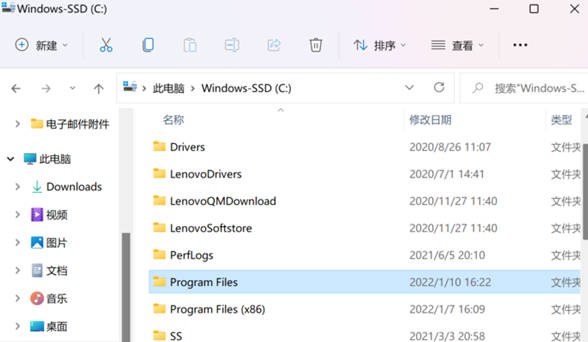
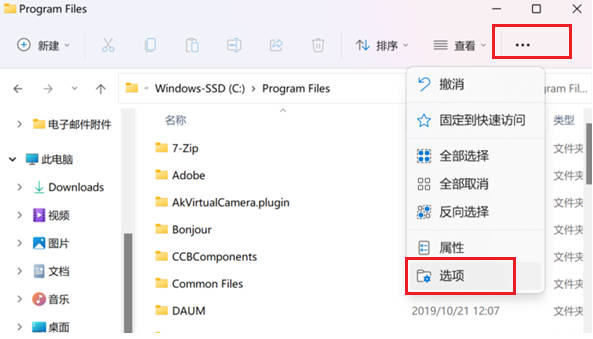
2. Click "..." and select "Options".
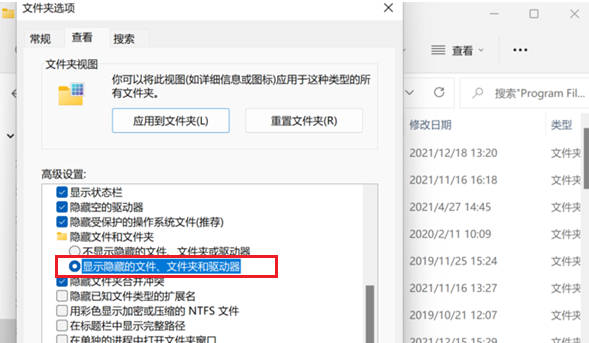
3. Switch to "View", find "Hidden files and folders", select "Show hidden folders and drives", and click OK or Apply.
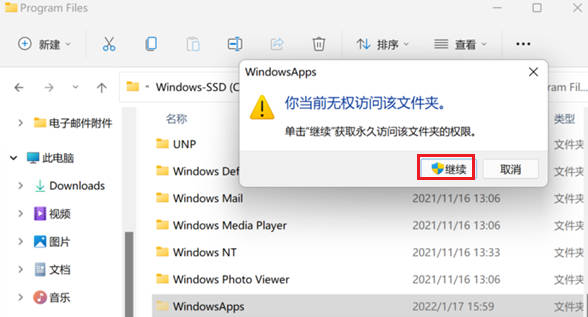
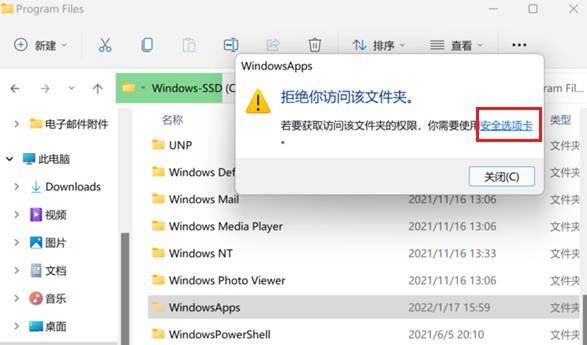
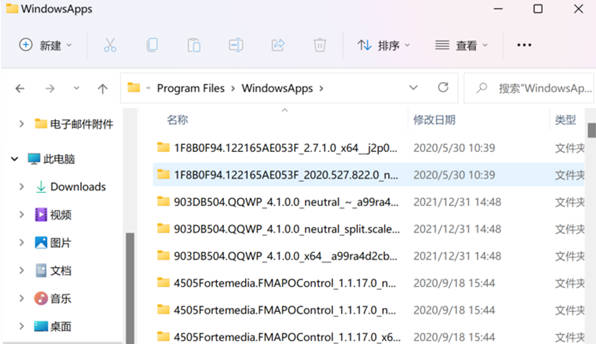
#4. At this time, we can find the "WindowsApps" folder and open it. If the following prompt appears, please continue with the next steps.
5. Click the "Security Tab" to enter the Windowsapps properties window, and then click the "Advanced" function in the lower right corner.
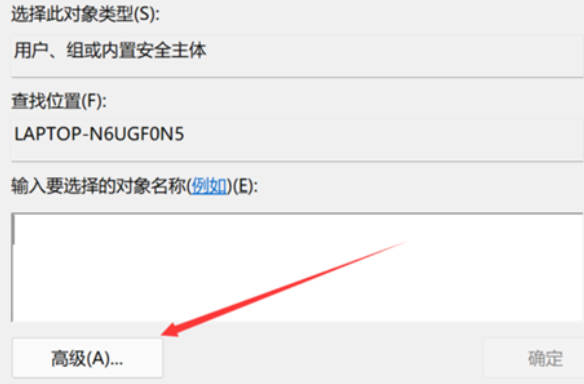
#6. Click "Change", "Select User or Group", and select "Advanced".
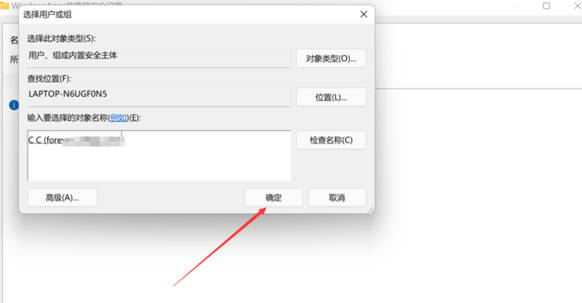
#7. Click "Find Now" and many user names will appear in the search results. Select the username you are currently logging into your computer with and click "OK".
8. After observing that the owner of "Advanced Security Settings for Windows Apps" is your username, click "OK".
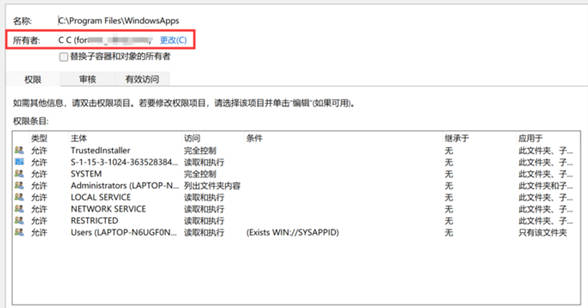
9. Then enter the WindowsApps folder and you can access the files in it! Stored here are the files of software applications installed through the Windows Store. !
The above is the detailed content of How to find the path to install WeChat in Win11_Where is the path to install WeChat in Win11. For more information, please follow other related articles on the PHP Chinese website!
 There is no WLAN option in win11
 How to skip online activation in win11
 Win11 skips the tutorial to log in to Microsoft account
 How to open win11 control panel
 Introduction to win11 screenshot shortcut keys
 Windows 11 my computer transfer to the desktop tutorial
 Solution to the problem of downloading software and installing it in win11
 How to skip network connection during win11 installation




















![[Web front-end] Node.js quick start](https://img.php.cn/upload/course/000/000/067/662b5d34ba7c0227.png)



