


php editor Xiaoxin brings you a detailed guide on withdrawing Douyin Express version to Alipay. As a short video application loved by users, Douyin Express Edition provides a convenient cash withdrawal function. Want to withdraw your account balance to Alipay? Don’t worry, we will answer your questions one by one so that you can easily master the cash withdrawal techniques and get your cash rewards quickly!

Tik Tok Express Edition tutorial
1. First open the Douyin Express version APP and enter the main page;

2. Then click the [Come to Make Money] button at the bottom of the main page;
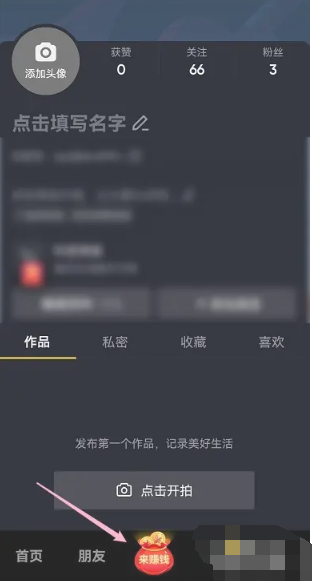
3. Then jump to the page shown in the picture below and click on the [Cash Proceeds] border position;

4. Then on the My Earnings function page, select the [Go Withdrawal] button;

5. Finally, jump to the withdrawal page, select the amount you need to withdraw, and then go to Alipay.

The above is the detailed content of How to withdraw cash from the Douyin Express version via Alipay. For more information, please follow other related articles on the PHP Chinese website!
 Douyin cannot download and save videos
 How to watch live broadcast playback records on Douyin
 How to register for corporate Alipay
 Check friends' online status on TikTok
 What's the matter with Douyin crashing?
 Why can't I see visitors on my TikTok
 How many people can you raise on Douyin?
 How to get Douyin Xiaohuoren









![[Web front-end] Node.js quick start](https://img.php.cn/upload/course/000/000/067/662b5d34ba7c0227.png)



