


php editor Xigua today will introduce to you how to find win11 computer configuration information. If you want to know the configuration information of a win11 computer, you can obtain it through system information, device manager or third-party tools. These methods are simple and easy to use, allowing users to easily obtain the information they need. Whether you want to know the hardware or system configuration, just follow the editor's steps and you can quickly find the detailed configuration information of your win11 computer.
How to find win11 computer configuration information
Method 1:
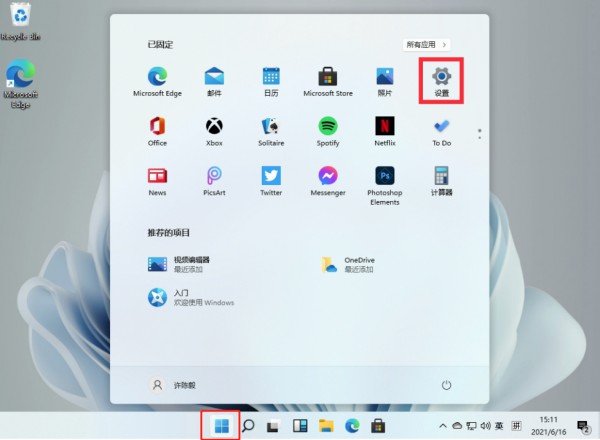
1. Click Start and open Computer Settings.
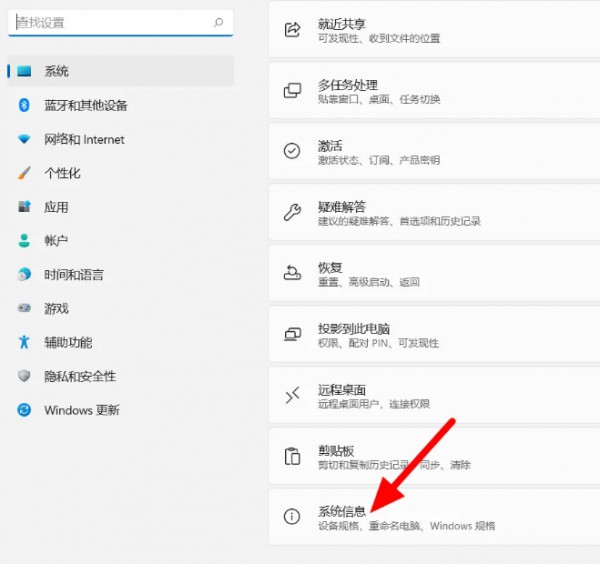
#2. Select the system and click System Information.
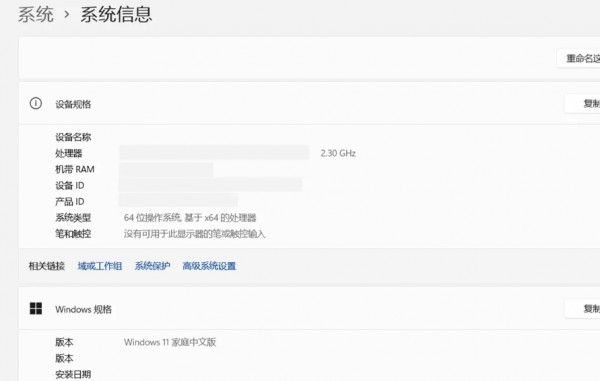
#3. You can view the computer configuration information on this page.
Method 2:
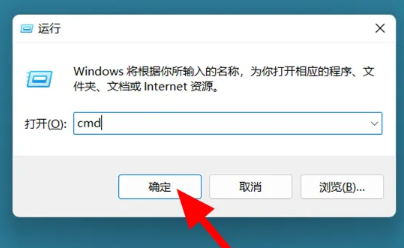
1. Win r to bring up run, enter cmd and press Enter.
#2. In the command prompt window, enter systeminfo and press Enter to view the computer configuration.
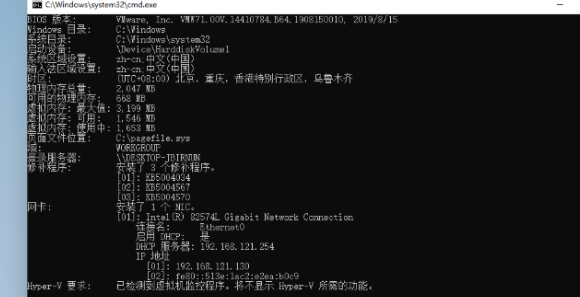
The above is the detailed content of Where can I check the configuration of my win11 computer? How to find the configuration information of win11 computer. For more information, please follow other related articles on the PHP Chinese website!
 There is no WLAN option in win11
 How to skip online activation in win11
 Win11 skips the tutorial to log in to Microsoft account
 How to open win11 control panel
 Introduction to win11 screenshot shortcut keys
 Windows 11 my computer transfer to the desktop tutorial
 Solution to the problem of downloading software and installing it in win11
 How to skip network connection during win11 installation









![[Web front-end] Node.js quick start](https://img.php.cn/upload/course/000/000/067/662b5d34ba7c0227.png)



