


php Editor Strawberry may encounter the problem that the folder search function cannot be used when using Windows 10. When we need to find a file or folder, if the search function fails, it will bring inconvenience to our work and use. But, don’t worry, there are some simple fixes we can take for this issue to restore the normal functioning of search functionality. Next, I will introduce you to some solutions that may be effective.
Win10 folder search function cannot input problem analysis
1. Click the Start button and find the Windows system in the Start menu.
2. Expand the windows system to find the command prompt, right-click the command prompt.

3. Click More and select Run as administrator.

4. In the command prompt window, enter reg add HKCU\Software\Microsoft\Windows\CurrentVersion\Search /v BingSearchEnabled /t REG_DWORD /d 0/f and press Enter.
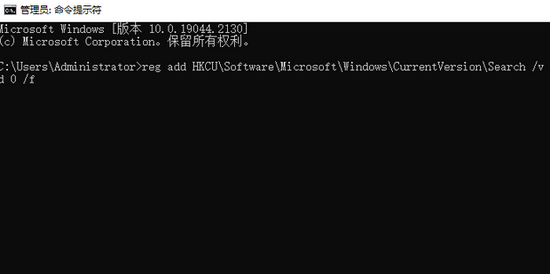
5. If the execution is successful, continue to enter reg add HKCU\Software\Microsoft\Windows\CurrentVersion\Search /v CortanaConsent /t REG_DWORD /d 0/f and press Enter. .
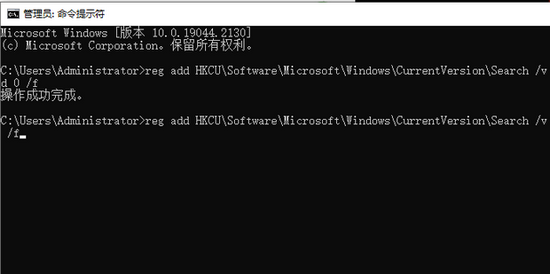
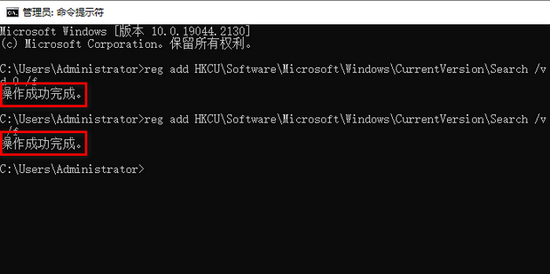
#6. Finally, if the successful execution is displayed, it is completed.
The above is the detailed content of What should I do if the folder search function in Win10 cannot be used? Win10 folder search function cannot be entered. For more information, please follow other related articles on the PHP Chinese website!
 win10 bluetooth switch is missing
 Why do all the icons in the lower right corner of win10 show up?
 The difference between win10 sleep and hibernation
 Win10 pauses updates
 What to do if the Bluetooth switch is missing in Windows 10
 win10 connect to shared printer
 Clean up junk in win10
 How to share printer in win10




















![[Web front-end] Node.js quick start](https://img.php.cn/upload/course/000/000/067/662b5d34ba7c0227.png)



