


Usually the server has many network cards, so it may be connected to different networks. In an isolated network, some services may Communication is required. At this time, the server can be configured to assume the function of forwarding data packets.

1. Query the port mapping situation
netsh interface portproxy show v4tov4
2. Query the port mapping situation of a certain IP
netsh interface portproxy show v4tov4 | find "[IP]"例:netsh interface portproxy show v4tov4 | find "192.168.1.1"
3. Add a port mapping
netsh interface portproxy add v4tov4 listenaddress=[外网IP] listenport=[外网端口] connectaddress=[内网IP] connectport=[内网端口]例:netsh interface portproxy add v4tov4 listenaddress=2.2.2.2 listenport=8080 connectaddress=192.168.1.50 connectport=80
4. Delete a port mapping
netsh interface portproxy delete v4tov4 listenaddress=[外网IP] listenport=[外网端口]例:netsh interface portproxy delete v4tov4 listenaddress=2.2.2.2 listenport=8080
1. 允许数据包转发
echo 1 >/proc/sys/net/ipv4/ip_forwardiptables -t nat -A POSTROUTING -j MASQUERADEiptables -A FORWARD -i [内网网卡名称] -j ACCEPTiptables -t nat -A POSTROUTING -s [内网网段] -o [外网网卡名称] -j MASQUERADE例:echo 1 >/proc/sys/net/ipv4/ip_forwardiptables -t nat -A POSTROUTING -j MASQUERADEiptables -A FORWARD -i ens33 -j ACCEPTiptables -t nat -A POSTROUTING -s 192.168.50.0/24 -o ens37 -j MASQUERADE
2. 设置端口映射
iptables -t nat -A PREROUTING -p tcp -m tcp --dport [外网端口] -j DNAT --to-destination [内网地址]:[内网端口]例:iptables -t nat -A PREROUTING -p tcp -m tcp --dport 6080 -j DNAT --to-destination 10.0.0.100:6090
VMWare Workstation Pro
5 台最小化安装的 centos 7 虚拟机
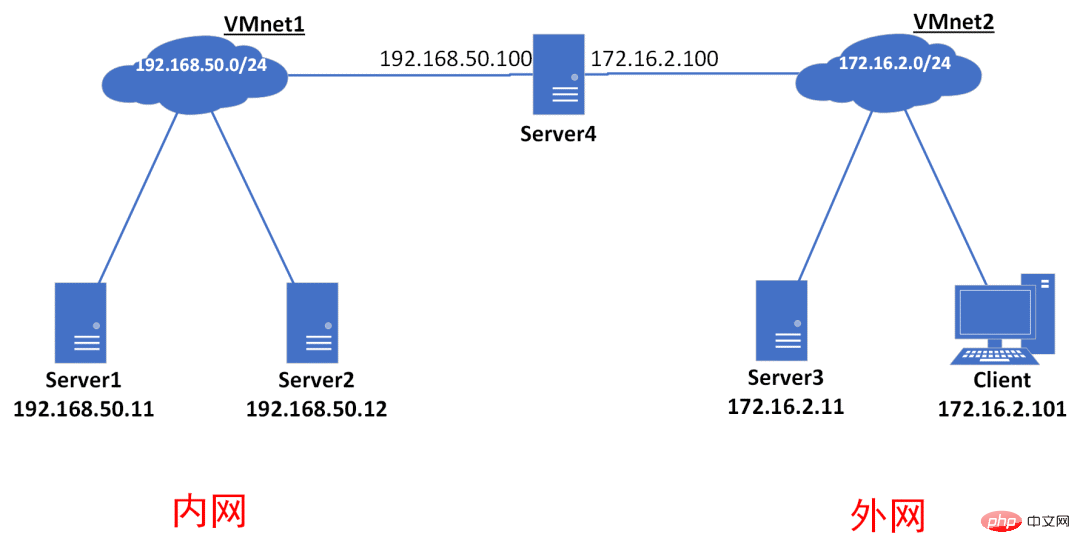
##Internal networkandExternal networkis relative toServer4.Server1andServer2are two servers in the intranet environment ;Server3is a server in an external network environment;Server4is a dual network card host, connected to192.168.50.0/24and172.16.2.0 respectively /24Two networks.
用 Python 在Server1上搭建一个简单的 HTTP 服务
cd ~echo "server1" > index.htmlpython -m SimpleHTTPServer 8080
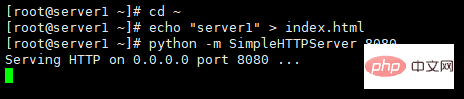
Server2、Server3同理
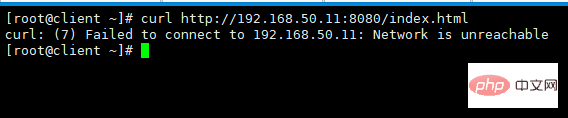
在client上访问Server1的资源
curl http://192.168.50.11:8080/index.html
在client上访问Server2的资源
curl http://192.168.50.12:8080/index.htm

在client上访问Server3的资源
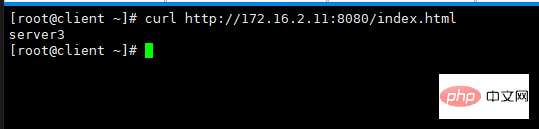
curl http://172.16.2.11:8080/index.html
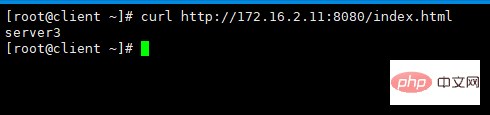
可以看到,外网的
client是无法访问内网Server1,Server2的资源的。
Server4上配置端口映射临时配置
#允许数据包转发echo 1 >/proc/sys/net/ipv4/ip_forwardiptables -t nat -A POSTROUTING -j MASQUERADEiptables -A FORWARD -i ens33 -j ACCEPTiptables -t nat -A POSTROUTING -s 192.168.50.0/24 -o ens37 -j MASQUERADE#设置端口映射iptables -t nat -A PREROUTING -p tcp -m tcp --dport 8081 -j DNAT --to-destination 192.168.50.11:8080iptables -t nat -A PREROUTING -p tcp -m tcp --dport 8082 -j DNAT --to-destination 192.168.50.12:8080
永久配置
如果需要永久配置,则将以上命令追加到
/etc/rc.local文件。
在client上访问 Server1 的资源
curl http://172.16.2.100:8081/index.html
在client上访问Server2的资源
curl http://172.16.2.100:8082/index.html

在client上访问Server3的资源
curl http://172.16.2.11:8080/index.html
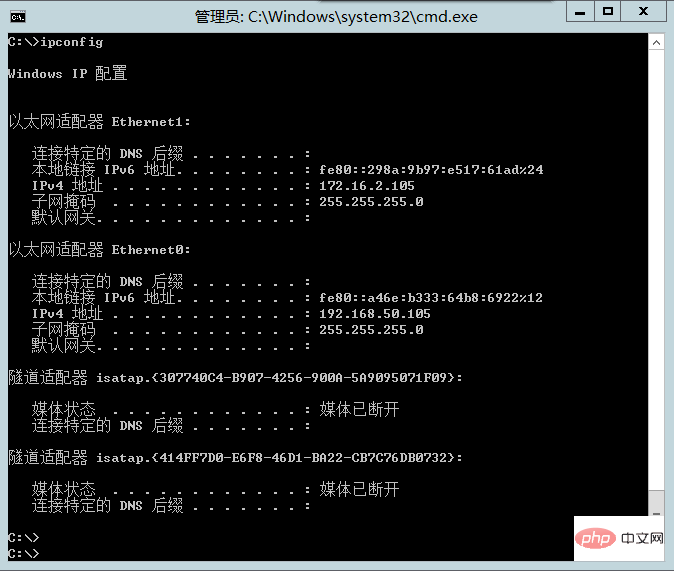
Server4为 Windows,替换一下相应的命令即可Windows 的 IP 信息如下
配置并查看端口映射情况
netsh interface portproxy add v4tov4 listenaddress=172.16.2.105 listenport=8081 connectaddress=192.168.50.11 connectport=8080netsh interface portproxy add v4tov4 listenaddress=172.16.2.105 listenport=8082 connectaddress=192.168.50.12 connectport=8080netsh interface portproxy show v4tov4
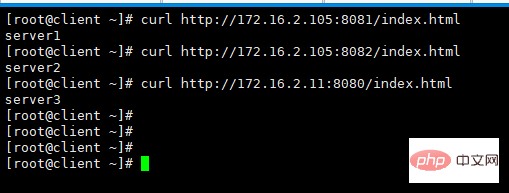
检查效果
在client节点上
curl http://172.16.2.105:8081/index.htmlcurl http://172.16.2.105:8082/index.htmlcurl http://172.16.2.11:8080/index.html
The above is the detailed content of Implement port mapping on Linux or Windows. For more information, please follow other related articles on the PHP Chinese website!





| Network Card | IP Address | Subnet Mask | Default Gateway | ##Remarks |
|---|---|---|---|---|
| 192.168.50.105 | 255.255.255.0 | - | Internal network card | |
| 172.16.2.105 | 255.255.255.0 | - | External network card |
























![[Web front-end] Node.js quick start](https://img.php.cn/upload/course/000/000/067/662b5d34ba7c0227.png)



