


Where is the download path for the win10 app store? The Win10 app store is particularly easy to use. You can enter the store and select apps to improve your work efficiency and improve your daily entertainment life. After downloading the win10 app store, where are the installation packages? Many friends don’t know how to operate in detail. The editor has compiled the download path and location sharing of the win10 app store below. If you are interested, follow the editor to take a look below. Bar!

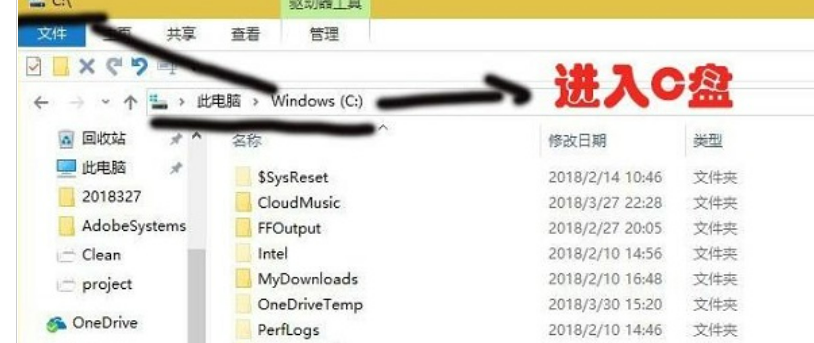
1. First of all, I need to tell you that the software downloaded from the Win10 App Store is all installed in C drive. We first enter the C drive of the computer.

#2. Then switch the upper tab to View in the C drive, and then check the hidden items.
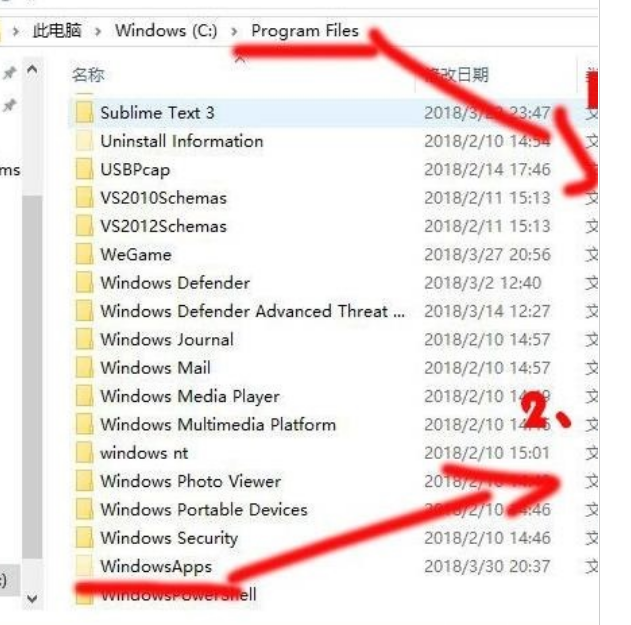
3. Go to the Program Files directory and open the WindowsApps folder.
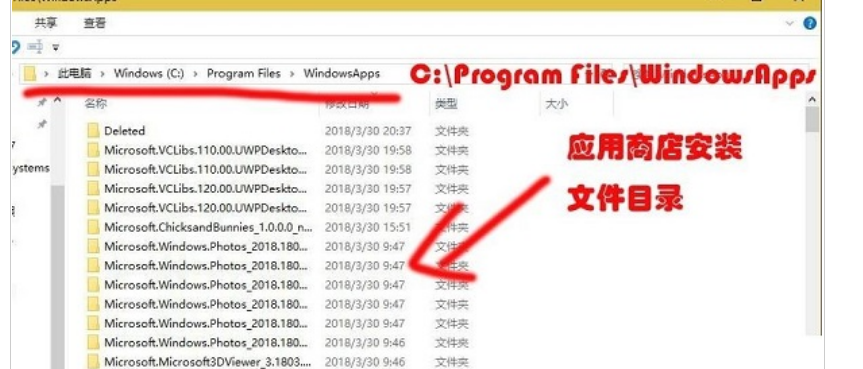
4. Under the C:Program FilesWindowsApps path, you can see the installation file directory of the application store.
Summary:
In the C drive, switch the upper tab to View, and then check the hidden items.
Go to the Program Files directory and open the WindowsApps folder.
The above is the entire content of [Where is the download path of the win10 application store - sharing of the download path location of the win10 application store]. More exciting tutorials are available on this site!
The above is the detailed content of Where is the download path of win10 app store. For more information, please follow other related articles on the PHP Chinese website!
 What does add mean in java?
 js method to intercept string
 What does b-side and c-side mean?
 What are the differences between springcloud and dubbo
 jsonp solves cross-domain problems
 How to use Java switch
 What is the difference between 4g and 5g mobile phones?
 How to solve the invalid mysql identifier error





















![[Web front-end] Node.js quick start](https://img.php.cn/upload/course/000/000/067/662b5d34ba7c0227.png)



