


What to do if the image cannot be found after docker load

The reason why the image cannot be found after docker load is because the IMAGE ID is used when exporting the image save, and the image name is not used, so it will not be displayed. The solution is to re-execute "docker save -o csctbb. com/hadoop:3.3.0 >..." is enough.

The operating environment of this article: centos8 system, Docker 20.10.11, Dell G3 computer.
What should I do if the image cannot be found after docker load?
docker load -i cannot see the image after importing
[root@centos8 ~]# docker images
REPOSITORY          TAG        IMAGE ID       CREATED         SIZE
csctbb.com/hadoop   3.3.0      084faab5baec   7 hours ago     1.68GB
centos              8.1.1911   470671670cac   14 months ago   237MB
kubeguide/hadoop    latest     e0af06208032   4 years ago     830MB
[root@centos8 ~]# docker save 084faab5baec > csctbb.com-hadoop.tar
Problem:
docker load -i After importing, there is no prompt for success , and no error is reported, docker images cannot see the imported image?
As above, my image has a name and tag
Explanation:
This is because the IMAGE ID is used when exporting the image save , the image name is not used, so it will not be displayed.
Use the following method:
docker save -o csctbb.com/hadoop:3.3.0 > csctbb.com-hadoop.tar
Just import it again
I use containerd here ctr test, the principle is the same, the difference is the command method
[root@ck8s2 ~]# ctr image import csctbb.com-hadoop.tar
unpacking csctbb.com/hadoop:3.3.0 (sha256:6198b39f874b8c6c31a06f2dc9113292c02533527feef8cf88b4e2b17e48d658)...done
[root@ck8s2 ~]#
[root@ck8s2 ~]# ctr image import hadoop.tar
unpacking csctbb.com/hadoop:3.3.0 (sha256:6198b39f874b8c6c31a06f2dc9113292c02533527feef8cf88b4e2b17e48d658)...done
[root@ck8s2 ~]# ctr images list
REF                                                                    TYPE                                                      DIGEST                                                                  SIZE     PLATFORMS                                                   LABELS
csctbb.com/hadoop:3.3.0                                                application/vnd.docker.distribution.manifest.v2+json      sha256:6198b39f874b8c6c31a06f2dc9113292c02533527feef8cf88b4e2b17e48d658 1.6 GiB  linux/amd64
Recommended study: "docker tutorial"
The above is the detailed content of What to do if the image cannot be found after docker load. For more information, please follow other related articles on the PHP Chinese website!

Hot AI Tools

Undress AI Tool
Undress images for free

Undresser.AI Undress
AI-powered app for creating realistic nude photos

AI Clothes Remover
Online AI tool for removing clothes from photos.

Clothoff.io
AI clothes remover

Video Face Swap
Swap faces in any video effortlessly with our completely free AI face swap tool!

Hot Article
Hot Tools

Notepad++7.3.1
Easy-to-use and free code editor

SublimeText3 Chinese version
Chinese version, very easy to use

Zend Studio 13.0.1
Powerful PHP integrated development environment

Dreamweaver CS6
Visual web development tools

SublimeText3 Mac version
God-level code editing software (SublimeText3)
Hot Topics
 1793
1793
 16
1736
56
1587
29
267
587
16
1736
56
1587
29
267
587

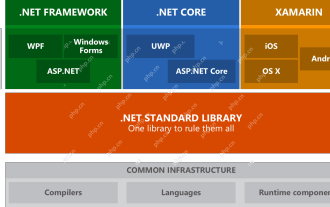 .NET Core Quick Start Tutorial 1. The beginning: Talking about .NET Core
May 07, 2025 pm 04:54 PM
.NET Core Quick Start Tutorial 1. The beginning: Talking about .NET Core
May 07, 2025 pm 04:54 PM
1. The Origin of .NETCore When talking about .NETCore, we must not mention its predecessor .NET. Java was in the limelight at that time, and Microsoft also favored Java. The Java virtual machine on the Windows platform was developed by Microsoft based on JVM standards. It is said to be the best performance Java virtual machine at that time. However, Microsoft has its own little abacus, trying to bundle Java with the Windows platform and add some Windows-specific features. Sun's dissatisfaction with this led to a breakdown of the relationship between the two parties, and Microsoft then launched .NET. .NET has borrowed many features of Java since its inception and gradually surpassed Java in language features and form development. Java in version 1.6
 Docker on Linux: Containerization for Linux Systems
Apr 22, 2025 am 12:03 AM
Docker on Linux: Containerization for Linux Systems
Apr 22, 2025 am 12:03 AM
Docker is important on Linux because Linux is its native platform that provides rich tools and community support. 1. Install Docker: Use sudoapt-getupdate and sudoapt-getinstalldocker-cedocker-ce-clicotainerd.io. 2. Create and manage containers: Use dockerrun commands, such as dockerrun-d--namemynginx-p80:80nginx. 3. Write Dockerfile: Optimize the image size and use multi-stage construction. 4. Optimization and debugging: Use dockerlogs and dockerex
 Docker vs. Kubernetes: Key Differences and Synergies
May 01, 2025 am 12:09 AM
Docker vs. Kubernetes: Key Differences and Synergies
May 01, 2025 am 12:09 AM
Docker and Kubernetes are leaders in containerization and orchestration. Docker focuses on container lifecycle management and is suitable for small projects; Kubernetes is good at container orchestration and is suitable for large-scale production environments. The combination of the two can improve development and deployment efficiency.
 How to develop a complete Python Web application?
May 23, 2025 pm 10:39 PM
How to develop a complete Python Web application?
May 23, 2025 pm 10:39 PM
To develop a complete Python Web application, follow these steps: 1. Choose the appropriate framework, such as Django or Flask. 2. Integrate databases and use ORMs such as SQLAlchemy. 3. Design the front-end and use Vue or React. 4. Perform the test, use pytest or unittest. 5. Deploy applications, use Docker and platforms such as Heroku or AWS. Through these steps, powerful and efficient web applications can be built.
 What is cross-compilation in C?
Apr 28, 2025 pm 08:21 PM
What is cross-compilation in C?
Apr 28, 2025 pm 08:21 PM
Cross-compilation in C refers to compiling an executable file or library that can run on another platform on one platform. 1) Cross-compilation requires the use of a special cross-compiler, such as GCC or Clang variants. 2) Setting up a cross-compilation environment can use Docker to manage toolchains to improve repeatability and portability. 3) When cross-compiling, pay attention to code optimization options, such as -O2, -O3 or -Os, to balance performance and file size.
 How to view process information inside Docker container
May 19, 2025 pm 09:06 PM
How to view process information inside Docker container
May 19, 2025 pm 09:06 PM
There are three ways to view the process information inside the Docker container: 1. Use the dockertop command to list all processes in the container and display PID, user, command and other information; 2. Use dockerexec to enter the container, and then use the ps or top command to view detailed process information; 3. Use the dockerstats command to display the usage of container resources in real time, and combine dockertop to fully understand the performance of the container.
 How do containerization technologies (like Docker) affect the importance of Java's platform independence?
Apr 22, 2025 pm 06:49 PM
How do containerization technologies (like Docker) affect the importance of Java's platform independence?
Apr 22, 2025 pm 06:49 PM
Containerization technologies such as Docker enhance rather than replace Java's platform independence. 1) Ensure consistency across environments, 2) Manage dependencies, including specific JVM versions, 3) Simplify the deployment process to make Java applications more adaptable and manageable.
 Why Use Docker? Benefits and Advantages Explained
Apr 25, 2025 am 12:05 AM
Why Use Docker? Benefits and Advantages Explained
Apr 25, 2025 am 12:05 AM
The reason for using Docker is that it provides an efficient, portable and consistent environment to package, distribute, and run applications. 1) Docker is a containerized platform that allows developers to package applications and their dependencies into lightweight, portable containers. 2) It is based on Linux container technology and joint file system to ensure fast startup and efficient operation. 3) Docker supports multi-stage construction, optimizes image size and deployment speed. 4) Using Docker can simplify development and deployment processes, improve efficiency and ensure consistency across environments.
