



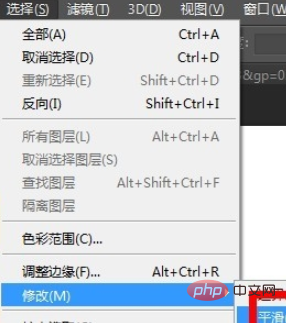
First use the selection tool to select the image, then click Select-Modify-Smooth
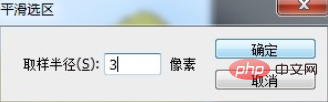
Then enter the smoothing value and click [OK], this will smooth the edges.
Recommended tutorial: ps tutorial
The above is the detailed content of How to smooth the edges of a selection in PS. For more information, please follow other related articles on the PHP Chinese website!
















![[Web front-end] Node.js quick start](https://img.php.cn/upload/course/000/000/067/662b5d34ba7c0227.png)



