



What should I do if the upgraded phpmyadmin cannot be opened?
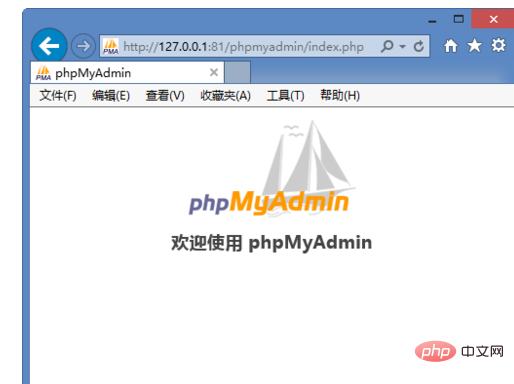
After upgrading to the latest phpMyAdmin version, the login box is blank and the solution is to be unable to log in.
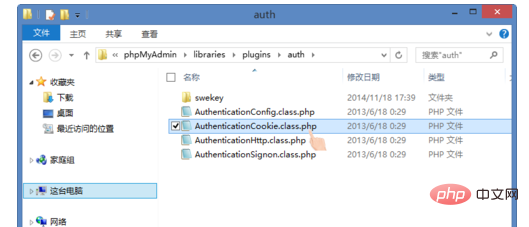
We need to open and find: phpMyAdmin\ libraries\plugins\auth\AuthenticationCookie.class.php
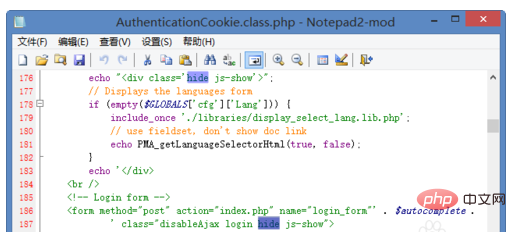
Open AuthenticationCookie.class.php and delete the two hide
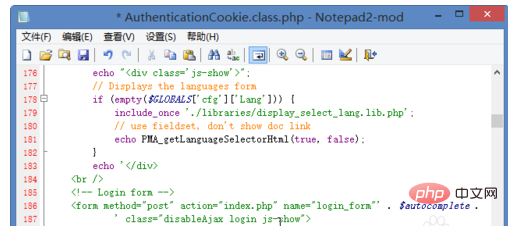
The screenshot after deletion is as follows and saved.
Refresh. The login box appears.
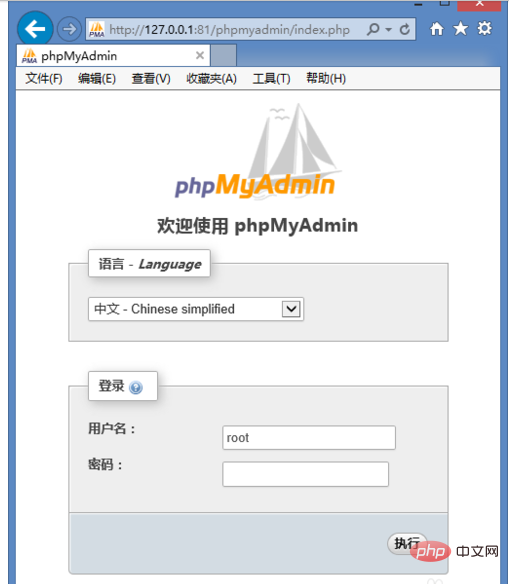
The above is the detailed content of What should I do if the upgraded phpmyadmin cannot be opened?. For more information, please follow other related articles on the PHP Chinese website!
 Commonly used mysql management tools
 What to do if phpmyadmin fails to import sql file
 How to change phpmyadmin to Chinese
 What's going on when phpmyadmin can't access it?
 The difference between executeupdate and execute
 How to resolve WerFault.exe application error
 How to solve the WerFault.exe application error
 Solution to invalid signature





















![[Web front-end] Node.js quick start](https://img.php.cn/upload/course/000/000/067/662b5d34ba7c0227.png)



