

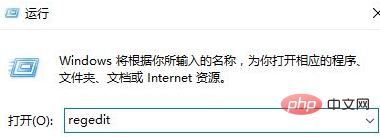
1. Right-click on the Start menu button and click [Run], enter regedit in the run box and click OK to open the Registry Editor;
(Recommended learning:java introductory tutorial)
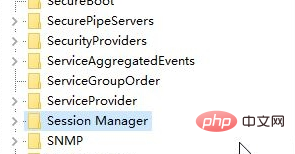
2. Expand the left side of the registry: HKEY_LOCAL_MACHINE\SYSTEM\CurrentControlSet\Control to find the Session Manager;
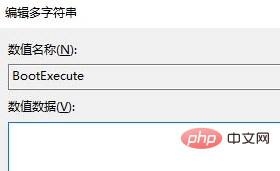
3. Find BootExecute on the right and double-click to open it;
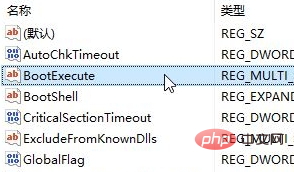
4. Delete the BootExecute data autocheck autochk * and click OK Just save the settings.
Recommended related tutorials:windows tutorial
The above is the detailed content of How to cancel boot disk check on Windows 10 computer. For more information, please follow other related articles on the PHP Chinese website!
 win10 bluetooth switch is missing
 Why do all the icons in the lower right corner of win10 show up?
 The difference between win10 sleep and hibernation
 Win10 pauses updates
 What to do if the Bluetooth switch is missing in Windows 10
 win10 connect to shared printer
 Clean up junk in win10
 How to share printer in win10





















![[Web front-end] Node.js quick start](https://img.php.cn/upload/course/000/000/067/662b5d34ba7c0227.png)



