


How to manually draw lines in excel
1. Open the table that requires standards and click "Insert-Shape".

#2. In the shape drop-down menu, select "Free Curve" in the line.
(Recommended: "Excel Basic Tutorial Column")
3. Hold down the left mouse button and drag, mark where needed You can draw lines wherever you want.
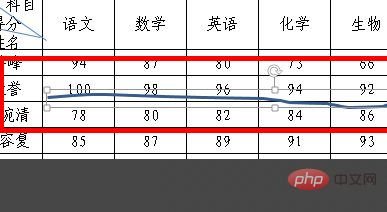
4. When the drawn line is selected, there is a drawing tool menu above. Click "Shape Outline" on the right to set the color of the line, for example, select red. , you can see that the label line on the left turns red.

#5. The red marking line has been set successfully.
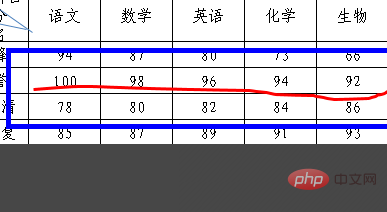
6. If the marked figure is a closed figure, in addition to setting the line color, you can also use the "Shape Fill" on the right when the figure is selected. ” function selects a color to cover the drawn closed area. On the other hand, if the drawn closed shape does not need to be covered, select "No Fill Color" under Shape Fill.

For more Excel tutorials andIntroduction to Programmingtutorials, please pay attention to the PHP Chinese website!
The above is the detailed content of How to manually draw lines in excel. For more information, please follow other related articles on the PHP Chinese website!
 Compare the similarities and differences between two columns of data in excel
 excel duplicate item filter color
 How to copy an Excel table to make it the same size as the original
 Excel table slash divided into two
 Excel diagonal header is divided into two
 Absolute reference input method
 java export excel
 Excel input value is illegal






















![[Web front-end] Node.js quick start](https://img.php.cn/upload/course/000/000/067/662b5d34ba7c0227.png)



