



1. Uninstall third-party security software and system optimization software from the device
2. Press [Windows logo key R] at the same time, enter [msconfig], and press Return Car (Enter)

3. Click [Services]>[Hide all Microsoft services]>[Disable all]

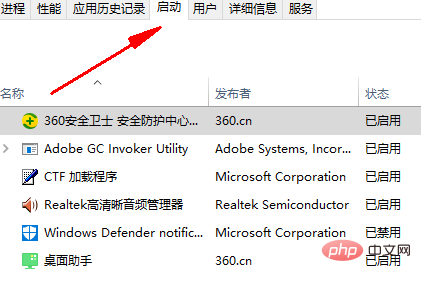
4. Start [Task Manager], click the [Startup] tab, disable all startup items, and restart the device
Related article tutorials Recommended: windows tutorial
The above is the detailed content of Win10 touchpad cannot slide with two fingers. For more information, please follow other related articles on the PHP Chinese website!
 win10 bluetooth switch is missing
 Why do all the icons in the lower right corner of win10 show up?
 The difference between win10 sleep and hibernation
 Win10 pauses updates
 What to do if the Bluetooth switch is missing in Windows 10
 win10 connect to shared printer
 Clean up junk in win10
 How to share printer in win10









![[Web front-end] Node.js quick start](https://img.php.cn/upload/course/000/000/067/662b5d34ba7c0227.png)



