



Where is the phpcms v9 database?
Use the ftp upload tool to open your website source code file
(Recommended learning:phpcms tutorial)
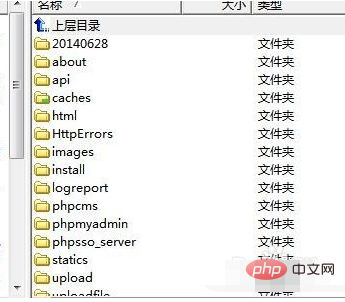
Find the 'caches' folder in the source code file
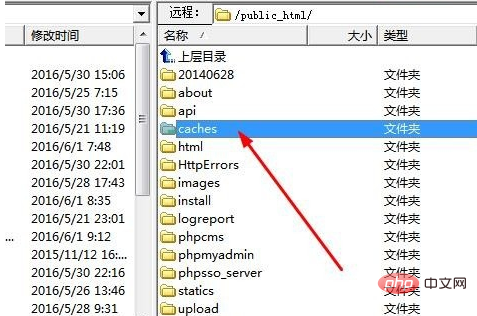
Open the 'caches' folder and find the 'configs' folder
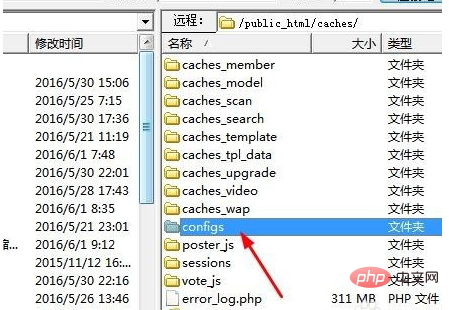
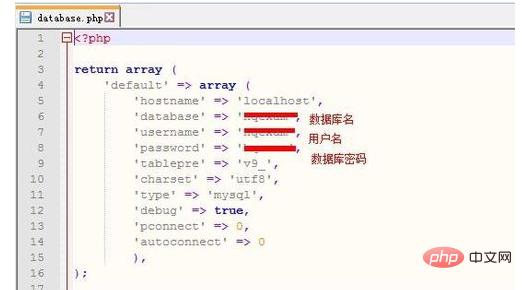
Find the 'configs' folder and find the database.php file
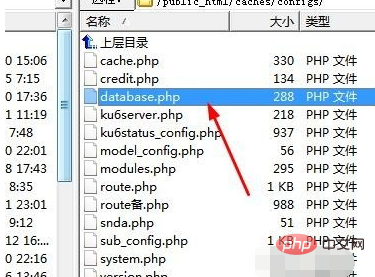
Save the database.php file to the desktop and open the file with software

At this time we can start configuring the file. We can complete it by filling in the database name, data name, and database password correctly
The above is the detailed content of Where is the phpcms v9 database?. For more information, please follow other related articles on the PHP Chinese website!



























![[Web front-end] Node.js quick start](https://img.php.cn/upload/course/000/000/067/662b5d34ba7c0227.png)



