


This article introduces you to Angular development practice (2): HRM operating mechanism. Interested friends can take a look at
is enabled in the angular-start project TheHot Module Replacement (HMR - Hot Module Replacement)function has been installed. For how to enableHRMinangular-cli, please view the HRM configuration
So what isHMR?
HMRis a function provided bywebpack,angular-cliuses it, it will replace and add during the running process of the application Or remove the module without reloading the entire page. Mainly through the following methods, to significantly speed up development:
Preserve application state that is lost when the page is completely reloaded
Update only changes to save valuable development time
Adjust styles faster - almost equivalent to changing styles in the browser debugger
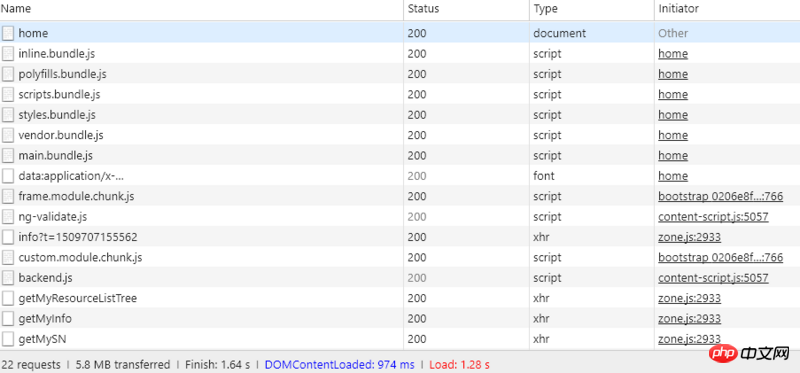
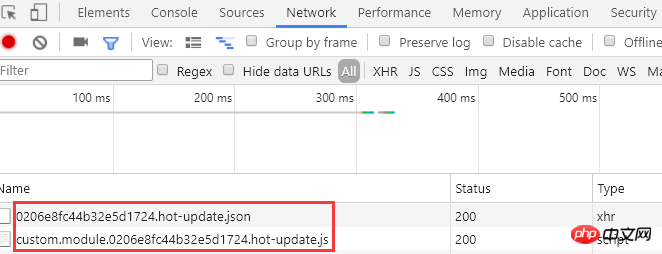
Let’s take a look at the specific effects first:
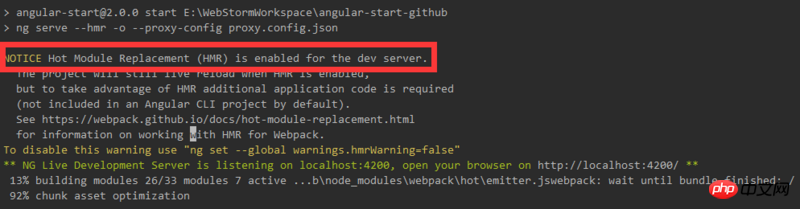
1. Start theangular-startproject. In the console you can see thatHRMhas been enabled. Message:
HMRworks…
swap in and out) the module in the application through the following steps:
compiler) needs to issueupdateto allow updating the previous version to the new version.updateconsists of two parts:
manifest (JSON)
chunk (JavaScript)
including the new compiledhashand all pending Updatechunkdirectory. Each updatechunkcontains code corresponding to all updated modules for thischunk(or aflagto indicate that this module is to be removed). Thecompiler ensures that the module
andchunk IDremain consistent between these builds. TheseIDare usually stored in memory (for example, when usingwebpack-dev-server), but it is also possible to store them in aJSONfile.In modules
is an optional feature and will only affect modules containingHMRcode. For example, add a patch to thestylestyle throughstyle-loader. In order to run additional patches,style-loaderimplements theHMRinterface; when it receives an update viaHMR, it replaces the old style with the new one.Similarly, when implementing the
interface in a module, you can describe what happens when the module is updated. In most cases, however, there is no need to force writingHMRcode in every module. If a module does not have aHMRhandler, updates will bubble up. This means that a simple handler function can update the entire module tree(complete module tree). If a single module in this module tree is updated, the entire set of dependent modules will be reloaded.For details on the module.hot interface, please check out the HMR API page.
In HMR Runtime
, additional code is sent toparentsandchildrenfor tracking module. In terms of management,runtimesupports two methodscheckandapply.
Send a Afterwards, all invalid modules are processed (via the http://www.css88.com/doc/webp... Related recommendations: Angular Development Practice (1): Environment Preparation and Framework Construction The above is the detailed content of Angular development practice (2): HRM operating mechanism. For more information, please follow other related articles on the PHP Chinese website!HTTPrequest to update themanifest. If the request fails, no updates are available. If the request is successful, thechunkto be updated will be compared with the currently loadedchunk. For each loadedchunk, the correspondingchunkto be updated will be downloaded. When all pending updateschunkhave been downloaded, they will be ready to switch to thereadystate.applyThe method marks all updated modules as invalid. For each invalid module, there needs to be an update handler in the module or in its parent modules. Otherwise, the invalid tag bubbles up and invalidates the parent as well. Each bubbling continues until it reaches the application entry point, or the module with the update handler, whichever comes first. If it starts bubbling from the entry point, the process fails.disposehandler function) and unloaded. Then update the currenthashand call allacceptprocessing functions.runtimeSwitch back to idle state and everything continues as usual.Reference article





























![[Web front-end] Node.js quick start](https://img.php.cn/upload/course/000/000/067/662b5d34ba7c0227.png)



