


Detailed analysis of web.xml file content

Detailed explanation of web.xml file
Preface: web.xml is used in general web projects. .xml is mainly used for configuration and can facilitate the development of web projects. web.xml is mainly used to configure Filter, Listener, Servlet, etc. But it should be noted that web.xml is not necessary. A web project does not need a web.xml file.
1. WEB project loading web.xml process
After personal testing, WEB The project loading order has nothing to do with the configuration order of element nodes in the file. That is, filter will not be loaded first because filter is written before listener. The loading sequence of the WEB container is: ServletContext -> context-param -> listener -> filter -> servlet. And these elements can be configured anywhere in the file.
The loading process sequence is as follows:
When starting a WEB project, the WEB container will read its The configuration file web.xml reads the two nodes
and . #Emergency, create a ServletContext (servlet context), all parts of this web project will share this context.
The container converts
into a key-value pair and hands it to servletContext. The container creates a class instance in
and creates a listener.
##2. Detailed explanation of web.xml file elements
1. schema
The schema file of web.xml is defined by Sun. The root element of each web.xml file is
<?xml version="1.0" encoding="UTF-8"?><web-app version="2.4"
    xmlns="http://java.sun.com/xml/ns/j2ee"
    xmlns:xsi="http://www.w3.org/2001/XMLSchema-instance"
    xsi:schemaLocation="http://java.sun.com/xml/ns/j2ee
        http://java.sun.com/xml/ns/j2ee/web-app_2_4.xsd"></web-app>
2.
<icon>
    <small-icon>/images/app_small.gif</small-icon>
    <large-icon>/images/app_large.gif</large-icon></icon>
3.
<display-name>Tomcat Example</display-name>4. Descriptive text related to this
<disciption>Tomcat Example servlets and JSP pages.</disciption>
5,
Declaration application Initialization parameters within the range. It is used to provide key-value pairs, that is, application context information, to the ServletContext. Our listeners, filters, etc. will use the information in these contexts during initialization. In the servlet, it can be obtained through getServletContext().getInitParameter("context/param").
<context-param>
    <param-name>ContextParameter</para-name>
    <param-value>test</param-value>
    <description>It is a test parameter.</description></context-param>
6.
## Combine a name with an implementation of javaxs.servlet.Filter The interface is associated with the class.
<filter>
    <filter-name>setCharacterEncoding</filter-name>
    <filter-class>com.myTest.setCharacterEncodingFilter</filter-class>
    <init-param>
        <param-name>encoding</param-name>
        <param-value>UTF-8</param-value>
    </init-param></filter><filter-mapping>
    <filter-name>setCharacterEncoding</filter-name>
    <url-pattern>/*</url-pattern></filter-mapping>
7.
<listener>
    <listerner-class>com.listener.SessionListener</listener-class> </listener>
8.
##
#
##
Specifies the complete content of a JSP web page in the web site Path is used to define parameters. There can be multiple init-params. Access initialization parameters through the getInitParamenter(String name) method in the servlet class 指定当Web应用启动时,装载Servlet的次序。当值为正数或零时:Servlet容器先加载数值小的servlet,再依次加载其他数值大的servlet。当值为负或未定义:Servlet容器将在Web客户首次访问这个servlet时加载它。 用来定义servlet所对应的URL,包含两个子元素 指定servlet的名称 指定servlet所对应的URL
<!-- 基本配置 --><servlet>
    <servlet-name>snoop</servlet-name>
    <servlet-class>SnoopServlet</servlet-class></servlet><servlet-mapping>
    <servlet-name>snoop</servlet-name>
    <url-pattern>/snoop</url-pattern></servlet-mapping><!-- 高级配置 --><servlet>
    <servlet-name>snoop</servlet-name>
    <servlet-class>SnoopServlet</servlet-class>
    <init-param>
        <param-name>foo</param-name>
        <param-value>bar</param-value>
    </init-param>
    <run-as>
        <description>Security role for anonymous access</description>
        <role-name>tomcat</role-name>
    </run-as></servlet><servlet-mapping>
    <servlet-name>snoop</servlet-name>
    <url-pattern>/snoop</url-pattern></servlet-mapping>
9、
单位为分钟。
<session-config>
    <session-timeout>120</session-timeout></session-config>
10、
<mime-mapping>
    <extension>htm</extension>
    <mime-type>text/html</mime-type></mime-mapping>
11、
<welcome-file-list>
    <welcome-file>index.jsp</welcome-file>
    <welcome-file>index.html</welcome-file>
    <welcome-file>index.htm</welcome-file></welcome-file-list>
12、
<!-- 1、通过错误码来配置error-page。当系统发生×××错误时,跳转到错误处理页面。 --><error-page>
    <error-code>404</error-code>
    <location>/NotFound.jsp</location></error-page><!-- 2、通过异常的类型配置error-page。当系统发生java.lang.NullException(即空指针异常)时,跳转到错误处理页面。 --><error-page>
    <exception-type>java.lang.NullException</exception-type>
    <location>/error.jsp</location></error-page>
13、
:设定的说明 :设定名称 :设定值所影响的范围,如: /CH2 或 /*.jsp :若为 true,表示不支持 EL 语法 :若为 true,表示不支持 <% scripting %>语法 :设定 JSP 网页的编码 :设置 JSP 网页的抬头,扩展名为 .jspf :设置 JSP 网页的结尾,扩展名为 .jspf
<jsp-config>
    <taglib>
        <taglib-uri>Taglib</taglib-uri>
        <taglib-location>/WEB-INF/tlds/MyTaglib.tld</taglib-location>
    </taglib>
    <jsp-property-group>
        <description>Special property group for JSP Configuration JSP example.</description>
        <display-name>JSPConfiguration</display-name>
        <url-pattern>/jsp/* </url-pattern>
        <el-ignored>true</el-ignored>
        <page-encoding>GB2312</page-encoding>
        <scripting-invalid>true</scripting-invalid>
        <include-prelude>/include/prelude.jspf</include-prelude>
        <include-coda>/include/coda.jspf</include-coda>
    </jsp-property-group></jsp-config>
对于Web 应用程式来说,Scriptlet 是个不乐意被见到的东西,因为它会使得HTML 与Java 程式码交相混杂,对于程式的维护来说相当的麻烦,必要的时候,可以在web.xml 中加上
3、Mapping规则
当一个请求发送到servlet容器的时候,容器先会将请求的url减去当前应用上下文的路径作为servlet的映射url,比如我访问的是http://localhost/test/aaa.html,我的应用上下文是test,容器会将http://localhost/test去掉,剩下的/aaa.html部分拿来做servlet的映射匹配。这个映射匹配过程是有顺序的,而且当有一个servlet匹配成功以后,就不会去理会剩下的servlet了。
其匹配规则和顺序如下:
精确路径匹配。例子:比如servletA 的url-pattern为 /test,servletB的url-pattern为 /* ,这个时候,如果我访问的url为http://localhost/test ,这个时候容器就会先 进行精确路径匹配,发现/test正好被servletA精确匹配,那么就去调用servletA,也不会去理会其他的servlet了。
Longest path matching. Example: The url-pattern of servletA is /test/*, and the url-pattern of servletB is /test/a/*. When accessing http://localhost/test/a, the container will select the servlet with the longest path. Match, which is servletB here.
#Extension matching, if the last segment of the URL contains an extension, the container will select the appropriate servlet based on the extension. Example: servletA's url-pattern: *.action
Starting with "/" and ending with "/*" are used for path mapping. Things starting with the prefix "*." are used for extended mapping. So, why is it wrong to define a seemingly normal match like "/*.action"? Because this match belongs to both path mapping and extended mapping. The container cannot determine
.The above is the detailed content of Detailed analysis of web.xml file content. For more information, please follow other related articles on the PHP Chinese website!

Hot AI Tools

Undress AI Tool
Undress images for free

Undresser.AI Undress
AI-powered app for creating realistic nude photos

AI Clothes Remover
Online AI tool for removing clothes from photos.

Clothoff.io
AI clothes remover

Video Face Swap
Swap faces in any video effortlessly with our completely free AI face swap tool!

Hot Article
Hot Tools

Notepad++7.3.1
Easy-to-use and free code editor

SublimeText3 Chinese version
Chinese version, very easy to use

Zend Studio 13.0.1
Powerful PHP integrated development environment

Dreamweaver CS6
Visual web development tools

SublimeText3 Mac version
God-level code editing software (SublimeText3)


 Can I open an XML file using PowerPoint?
Feb 19, 2024 pm 09:06 PM
Can I open an XML file using PowerPoint?
Feb 19, 2024 pm 09:06 PM
Can XML files be opened with PPT? XML, Extensible Markup Language (Extensible Markup Language), is a universal markup language that is widely used in data exchange and data storage. Compared with HTML, XML is more flexible and can define its own tags and data structures, making the storage and exchange of data more convenient and unified. PPT, or PowerPoint, is a software developed by Microsoft for creating presentations. It provides a comprehensive way of
 Convert XML data to CSV format in Python
Aug 11, 2023 pm 07:41 PM
Convert XML data to CSV format in Python
Aug 11, 2023 pm 07:41 PM
Convert XML data in Python to CSV format XML (ExtensibleMarkupLanguage) is an extensible markup language commonly used for data storage and transmission. CSV (CommaSeparatedValues) is a comma-delimited text file format commonly used for data import and export. When processing data, sometimes it is necessary to convert XML data to CSV format for easy analysis and processing. Python is a powerful
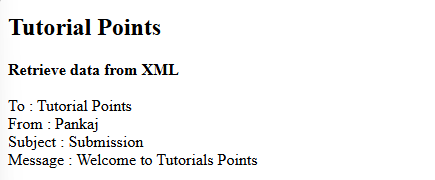 How do you parse and process HTML/XML in PHP?
Feb 07, 2025 am 11:57 AM
How do you parse and process HTML/XML in PHP?
Feb 07, 2025 am 11:57 AM
This tutorial demonstrates how to efficiently process XML documents using PHP. XML (eXtensible Markup Language) is a versatile text-based markup language designed for both human readability and machine parsing. It's commonly used for data storage an
 How to handle XML and JSON data formats in C# development
Oct 09, 2023 pm 06:15 PM
How to handle XML and JSON data formats in C# development
Oct 09, 2023 pm 06:15 PM
How to handle XML and JSON data formats in C# development requires specific code examples. In modern software development, XML and JSON are two widely used data formats. XML (Extensible Markup Language) is a markup language used to store and transmit data, while JSON (JavaScript Object Notation) is a lightweight data exchange format. In C# development, we often need to process and operate XML and JSON data. This article will focus on how to use C# to process these two data formats, and attach
 How to use PHP functions to process XML data?
May 05, 2024 am 09:15 AM
How to use PHP functions to process XML data?
May 05, 2024 am 09:15 AM
Use PHPXML functions to process XML data: Parse XML data: simplexml_load_file() and simplexml_load_string() load XML files or strings. Access XML data: Use the properties and methods of the SimpleXML object to obtain element names, attribute values, and subelements. Modify XML data: add new elements and attributes using the addChild() and addAttribute() methods. Serialized XML data: The asXML() method converts a SimpleXML object into an XML string. Practical example: parse product feed XML, extract product information, transform and store it into a database.
 Convert POJO to XML using Jackson library in Java?
Sep 18, 2023 pm 02:21 PM
Convert POJO to XML using Jackson library in Java?
Sep 18, 2023 pm 02:21 PM
Jackson is a Java-based library that is useful for converting Java objects to JSON and JSON to Java objects. JacksonAPI is faster than other APIs, requires less memory area, and is suitable for large objects. We use the writeValueAsString() method of the XmlMapper class to convert the POJO to XML format, and the corresponding POJO instance needs to be passed as a parameter to this method. Syntax publicStringwriteValueAsString(Objectvalue)throwsJsonProcessingExceptionExampleimp
 C and XML: Exploring the Relationship and Support
Apr 21, 2025 am 12:02 AM
C and XML: Exploring the Relationship and Support
Apr 21, 2025 am 12:02 AM
C interacts with XML through third-party libraries (such as TinyXML, Pugixml, Xerces-C). 1) Use the library to parse XML files and convert them into C-processable data structures. 2) When generating XML, convert the C data structure to XML format. 3) In practical applications, XML is often used for configuration files and data exchange to improve development efficiency.
 Introduction and usage of HTML/XML parser in PHP
Sep 10, 2023 pm 08:49 PM
Introduction and usage of HTML/XML parser in PHP
Sep 10, 2023 pm 08:49 PM
Introduction and usage of HTML/XML parser in PHP Introduction When developing web applications, you often need to process HTML or XML documents. As a popular server-side scripting language, PHP provides a powerful HTML/XML parser, making processing these documents easier and more efficient. This article will introduce commonly used HTML/XML parsers in PHP and their usage. HTML parser in PHP: DOMDocumentDOMDocument is a built-in class of PHP.
