


Emmet/Zen Coding Quick Start Instructions_html/css_WEB-ITnose

Quick Reference
The following are the supported features:
| ele | creates an HTML element tag 展开一个HTML元素标签 |
| # | creates an id attribute 作用于元素标签,展开一个id属性 |
| . | creates a class attribute 作用于元素标签,展开一个类属性,一个标签可以跟多个类属性,最终展开会一起呗加入class属性中 |
| [] | creates a custom attribute 作用于元素标签,展开一个HTML元素标签的属性,可以是任意非标准属性名称,写法同CSS选择器。 |
| > | creates a child element 作用于元素标签或组,紧跟展开一个子元素标签或组,参考CSS选择器 |
| creates a sibling element 作用于元素标签或组,紧跟展开一个兄弟元素标签或组,参考CSS选择器 | |
| ^ | climbs up 作用于元素标签或组,紧跟的元素标签或组爬升到上一个层级 |
| * | is element multiplication. This creates the same thing n number of times 作用于元素标签或组,展开重复次数,后面跟一个数字。 |
| $ | is replaced with an incremental number 配合*使用,代表拷贝的序号 |
| $$ | is used for numbers with padding 序号占位,用0填充 |
| {} | creates text in an element 展开为文本 |
| () | as a group 将标签组作为一组,可嵌套。 |
ID and class attributes: #and.
<!-- Type this -->div#contentRegion.address<!-- Creates this --><div id="contentRegion" class="address"></div>
Custom attributes: []
<!-- Type this -->div[title]<!-- Creates this --><div title=""></div>
can also contain attribute values
<!-- Type this -->input[placeholder="Name" type="text"]<!-- Creates this --><input type="text" value="" placeholder="Name" />
sub Group: >
<!-- Type this -->div#menu>span.item[title]<!-- Creates this --><div id="menu"> <span class="item" title=""></span></div>
Brother group:
<!-- Type this -->footer>div>a+input<!-- Creates this --><footer> <div> <a href=""></a> <input type value="" /> </div></footer>
Climb: ^
<!-- Type this -->footer>div>a+input^p<!-- Creates this --><footer> <div> <a href=""></a> <input type value="" /> </div> <p></p></footer>
Number of repetitions: *
<!-- Type this -->ul>li*4>span<!-- Creates this --><ul> <li><span></span></li> <li><span></span></li> <li><span></span></li> <li><span></span></li></ul>
Repeat number: $
<!-- Type this -->section>article.item$$*4<!-- Creates this --><section> <article class="item01"></article> <article class="item02"></article> <article class="item03"></article> <article class="item04"></article></section>
Text: {}
<!-- Type this -->ul>li*4>span{Caption $$}<!-- Creates this --><ul> <li><span>Caption 01</span></li> <li><span>Caption 02</span></li> <li><span>Caption 03</span></li> <li><span>Caption 04</span></li></ul> Group: ()
<!-- Type this -->((a+span)+(a>span))*3<!-- Creates this --><a href=""></a><span></span><span><a href=""></a></span><a href=""></a><span></span><span><a href=""></a></span><a href=""></a><span></span><span><a href=""></a></span>

Hot AI Tools

Undress AI Tool
Undress images for free

Undresser.AI Undress
AI-powered app for creating realistic nude photos

AI Clothes Remover
Online AI tool for removing clothes from photos.

Clothoff.io
AI clothes remover

Video Face Swap
Swap faces in any video effortlessly with our completely free AI face swap tool!

Hot Article
Hot Tools

Notepad++7.3.1
Easy-to-use and free code editor

SublimeText3 Chinese version
Chinese version, very easy to use

Zend Studio 13.0.1
Powerful PHP integrated development environment

Dreamweaver CS6
Visual web development tools

SublimeText3 Mac version
God-level code editing software (SublimeText3)


 Generate PPT with one click! Kimi: Let the 'PPT migrant workers' become popular first
Aug 01, 2024 pm 03:28 PM
Generate PPT with one click! Kimi: Let the 'PPT migrant workers' become popular first
Aug 01, 2024 pm 03:28 PM
Kimi: In just one sentence, in just ten seconds, a PPT will be ready. PPT is so annoying! To hold a meeting, you need to have a PPT; to write a weekly report, you need to have a PPT; to make an investment, you need to show a PPT; even when you accuse someone of cheating, you have to send a PPT. College is more like studying a PPT major. You watch PPT in class and do PPT after class. Perhaps, when Dennis Austin invented PPT 37 years ago, he did not expect that one day PPT would become so widespread. Talking about our hard experience of making PPT brings tears to our eyes. "It took three months to make a PPT of more than 20 pages, and I revised it dozens of times. I felt like vomiting when I saw the PPT." "At my peak, I did five PPTs a day, and even my breathing was PPT." If you have an impromptu meeting, you should do it
 How to get help in Windows 11
Mar 15, 2024 pm 02:20 PM
How to get help in Windows 11
Mar 15, 2024 pm 02:20 PM
After getting used to the interface of previous versions of Windows, it may be challenging to adapt to Windows 11. But don’t worry, Windows 11 provides a wealth of help resources to help you master various functions more easily. This article will guide you how to use the tools that come with Windows 11 to obtain support so that you can quickly find official solutions when you encounter problems. Method 1: Use the “Getting Started” app Windows 11’s “Getting Started” app is a great mentor for beginners. It helps users easily complete the basic settings of the system and introduces new features concisely. Follow its guidance and you will quickly become familiar with this new operating system. 1Click the "Start" menu, find and click the "Getting Started" app, and select "Get Started". Click
 A Diffusion Model Tutorial Worth Your Time, from Purdue University
Apr 07, 2024 am 09:01 AM
A Diffusion Model Tutorial Worth Your Time, from Purdue University
Apr 07, 2024 am 09:01 AM
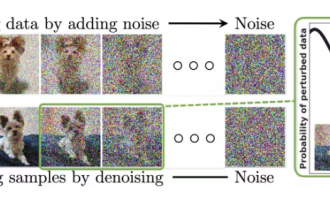
Diffusion can not only imitate better, but also "create". The diffusion model (DiffusionModel) is an image generation model. Compared with the well-known algorithms such as GAN and VAE in the field of AI, the diffusion model takes a different approach. Its main idea is a process of first adding noise to the image and then gradually denoising it. How to denoise and restore the original image is the core part of the algorithm. The final algorithm is able to generate an image from a random noisy image. In recent years, the phenomenal growth of generative AI has enabled many exciting applications in text-to-image generation, video generation, and more. The basic principle behind these generative tools is the concept of diffusion, a special sampling mechanism that overcomes the limitations of previous methods.
 All CVPR 2024 awards announced! Nearly 10,000 people attended the conference offline, and a Chinese researcher from Google won the best paper award
Jun 20, 2024 pm 05:43 PM
All CVPR 2024 awards announced! Nearly 10,000 people attended the conference offline, and a Chinese researcher from Google won the best paper award
Jun 20, 2024 pm 05:43 PM
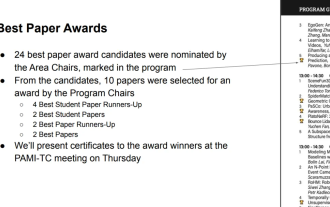
In the early morning of June 20th, Beijing time, CVPR2024, the top international computer vision conference held in Seattle, officially announced the best paper and other awards. This year, a total of 10 papers won awards, including 2 best papers and 2 best student papers. In addition, there were 2 best paper nominations and 4 best student paper nominations. The top conference in the field of computer vision (CV) is CVPR, which attracts a large number of research institutions and universities every year. According to statistics, a total of 11,532 papers were submitted this year, and 2,719 were accepted, with an acceptance rate of 23.6%. According to Georgia Institute of Technology’s statistical analysis of CVPR2024 data, from the perspective of research topics, the largest number of papers is image and video synthesis and generation (Imageandvideosyn
 AI in use | AI created a life vlog of a girl living alone, which received tens of thousands of likes in 3 days
Aug 07, 2024 pm 10:53 PM
AI in use | AI created a life vlog of a girl living alone, which received tens of thousands of likes in 3 days
Aug 07, 2024 pm 10:53 PM
Editor of the Machine Power Report: Yang Wen The wave of artificial intelligence represented by large models and AIGC has been quietly changing the way we live and work, but most people still don’t know how to use it. Therefore, we have launched the "AI in Use" column to introduce in detail how to use AI through intuitive, interesting and concise artificial intelligence use cases and stimulate everyone's thinking. We also welcome readers to submit innovative, hands-on use cases. Video link: https://mp.weixin.qq.com/s/2hX_i7li3RqdE4u016yGhQ Recently, the life vlog of a girl living alone became popular on Xiaohongshu. An illustration-style animation, coupled with a few healing words, can be easily picked up in just a few days.
 From bare metal to a large model with 70 billion parameters, here is a tutorial and ready-to-use scripts
Jul 24, 2024 pm 08:13 PM
From bare metal to a large model with 70 billion parameters, here is a tutorial and ready-to-use scripts
Jul 24, 2024 pm 08:13 PM
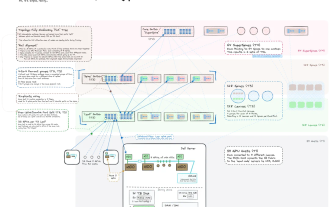
We know that LLM is trained on large-scale computer clusters using massive data. This site has introduced many methods and technologies used to assist and improve the LLM training process. Today, what we want to share is an article that goes deep into the underlying technology and introduces how to turn a bunch of "bare metals" without even an operating system into a computer cluster for training LLM. This article comes from Imbue, an AI startup that strives to achieve general intelligence by understanding how machines think. Of course, turning a bunch of "bare metal" without an operating system into a computer cluster for training LLM is not an easy process, full of exploration and trial and error, but Imbue finally successfully trained an LLM with 70 billion parameters. and in the process accumulate
 A must-read for technical beginners: Analysis of the difficulty levels of C language and Python
Mar 22, 2024 am 10:21 AM
A must-read for technical beginners: Analysis of the difficulty levels of C language and Python
Mar 22, 2024 am 10:21 AM
Title: A must-read for technical beginners: Difficulty analysis of C language and Python, requiring specific code examples In today's digital age, programming technology has become an increasingly important ability. Whether you want to work in fields such as software development, data analysis, artificial intelligence, or just learn programming out of interest, choosing a suitable programming language is the first step. Among many programming languages, C language and Python are two widely used programming languages, each with its own characteristics. This article will analyze the difficulty levels of C language and Python
 What is the difference in the 'My Computer' path in Win11? Quick way to find it!
Mar 29, 2024 pm 12:33 PM
What is the difference in the 'My Computer' path in Win11? Quick way to find it!
Mar 29, 2024 pm 12:33 PM
What is the difference in the "My Computer" path in Win11? Quick way to find it! As the Windows system is constantly updated, the latest Windows 11 system also brings some new changes and functions. One of the common problems is that users cannot find the path to "My Computer" in Win11 system. This was usually a simple operation in previous Windows systems. This article will introduce how the paths of "My Computer" are different in Win11 system, and how to quickly find them. In Windows1
