


The following editor will bring you a simple example (detailed explanation) of HTML text formatting. The editor thinks it is quite good, so I will share it with you now and give it as a reference for everyone. Let’s follow the editor and take a look.
1. Text formatting: This example demonstrates how to format text in an HTML file.
##XML/HTML CodeCopy content to clipboard
<html>
body>
b>This text is bold b>
br/>
>This text is strong strong>
## <
/>
This text is big ##big>
##<<
em>#<
/>
##<
iThis text is italic
><
br##<small
>##<br
/>This text contains
<##<br/>
##This text contains##<sup
>
body>
##The effect is as follows:
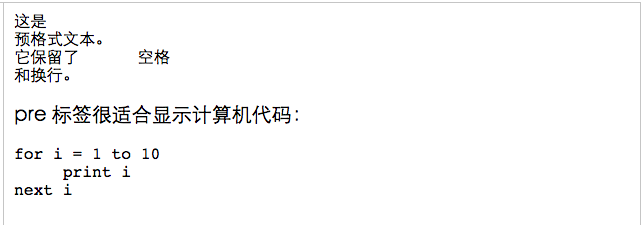
2. Preformatted text: This example demonstrates how to use the pre tag to control blank lines and spaces.
##XML/HTML CodeCopy content to clipboard
<html>
body>
pre>
pre>
>pre tags are great for displaying computer code: p>
##<
>fori
=print i
body
> ;## html
>##The effect is as follows:
 ##XML/HTML Code
Copy content to clipboard
<html
>##<body
<code
>##<br/>
kbd>
<br/>
tt>
<br/>
#<samp>Sample text samp
<br/>
##<>
<br/>
##<p>
b>
p>
>< ;/
>
##The effect is as follows: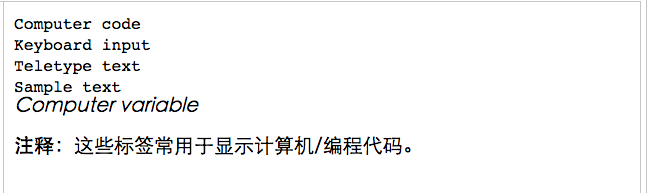
##XML/HTML Code
Copy content to clipboard
>
<
html##<body
##<
Written by<a
href>Donald Duck a>.<br>Visit us at:<br
>Example.com<br
>##Box 564, Disneyland<br>
USA
>
>
# html>
The effect is as follows:
##XML/HTML Code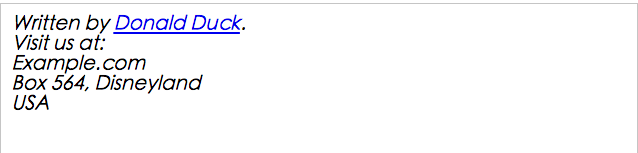
<html>
##<body
><abbr
title<acronymtitle="World Wide Web">WWW acronym>
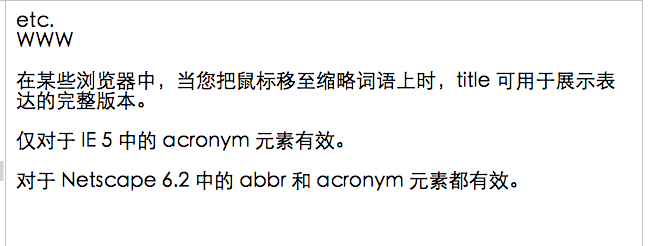
<p>In some browsers, title can be used to display the full version of the expression when you move the mouse over an abbreviated word . p>
# #<p>is only valid for acronym elements in IE 5. p>
p>Valid for both abbr and acronym elements in Netscape 6.2. p>
body>##
>The effect is as follows:
##XML/HTML Code
Copy content to clipboard
<html
##<
body
p
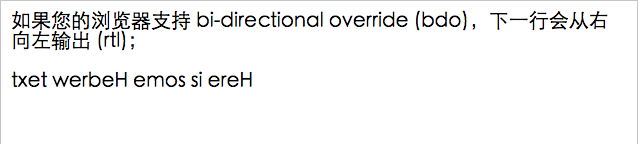
If your browser supports bi-directional override (bdo), The next line will be output from right to left (rtl);
p
>##<
>Here is some Hebrew text
##
>
html>
The effect is as follows:
 ##XML/HTML Code
Copy content to clipboard
<html
>##<body
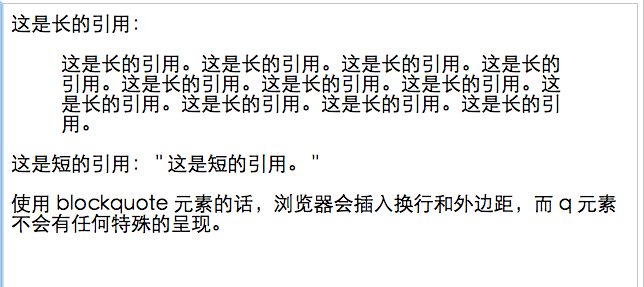
This is a long quote:
##<This is a long quote. This is a long quote. This is a long quote. This is a long quote. This is a long quote. This is a long quote. This is a long quote. This is a long quote. This is a long quote. This is a long quote. This is a long quote.
## blockquote>
<q>
p>If you use the blockquote element, The browser will insert line breaks and margins, and the q element will not be rendered in any special way.
>
#
>< ;/
>##The effect is as follows:
Eight, delete sub-effects and insert sub-effects.
##XML/HTML Code
Copy content to clipboard<
html
##<
<
del> Twenty del><ins>十Two ins>pieces. p># #<
>Most browsers will rewrite this to remove text and underline text.
p># #<
pSome older browsers will display deleted and underlined text as normal text.
># # body
The effect is as follows:The above HTML text format This simple example (detailed explanation) is all the content shared by the editor. I hope it can give you a reference, and I hope you will support the PHP Chinese website.
For more articles related to simple examples of HTML text formatting, please pay attention to the PHP Chinese website!























![[Web front-end] Node.js quick start](https://img.php.cn/upload/course/000/000/067/662b5d34ba7c0227.png)



