


C# 關鍵字

The following article is a very basic and elementary concept in the world of programming. The article covers Keywords in C# programming language. It is the stepping stone to learn to code. We will explore most elementary level keywords in C# with examples. Let’s get started.
Note: This article references C# v4.0. Some keywords may not have been introduced in earlier versions while newer keywords may have been introduced in later versions.What are Keywords?
Keywords are reserved words in any programming language.
Who are they reserved for?
They are reserved for the compiler.
Why are they reserved?
The keywords convey some special meaning to the compiler. Whenever a compiler encounters a keyword, it proceeds with executing a certain set of instructions associated with the keyword.
Where do I use them in my program?
Every program contains combinations of keywords and identifiers. Identifiers are user-defined elements of the program. Keywords are not user-defined. Hence, they cannot be used as identifiers.
Remember the very first ‘Hello World’ program that you learned? You used some keywords such as public, string, static, void, etc.
Types of Keywords in C#
Below are the two types of keywords in C#:
A. Reserved Keywords
Reserved keywords in C# are reserved for the compiler in any part of the program.
1. base
Within a derived class, the base keyword is used to access the members of the base class.
Example:
using System;
public class Car
{
public void DisplayInfo(string engine)
{
Console.WriteLine("Engine - {0}", engine);
}
}
public class Ferrari : Car
{
public void DisplayInfo()
{
base.DisplayInfo("1.6 Litre 4-cylinder");
Console.WriteLine("Company - Ferrari");
}
}
public class Program
{
public static void Main()
{
var myCar = new Ferrari();
myCar.DisplayInfo();
}
}Output:
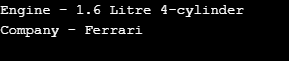
2. bool, byte, char, double, decimal, float, int, long, sbyte, short, string, uint, ulong, ushort
All these keywords are used to specify the type of variable. When you specify a type of a variable, you tell the compiler the type of values that variable can store. For e.g., int can store integer values and not strings.
Example:
using System;
public class Program
{
public static void Main()
{
bool varBool = true; // stores either true or false values
byte varByte = 205; // stores unsigned 8-bit integer (0 to 255)
sbyte varSByte = -128; // stores signed 8-bit integer (-128 to 127)
short varShort = -12345; // stores signed 16-bit integer (-32768 to 32767)
ushort varUShort = 65000; // stores unsigned 16-bit integer (0 to 65535)
int varInt = -1234567890; // stores signed 32-bit integer
uint varUInt = 1234567890; // stores unsigned 32-bit integer
long varLong = -9876543210; // stores signed 64-bit integer
ulong varUL = 9876543210; // stores unsigned 64-bit integer
char varChar = 'a'; // stores a single unicode character
string varString = "abc"; // stores a string of characters
float vsrFloat = 0.12F; // stores floating point numbers (4 bytes)
double varDouble = 1.23; // stores large floating point numbers (8 bytes)
decimal varDec = 4.56M; // stores large floating point numbers (16 bytes)
}
}3. break, continue, goto
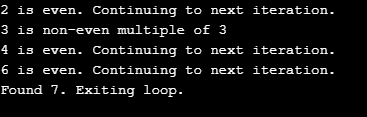
The break and continue statements are used to alter the current iteration of a loop at run-time. The break keyword breaks the loop and exits it without executing the remaining iterations. The continue statement exits the current iteration of the loop to continue with the next iteration.
The goto keyword is used to jump the execution of the program to any line. The line is accompanied by a specific label that is referenced in the goto statement.
Example:
using System;
public class Program
{
public static void Main()
{
for (int i = 1; i < 10; i++)
{
if (i % 2 == 0)
{
Console.WriteLine("{0} is even. Continuing to next iteration.", i);
continue;
}
if (i % 3 == 0)
{
goto myLabel;
}
if (i % 7 == 0)
{
Console.WriteLine("Found 7. Exiting loop.");
break;
}
continue; // To prevent execution of next statement unless goto statement encountered.
myLabel:
Console.WriteLine("{0} is non-even multiple of 3", i);
}
}
}Output:
4. try, catch, finally
The keywords try, catch and finally are used in exception handling. Any code which may result in an exception at run-time is enclosed in a try block. The catch block catches the exception and processes a set of instructions defined in the block. The finally block is always executed irrespective of whether an exception is thrown or not.
Example:
using System;
public class Program
{
public static void Main()
{
int[] myArray = new int[]{1, 2, 3, 4, 5};
try
{
for (int i = 0; i <= 5; i++)
{
Console.WriteLine(myArray[i]);
}
}
catch (Exception e)
{
Console.WriteLine("{0} exception occurred.\n", e.GetType());
}
finally
{
myArray.Dump();
}
}
}5. class, enum, interface, struct
These keywords are used to define user-defined types in C#.
Example:
using System;
public interface Days
{
void DisplayDayOfWeek(int x);
}
public struct StructOfEnums : Days
{
public enum Days
{
Sun = 1,
Mon,
Tue,
Wed,
Thu,
Fri,
Sat
}
public enum OrdinalNum
{
First = 1,
Second,
Third,
Fourth,
Fifth,
Sixth,
Seventh
}
public void DisplayDayOfWeek(int num)
{
Console.WriteLine("{0} day of week is {1}", (OrdinalNum)num, (Days)num);
}
}
public class Program
{
public static void Main()
{
new StructOfEnums().DisplayDayOfWeek(1);
}
}Output:

6. const, readonly
The keywords const and readonly are used to define constants and read-only type fields in C#. A constant field is a compile-time constant, whereas a read-only field can be initialized at run-time. A read-only field can be reassigned multiple times via a constructor but cannot be changed after the constructor exits.
Example:
using System;
public class Program
{
public const double AccelerationOfGravity_g = 9.8;
public readonly double mass;
public Program(double mass)
{
this.mass = mass;
}
public double CalculateWeight()
{
return this.mass * AccelerationOfGravity_g;
}
public static void Main()
{
var body1 = new Program(130.8d);
var body2 = new Program(98.765d);
Console.WriteLine("Weight of body 1 (W = m x g) = {0} newtons", body1.CalculateWeight());
Console.WriteLine("Weight of body 2 (W = m x g) = {0} newtons", body2.CalculateWeight());
}
}Output:

7. do, while
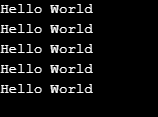
These keywords implement the do-while and while loops.
Example:
using System;
public class Program
{
public static void Main()
{
int i = 0;
do
{
Console.WriteLine("Hello World");
i++;
}
while (i < 5);
}
}Output:
8. if, else
These keywords implement the if-then-else logic in the program.
Example:
using System;
public class Program
{
public static void Main()
{
int i = 1;
if (i == 0)
Console.WriteLine("Hello World");
else
Console.WriteLine("Hey There!");
}
}Output:

9. true, false
These keywords denote the boolean values of truthy and falsy.
Example
using System;
public class Program
{
public static void Main()
{
bool val = true;
if (val)
Console.WriteLine("Hello World");
else
Console.WriteLine("Hey There!");
}
}Output:
10. for, foreach
These keywords implement the for and foreach loops.
Example:
using System;
public class Program
{
public static void Main()
{
int[] num = {1, 2, 3, 4, 5};
for (int i = 0; i < num.Length; i++)
Console.Write("{0}\t", i);
Console.WriteLine();
foreach (int i in num)
Console.Write("{0}\t", i * i);
}
}Output:

11. private, protected, public, internal
These keywords are the access modifiers in C#. They control the accessibility of any C# element in any part of the program.
Example:
using System;
public class MyClass
{
// ascending order of accessibility
private int a;
protected int b;
internal int c;
public int d;
}12. new
Used to declare a new object.
Example:
using System;
public class Program
{
public static void Main()
{
var a = new int[3]{1, 2, 3};
}
}13. null
Denotes a null value.
Example:
Using System;
public class Program
{
public static void Main()
{
string a = null;
Console.Write(a);
}
}Output:

14. return
This keyword returns the control from the current method to the calling method.
Example:
using System;
public class Program
{
public static int sum(int x, int y)
{
return x + y;
}
public static void Main()
{
Console.Write("Sum of 5 and 6 is {0}", sum(5, 6));
}
}Output:

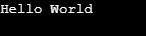
15. static
Used to declare the class member as static.
Example:
using System;
public class Program
{
public static void Main()
{
Console.WriteLine("Hello World");
}
}Output:
16. switch, case
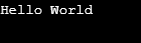
These keywords implement the switch condition in the program.
Example:
using System;
public class Program
{
public static void Main()
{
var abc = true;
switch (abc)
{
case true:
Console.WriteLine("Hello World");
break;
case false:
Console.WriteLine("Hey There!");
break;
}
}
}Output:
17. this
This keyword is a reference to the current class instance.
Example:
using System;
public class Program
{
int myVar;
public Program(int val)
{
this.myVar = val;
}
public static void Main()
{
Program obj = new Program(123);
Console.WriteLine(obj.myVar);
}
}Output:

18. using
This keyword is used to include libraries in the current program.
Example:
using System;
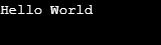
19. void
This keyword is used as a return type of a method that does not return any value.
Example:
using System;
public class Program
{
public static void Main()
{
Console.WriteLine("Hello World");
}
}Output:
B. Contextual Keywords
Contextual Keywords are not reserved keywords in C#. Rather, they convey special meaning in relevant parts of the code. This means that wherever not relevant, the contextual keywords can be used as valid identifiers.
Example:
The example below shows that a contextual keyword can be used as a valid identifier in certain areas of code.
using System;
public class Program
{
public static void Main()
{
int await = 123;
Console.WriteLine(await);
}
}Output:

Some examples of contextual keywords are async, await, let, nameof, get, set, var, value, join etc.
Conclusion
This article covered the very basic concept of programming in any language. Keywords are the building blocks of code. It is very important to understand the meaning conveyed by each keyword. Further, it is recommended to explore more keywords that are not very frequently used in every program.
以上是C# 關鍵字的詳細內容。更多資訊請關注PHP中文網其他相關文章!

熱AI工具

Undresser.AI Undress
人工智慧驅動的應用程序,用於創建逼真的裸體照片

AI Clothes Remover
用於從照片中去除衣服的線上人工智慧工具。

Undress AI Tool
免費脫衣圖片

Clothoff.io
AI脫衣器

AI Hentai Generator
免費產生 AI 無盡。

熱門文章
熱工具

記事本++7.3.1
好用且免費的程式碼編輯器

SublimeText3漢化版
中文版,非常好用

禪工作室 13.0.1
強大的PHP整合開發環境

Dreamweaver CS6
視覺化網頁開發工具

SublimeText3 Mac版
神級程式碼編輯軟體(SublimeText3)
熱門話題


 使用 C# 的活動目錄
Sep 03, 2024 pm 03:33 PM
使用 C# 的活動目錄
Sep 03, 2024 pm 03:33 PM
使用 C# 的 Active Directory 指南。在這裡,我們討論 Active Directory 在 C# 中的介紹和工作原理以及語法和範例。
 c#多線程和異步的區別
Apr 03, 2025 pm 02:57 PM
c#多線程和異步的區別
Apr 03, 2025 pm 02:57 PM
多線程和異步的區別在於,多線程同時執行多個線程,而異步在不阻塞當前線程的情況下執行操作。多線程用於計算密集型任務,而異步用於用戶交互操作。多線程的優勢是提高計算性能,異步的優勢是不阻塞 UI 線程。選擇多線程還是異步取決於任務性質:計算密集型任務使用多線程,與外部資源交互且需要保持 UI 響應的任務使用異步。
