


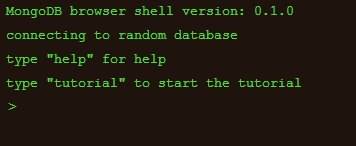
MongoDB is a product between a relational database and a non-relational database. It is the most feature-rich among non-relational databases and is most like a relational database. The data structure it supports is very loose and is a json-like bjson format, so it can store more complex data types. The biggest feature of Mongo is that the query language it supports is very powerful. Its syntax is somewhat similar to an object-oriented query language. It can almost implement most functions similar to single-table queries in relational databases, and it also supports indexing of data.
It is characterized by high performance, easy deployment, easy use, and very convenient data storage. The main functional features are:
Oriented to collection storage, it is easy to store object type data.
Mode freedom.
Support dynamic query.
Full indexing is supported, including internal objects.
Support query.
Supports replication and failure recovery.
Use efficient binary data storage, including large objects (such as videos, etc.).
Automatically handle fragmentation to support cloud-level scalability
Supports RUBY, PYTHON, JAVA, C, PHP and other languages.
The file storage format is BSON (an extension of JSON)
Accessible via the web
All resources on this site are contributed by netizens or reprinted by major download sites. Please check the integrity of the software yourself! All resources on this site are for learning reference only. Please do not use them for commercial purposes. Otherwise, you will be responsible for all consequences! If there is any infringement, please contact us to delete it. Contact information: admin@php.cn
Related Article
 Which C IDE is Best for Windows Developers?
11 Nov 2024
Choosing the Optimal C Development Environment on WindowsWhen it comes to selecting an Integrated Development Environment (IDE) or editor for...
 How to Access the Command Line for XAMPP on Windows?
18 Oct 2024
Accessing the Command Line for XAMPP on WindowsXAMPP, the popular web development package, provides an integrated development environment on Windows. It includes essential components such as Apache, MySQL, and PHP. However, unlike Linux-based systems
 The 5 Best IDEs for WordPress Development (And Why)
03 Mar 2025
Choosing the Right Integrated Development Environment (IDE) for WordPress Development For ten years, I've explored numerous Integrated Development Environments (IDEs) for WordPress development. The sheer variety—from free to commercial, basic to fea
 Debug vs. Release in Visual Studio: What are the Key Differences and When Should I Use Each?
13 Jan 2025
Debug vs. Release Mode in Visual Studio: Understanding the Key DifferencesIntroductionVisual Studio, a powerful integrated development environment...
 Local PHP Development Environment Setup
18 Jul 2025
If you want to build a PHP development environment locally, you can achieve it through the following steps: 1. Install an integrated environment such as XAMPP, WAMP or MAMP, or manually install Apache, PHP and MySQL respectively; 2. Set up the development directory and virtual host to facilitate multi-project management; 3. Use the PHP built-in server to quickly test small projects; 4. Configure the php.ini file to enable debugging and logging functions to troubleshoot problems. These steps can help you quickly build a stable and easy-to-debug local PHP development environment.
 How Can Eclipse's Clean Mode Resolve Performance Issues and Plugin Glitches?
14 Dec 2024
Unlocking the Power of Eclipse's Clean ModeEclipse, the popular integrated development environment, offers a hidden gem that can revitalize its...


Hot Tools

Apache 2.2.25
One of the most popular web server-side software

Laragon
Installing Laragon is very quick and does not affect your Windows operating system.

UPUPW apache (64 bit)
Excellent performance under Windows platform
.NETFrameworkv3.5
.NETFrameworkv3.5

UPUPW Apache (32-bit)
Excellent performance under Windows platform