


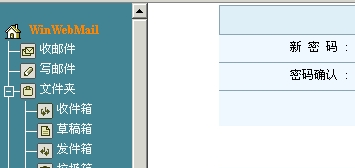
WinWebMail mail server is a stable and efficient email system that provides professional enterprise email system solutions. Supports WebMail, digital signature and digital encryption S/MIME (4096-bit DH/DSS encryption or 2048-bit RSA encryption), SMTP, SSL-SMTP, POP3, SSL-POP3, IMAP4, SSL-IMAP4, LDAP, certificate service (CA Server ), secure encrypted communication (TLS/SSL), anti-spam (Anti-Spam), anti-virus email (Anti-Virus), discussion group (BBS), schedule management, gray list, cluster analysis algorithm (Cluster Analysis) anti- Spam and other functions. In the latest version 3.8, WinWebMail is the first in the industry to apply the cluster analysis algorithm (Cluster Analysis) to spam prevention. The system judges spam by comparing the similarity between the received mail and the data in the anti-spam database. In practice, This feature in the app has achieved excellent anti-spam results.
WinWebMail v3.8.1.3 version improvement instructions
Modification of mailing lists and mass mailing accounts are not restricted by the user expiration function
Newly added mailing list disabling function
Fixed the bug of displaying the receiving email address when clicking Reply All in the WebMail interface
Newly added email address auto-complete function when composing emails in WebMail interface
Fixed the display order issue in logs and system backups
All resources on this site are contributed by netizens or reprinted by major download sites. Please check the integrity of the software yourself! All resources on this site are for learning reference only. Please do not use them for commercial purposes. Otherwise, you will be responsible for all consequences! If there is any infringement, please contact us to delete it. Contact information: admin@php.cn
Related Article
 Which C IDE is Best for Windows Developers?
11 Nov 2024
Choosing the Optimal C Development Environment on WindowsWhen it comes to selecting an Integrated Development Environment (IDE) or editor for...
 The 5 Best IDEs for WordPress Development (And Why)
03 Mar 2025
Choosing the Right Integrated Development Environment (IDE) for WordPress Development For ten years, I've explored numerous Integrated Development Environments (IDEs) for WordPress development. The sheer variety—from free to commercial, basic to fea
 How to Access the Command Line for XAMPP on Windows?
18 Oct 2024
Accessing the Command Line for XAMPP on WindowsXAMPP, the popular web development package, provides an integrated development environment on Windows. It includes essential components such as Apache, MySQL, and PHP. However, unlike Linux-based systems
 Debug vs. Release in Visual Studio: What are the Key Differences and When Should I Use Each?
13 Jan 2025
Debug vs. Release Mode in Visual Studio: Understanding the Key DifferencesIntroductionVisual Studio, a powerful integrated development environment...
 How Can Eclipse's Clean Mode Resolve Performance Issues and Plugin Glitches?
14 Dec 2024
Unlocking the Power of Eclipse's Clean ModeEclipse, the popular integrated development environment, offers a hidden gem that can revitalize its...
 Local PHP Development Environment Setup
18 Jul 2025
If you want to build a PHP development environment locally, you can achieve it through the following steps: 1. Install an integrated environment such as XAMPP, WAMP or MAMP, or manually install Apache, PHP and MySQL respectively; 2. Set up the development directory and virtual host to facilitate multi-project management; 3. Use the PHP built-in server to quickly test small projects; 4. Configure the php.ini file to enable debugging and logging functions to troubleshoot problems. These steps can help you quickly build a stable and easy-to-debug local PHP development environment.


Hot Tools
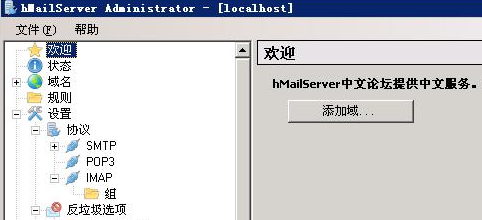
hMailServer
hMailServermail server

U-Mail mail server
U-Mail mail server system
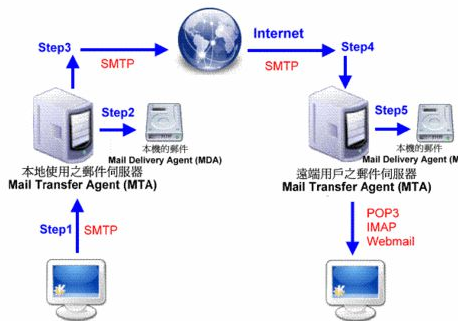
PeanutMail
PeanutMail

WinWebmail mail server
WinWebmail mail server
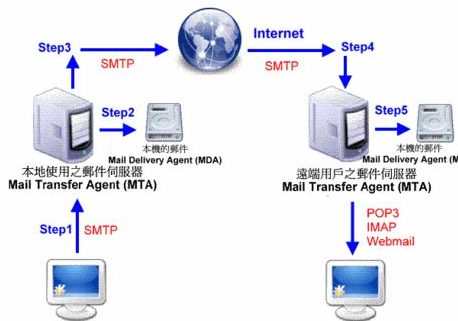
Remote mail server
Remote mail server