Found a total of 15 related content

How to install requests library
Article Introduction:How to install the requests library: First turn on the computer and find "Run"; then enter "cmd" in the search bar, and use the command "cd C:\WINDOW\system32" to switch directories; finally enter the command "pip install requests" to install Just the requests library.
2021-01-14comment 033797

python爬虫教程requests使用
Article Introduction:Requests库在Python爬虫中的应用:使用Requests库请求数据:导入库:import requests创建会话对象:session = requests.Session()发送请求:response = session.get('URL')处理响应:响应对象:response访问响应数据:response.status_code、response.headers、response.content
2024-08-18comment709

How to use the Requests module to crawl web pages?
Article Introduction:Crawling a web page is actually to obtain web page information through the URL. The essence of the web page information is a piece of HTML code with JavaScript and CSS added. Python provides a third-party module, requests, for capturing web page information. The requests module calls itself "HTTP for Humans", which literally means an HTTP module designed specifically for humans. This module supports sending requests and obtaining responses. 1. Send requests The requests module provides many functions for sending HTTP requests. The commonly used request functions are shown in Table 10-1. Table 10-1 Request function of requests module 2. Get response provided by requests module
2023-04-11comment 01520

How does php use Requests to make HTTP requests?
Article Introduction:In web development, HTTP requests are a very important link. In PHP development, there are many ways to make HTTP requests. One of the more useful ones is to use the Requests library to make requests. This article will introduce how to use Requests in PHP to make HTTP requests. What is the Requests library? Requests is a PHP library for HTTP requests. It provides a readable API that allows us to easily send requests containing various parameters and data.
2023-06-03comment 01238

Detailed explanation of python's requests module with examples
Article Introduction:This article brings you relevant knowledge about Python. It mainly introduces issues related to the requests module. The Requests module is a module used for network requests. It is mainly used to simulate browsers making requests. I hope it will be helpful to everyone.
2022-03-15comment 01420

Python server programming: using the Requests library to initiate HTTP requests
Article Introduction:Python has always been a very popular programming language, especially in the field of server programming. Python's Requests library is a very popular library that provides a convenient API to initiate HTTP requests in Python programs. This article will introduce how to use the Requests library to initiate HTTP requests. 1. Introduction to the Requests library The Requests library is an HTTP client library in Python. It simplifies the HTTP request process and enables developers to
2023-06-18comment 0943

How to use Python's requests module?
Article Introduction:1. File upload We know that requests can simulate submitting some data, among other things. Some websites require us to upload files, and we can also use requests to achieve this. For example, if we want to upload a file now, we can do this. importrequestsf={'f':open('a.text','rb')}r=requests.post('http://httpbin.org/post',files=f)print(r
2023-05-09comment 01144

How to use the requests module to make HTTP requests in Python 3.x
Article Introduction:Overview of how to use the requests module for HTTP requests in Python 3.x: When developing and building modern web applications, you often need to interact with external resources, and HTTP is one of the most commonly used protocols. Python provides many libraries to make HTTP requests, the most popular of which is the requests module. This article will introduce how to use the requests module in Python3.x for HTTP
2023-07-29comment 01105

How Python uses Requests to request web pages
Article Introduction:Requests inherits all features of urllib2. Requests supports HTTP connection persistence and connection pooling, the use of cookies to maintain sessions, file uploading, automatic determination of the encoding of response content, and automatic encoding of internationalized URLs and POST data. Installation method uses pip to install $pipinstallrequestsGET request basic GET request (headers parameters and parmas parameters) 1. The most basic GET request can directly use the get method 'response=requests.get("http://www.baidu.com/"
2023-04-25comment 01156

Using the Requests module in Python
Article Introduction:Requests is a Python module that can be used to send various HTTP requests. It is an easy-to-use library with many features, from passing parameters in URLs to sending custom headers and SSL verification. In this tutorial, you will learn how to use this library to send simple HTTP requests in Python. You can use requests in Python versions 2.6–2.7 and 3.3–3.6. Before continuing, you should know that Requests is an external module, so you must install it before trying the examples in this tutorial. You can install it by running the following command in the terminal: pipinstallrequests Once the module is installed, you can import it using the following command
2023-09-02comment 0871
How to use the Python crawler Requests library
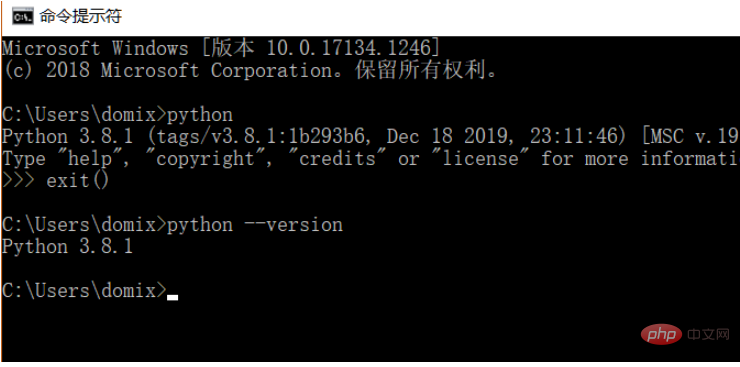
Article Introduction:1. Install the requests library. Because the learning process uses the Python language, Python needs to be installed in advance. I installed Python 3.8. You can check the Python version you installed by running the command python --version. It is recommended to install Python 3.X or above. After installing Python, you can directly install the requests library through the following command. pipinstallrequestsPs: You can switch to domestic pip sources, such as Alibaba and Douban, which are fast. In order to demonstrate the function, I used nginx to simulate a simple website. After downloading, just run the nginx.exe program in the root directory.
2023-05-16comment 0662

How to install and use Python requests
Article Introduction:1. Preparation work First, we need to make sure that we have installed the requests library before. If it is not installed, follow the steps below to install the library. pip installation Whether it is Windows, Linux or Mac, it can be installed through the pip package management tool. Run the following command on the command line to complete the installation of the requests library: pip3installrequests This is the simplest installation method and is recommended. Verify installation In order to verify whether the library has been installed successfully, you can test it on the command line: importrequestsres=requests.get('https://www.baidu
2023-05-18comment 010326

How to use Python crawler to crawl web page data using BeautifulSoup and Requests
Article Introduction:1. Introduction The implementation principle of web crawlers can be summarized into the following steps: Sending HTTP requests: Web crawlers obtain web page content by sending HTTP requests (usually GET requests) to the target website. In Python, HTTP requests can be sent using the requests library. Parse HTML: After receiving the response from the target website, the crawler needs to parse the HTML content to extract useful information. HTML is a markup language used to describe the structure of web pages. It consists of a series of nested tags. The crawler can locate and extract the required data based on these tags and attributes. In Python, you can use libraries such as BeautifulSoup and lxml to parse HTML. Data extraction: After parsing the HTML,
2023-04-29comment 01599