


PHP使用IMAP收取邮件

因需要处理公司企业邮箱被退信邮件问题:刚开始的思路是通过模拟登陆,对邮件进行抓取,(这种事情对我来说,做过了很多次,轻车熟路),不过邮箱还是有点复杂的,
后来想起做邮件发送时有用到smtp来发送邮件,记得也可以收取邮件,在腾讯企业邮箱帮助http://service.exmail.qq.com/cgi-bin/help?subtype=1&&id=28&&no=1000584
看到IMAP和POP都可以实现收取邮件,再发现PHP有内置的IMOP函数,写了示例:
<span style="color: #008000;">//</span><span style="color: #008000;">以腾讯企业邮箱做了测试</span><span style="color: #800080;"><br>$mailServer</span>="imap.exmail.qq.com"; <span style="color: #008000;">//</span><span style="color: #008000;">IMAP主机</span><span style="color: #008000;"><br></span><br><span style="color: #800080;">$mailLink</span>="{{<span style="color: #800080;">$mailServer</span>}:143}INBOX" ; <span style="color: #008000;">//</span><span style="color: #008000;">imagp连接地址:不同主机地址不同</span><span style="color: #008000;"><br></span><br><span style="color: #800080;">$mailUser</span> = '***'; <span style="color: #008000;">//</span><span style="color: #008000;">邮箱用户名</span><span style="color: #008000;"><br></span><br><span style="color: #800080;">$mailPass</span> = '***'; <span style="color: #008000;">//</span><span style="color: #008000;">邮箱密码</span><span style="color: #008000;"><br></span><br><span style="color: #800080;">$mbox</span> = <span style="color: #008080;">imap_open</span>(<span style="color: #800080;">$mailLink</span>,<span style="color: #800080;">$mailUser</span>,<span style="color: #800080;">$mailPass</span>); <span style="color: #008000;">//</span><span style="color: #008000;">开启信箱imap_open</span><span style="color: #008000;"><br></span><br><span style="color: #800080;">$totalrows</span> = <span style="color: #008080;">imap_num_msg</span>(<span style="color: #800080;">$mbox</span>); <span style="color: #008000;">//</span><span style="color: #008000;">取得信件数</span><span style="color: #008000;"><br></span><br><span style="color: #0000ff;">for</span> (<span style="color: #800080;">$i</span>=1;<span style="color: #800080;">$i</span>$totalrows;<span style="color: #800080;">$i</span>++){<br><br> <span style="color: #800080;">$headers</span> = <span style="color: #008080;">imap_fetchheader</span>(<span style="color: #800080;">$mbox</span>, <span style="color: #800080;">$i</span>); <span style="color: #008000;">//</span><span style="color: #008000;">获取信件标头</span><span style="color: #008000;"><br></span><br> <span style="color: #800080;">$headArr</span> = matchMailHead(<span style="color: #800080;">$headers</span>); <span style="color: #008000;">//</span><span style="color: #008000;">匹配信件标头</span><span style="color: #008000;"><br></span><br> <span style="color: #800080;">$mailBody</span> = <span style="color: #008080;">imap_fetchbody</span>(<span style="color: #800080;">$mbox</span>, <span style="color: #800080;">$i</span>, 1); <span style="color: #008000;">//</span><span style="color: #008000;">获取信件正文</span><span style="color: #008000;"><br></span><br>}<br><br><span style="color: #008000;">/*</span><span style="color: #008000;">*<br> * <br> * 匹配提取信件头部信息<br> * @param String $str<br> </span><span style="color: #008000;">*/</span><br><span style="color: #0000ff;">function</span> matchMailHead(<span style="color: #800080;">$str</span>){<br> <span style="color: #800080;">$headList</span> = <span style="color: #0000ff;">array</span>();<br> <span style="color: #800080;">$headArr</span> = <span style="color: #0000ff;">array</span>(<br> 'from',<br> 'to',<br> 'date',<br> 'subject'<br> );<br><br> <span style="color: #0000ff;">foreach</span> (<span style="color: #800080;">$headArr</span> <span style="color: #0000ff;">as</span> <span style="color: #800080;">$key</span>){<br> <span style="color: #0000ff;">if</span>(<span style="color: #008080;">preg_match</span>('/'.<span style="color: #800080;">$key</span>.':(.*?)[\n\r]/is', <span style="color: #800080;">$str</span>,<span style="color: #800080;">$m</span>)){<br> <span style="color: #800080;">$match</span> = <span style="color: #008080;">trim</span>(<span style="color: #800080;">$m</span>[1]);<br> <span style="color: #800080;">$headList</span>[<span style="color: #800080;">$key</span>] = <span style="color: #800080;">$key</span>=='date'?<span style="color: #008080;">date</span>('Y-m-d H:i:s',<span style="color: #008080;">strtotime</span>(<span style="color: #800080;">$match</span>)):<span style="color: #800080;">$match</span>;<br> }<br> }<br> <span style="color: #0000ff;">return</span> <span style="color: #800080;">$headList</span>;<br>}附上IMAP函数库:
<span style="color: #008080;">imap_append</span>: 附加字符串到指定的邮箱中。<br><span style="color: #008080;">imap_base64</span>: 解 BASE64 编码。<br><span style="color: #008080;">imap_body</span>: 读信的内文。<br><span style="color: #008080;">imap_check</span>: 返回邮箱信息。<br><span style="color: #008080;">imap_close</span>: 关闭 IMAP 链接。<br><span style="color: #008080;">imap_createmailbox</span>: 建立新的信箱。<br><span style="color: #008080;">imap_delete</span>: 标记欲删除邮件。<br><span style="color: #008080;">imap_deletemailbox</span>: 删除既有信箱。<br><span style="color: #008080;">imap_expunge</span>: 删除已标记的邮件。<br><span style="color: #008080;">imap_fetchbody</span>: 从信件内文取出指定部分。<br><span style="color: #008080;">imap_fetchstructure</span>: 获取某信件的结构信息。<br><span style="color: #008080;">imap_header</span>: 获取某信件的标头信息。<br><span style="color: #008080;">imap_headers</span>: 获取全部信件的标头信息。<br><span style="color: #008080;">imap_listmailbox</span>: 获取邮箱列示。<br><span style="color: #008080;">imap_listsubscribed</span>: 获取订阅邮箱列示。<br><span style="color: #008080;">imap_mail_copy</span>: 复制指定信件到它处邮箱。<br><span style="color: #008080;">imap_mail_move</span>: 移动指定信件到它处邮箱。<br><span style="color: #008080;">imap_num_msg</span>: 取得信件数。<br><span style="color: #008080;">imap_num_recent</span>: 取得新进信件数。<br><span style="color: #008080;">imap_open</span>: 打开 IMAP 链接。<br><span style="color: #008080;">imap_ping</span>: 检查 IMAP 是否连接。<br><span style="color: #008080;">imap_renamemailbox</span>: 更改邮箱名字。<br><span style="color: #008080;">imap_reopen</span>: 重开 IMAP 链接。<br><span style="color: #008080;">imap_subscribe</span>: 订阅邮箱。<br><span style="color: #008080;">imap_undelete</span>: 取消删除邮件标记。<br><span style="color: #008080;">imap_unsubscribe</span>: 取消订阅邮箱。<br><span style="color: #008080;">imap_qprint</span>: 将 qp 编码转成八位。<br><span style="color: #008080;">imap_8bit</span>: 将八位转成 qp 编码。<br><span style="color: #008080;">imap_binary</span>: 将八位转成 base64 编码。<br><span style="color: #008080;">imap_scanmailbox</span>: 寻找信件有无特定字符串。<br><span style="color: #008080;">imap_mailboxmsginfo</span>: 取得目前邮箱的信息。<br><span style="color: #008080;">imap_rfc822_write_address</span>: 电子邮件位址标准化。<br><span style="color: #008080;">imap_rfc822_parse_adrlist</span>: 解析电子邮件位址。<br><span style="color: #008080;">imap_setflag_full</span>: 配置信件标志。<br><span style="color: #008080;">imap_clearflag_full</span>: 清除信件标志。<br><span style="color: #008080;">imap_sort</span>: 将信件标头排序。<br><span style="color: #008080;">imap_fetchheader</span>: 取得原始标头。<br><span style="color: #008080;">imap_uid</span>: 取得信件 UID。<br><span style="color: #008080;">imap_getmailboxes</span>: 取得全部信件详细信息。<br><span style="color: #008080;">imap_getsubscribed</span>: 列出所有订阅邮箱。<br><span style="color: #008080;">imap_msgno</span>: 列出 UID 的连续信件。<br><span style="color: #008080;">imap_search</span>: 搜寻指定标准的信件。<br><span style="color: #008080;">imap_last_error</span>: 最后的错误信息。<br><span style="color: #008080;">imap_errors</span>: 所有的错误信息。<br><span style="color: #008080;">imap_alerts</span>: 所有的警告信息。<br><span style="color: #008080;">imap_status</span>: 目前的状态信息。

Hot AI Tools

Undresser.AI Undress
AI-powered app for creating realistic nude photos

AI Clothes Remover
Online AI tool for removing clothes from photos.

Undress AI Tool
Undress images for free

Clothoff.io
AI clothes remover

AI Hentai Generator
Generate AI Hentai for free.

Hot Article
Hot Tools

Notepad++7.3.1
Easy-to-use and free code editor

SublimeText3 Chinese version
Chinese version, very easy to use

Zend Studio 13.0.1
Powerful PHP integrated development environment

Dreamweaver CS6
Visual web development tools

SublimeText3 Mac version
God-level code editing software (SublimeText3)
Hot Topics
 1378
1378
 52
52

 PHP 8.4 Installation and Upgrade guide for Ubuntu and Debian
Dec 24, 2024 pm 04:42 PM
PHP 8.4 Installation and Upgrade guide for Ubuntu and Debian
Dec 24, 2024 pm 04:42 PM
PHP 8.4 brings several new features, security improvements, and performance improvements with healthy amounts of feature deprecations and removals. This guide explains how to install PHP 8.4 or upgrade to PHP 8.4 on Ubuntu, Debian, or their derivati
 How To Set Up Visual Studio Code (VS Code) for PHP Development
Dec 20, 2024 am 11:31 AM
How To Set Up Visual Studio Code (VS Code) for PHP Development
Dec 20, 2024 am 11:31 AM
Visual Studio Code, also known as VS Code, is a free source code editor — or integrated development environment (IDE) — available for all major operating systems. With a large collection of extensions for many programming languages, VS Code can be c
 7 PHP Functions I Regret I Didn't Know Before
Nov 13, 2024 am 09:42 AM
7 PHP Functions I Regret I Didn't Know Before
Nov 13, 2024 am 09:42 AM
If you are an experienced PHP developer, you might have the feeling that you’ve been there and done that already.You have developed a significant number of applications, debugged millions of lines of code, and tweaked a bunch of scripts to achieve op
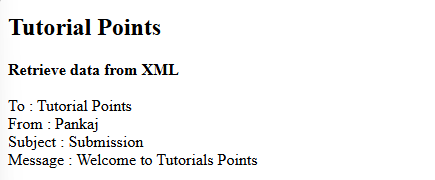 How do you parse and process HTML/XML in PHP?
Feb 07, 2025 am 11:57 AM
How do you parse and process HTML/XML in PHP?
Feb 07, 2025 am 11:57 AM
This tutorial demonstrates how to efficiently process XML documents using PHP. XML (eXtensible Markup Language) is a versatile text-based markup language designed for both human readability and machine parsing. It's commonly used for data storage an
 Explain JSON Web Tokens (JWT) and their use case in PHP APIs.
Apr 05, 2025 am 12:04 AM
Explain JSON Web Tokens (JWT) and their use case in PHP APIs.
Apr 05, 2025 am 12:04 AM
JWT is an open standard based on JSON, used to securely transmit information between parties, mainly for identity authentication and information exchange. 1. JWT consists of three parts: Header, Payload and Signature. 2. The working principle of JWT includes three steps: generating JWT, verifying JWT and parsing Payload. 3. When using JWT for authentication in PHP, JWT can be generated and verified, and user role and permission information can be included in advanced usage. 4. Common errors include signature verification failure, token expiration, and payload oversized. Debugging skills include using debugging tools and logging. 5. Performance optimization and best practices include using appropriate signature algorithms, setting validity periods reasonably,
 PHP Program to Count Vowels in a String
Feb 07, 2025 pm 12:12 PM
PHP Program to Count Vowels in a String
Feb 07, 2025 pm 12:12 PM
A string is a sequence of characters, including letters, numbers, and symbols. This tutorial will learn how to calculate the number of vowels in a given string in PHP using different methods. The vowels in English are a, e, i, o, u, and they can be uppercase or lowercase. What is a vowel? Vowels are alphabetic characters that represent a specific pronunciation. There are five vowels in English, including uppercase and lowercase: a, e, i, o, u Example 1 Input: String = "Tutorialspoint" Output: 6 explain The vowels in the string "Tutorialspoint" are u, o, i, a, o, i. There are 6 yuan in total
 Explain late static binding in PHP (static::).
Apr 03, 2025 am 12:04 AM
Explain late static binding in PHP (static::).
Apr 03, 2025 am 12:04 AM
Static binding (static::) implements late static binding (LSB) in PHP, allowing calling classes to be referenced in static contexts rather than defining classes. 1) The parsing process is performed at runtime, 2) Look up the call class in the inheritance relationship, 3) It may bring performance overhead.
 Problem-Solving with Python: Unlock Powerful Solutions as a Beginner Coder
Oct 11, 2024 pm 08:58 PM
Problem-Solving with Python: Unlock Powerful Solutions as a Beginner Coder
Oct 11, 2024 pm 08:58 PM
Pythonempowersbeginnersinproblem-solving.Itsuser-friendlysyntax,extensivelibrary,andfeaturessuchasvariables,conditionalstatements,andloopsenableefficientcodedevelopment.Frommanagingdatatocontrollingprogramflowandperformingrepetitivetasks,Pythonprovid
