


Multi-device screen editable picture material (PSD)
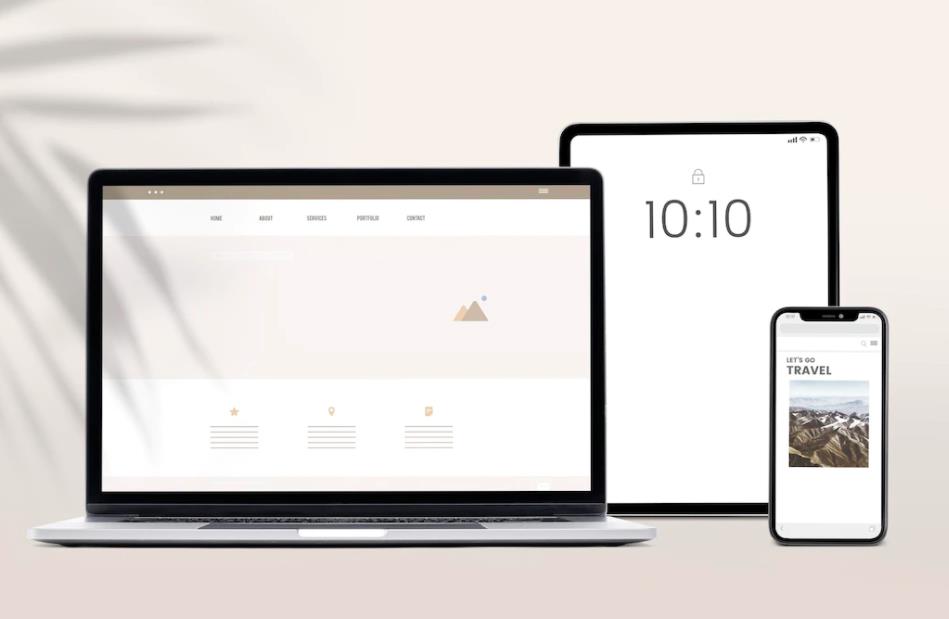
A collection of editable picture materials for digital device screens of laptops, mobile phones, and tablets, in PSD format, including JPG previews.
All resources on this site are contributed by netizens or reprinted by major download sites. Please check the integrity of the software yourself! All resources on this site are for learning reference only. Please do not use them for commercial purposes. Otherwise, you will be responsible for all consequences! If there is any infringement, please contact us to delete it. Contact information: admin@php.cn

 How to upload materials to the Japanese dubbing show app-material upload method
31 Dec 2025
Japanese dubbing show app material upload method: 1. Open the software, click the "My" option at the bottom, and then click the "Upload Material" option. 2. Click the "Mobile Upload" option.
![How to use Nitu.com PSD source files. Tutorial on opening and modifying Nitu.com PSD files [detailed explanation]](https://img.php.cn/upload/article/202512/22/2025122221360422084.jpg) How to use Nitu.com PSD source files. Tutorial on opening and modifying Nitu.com PSD files [detailed explanation]
How to use Nitu.com PSD source files. Tutorial on opening and modifying Nitu.com PSD files [detailed explanation]
22 Dec 2025
If you cannot open or modify the PSD file on Nitu.com, the main reason is software compatibility, layer nesting or missing fonts; you should first use Photoshop CC2019 to open and edit, followed by psd-tools analysis, online viewer preview, Affinity/GIMP compatible opening, and manually clear the copyright watermark layer.
![How to import and generate reference materials in Keling AI_How to upload and associate reference materials in KeLing AI [Practical Operation]](https://img.php.cn/upload/article/202512/24/2025122418360673027.jpg) How to import and generate reference materials in Keling AI_How to upload and associate reference materials in KeLing AI [Practical Operation]
How to import and generate reference materials in Keling AI_How to upload and associate reference materials in KeLing AI [Practical Operation]
24 Dec 2025
Keling AI supports four reference material import methods: 1. Upload and enable on the project settings page; 2. Embed the [ref:img\_xxx] tag in the prompt word; 3. Associate the saved group from the material library; 4. Inject metadata through the API and reference ref_id.
 How to apply custom hover effect for Material UI icons
09 Dec 2025
This article aims to solve the problem of Material UI icons not responding correctly to custom hover effects when using CSS Modules. The core reason is that the default styles of Material UI components have higher CSS priority. The tutorial will introduce two solutions in detail: one is to use the :global modifier combined with the global parent class to increase the priority of custom styles; the other is to create a more specific selector by wrapping custom icons. Through these methods, developers can effectively override the default style of Material UI and achieve the desired interaction effect.
![How to save illustration layer information in Jimeng AI_Methods for layer saving and post-editing in Jimeng AI [Steps]](https://img.php.cn/upload/article/202512/24/2025122413420578068.jpg) How to save illustration layer information in Jimeng AI_Methods for layer saving and post-editing in Jimeng AI [Steps]
How to save illustration layer information in Jimeng AI_Methods for layer saving and post-editing in Jimeng AI [Steps]
24 Dec 2025
The current version of Jimeng AI does not directly export PSD. You need to obtain layered PNG through canvas editing → element export/developer tool extraction/clipping source data/third-party plug-in and other paths.
 Solve the problem that the hover effect of Material-UI icon in CSS Modules does not take effect
18 Dec 2025
This article explores issues you may encounter when using CSS Modules to apply hover effects to Material-UI icons in React projects. Due to the high priority of the default styles of Material-UI components, customized CSS Modules rules may not take effect. The article provides an effective solution by combining the :global syntax and the parent selector to increase the CSS priority of CSS Modules to ensure that custom hover animations and transition effects can be applied correctly.


Popular tool

UI block interface design PSD material
UI block interface design PSD material

Clear calendar leaflet PSD material
Clear calendar leaflet PSD material

Checkout payment interface design PSD material
Checkout payment interface design PSD material

21 snowflake PSD materials
21 snowflake PSD materials

Exquisite cartoon style icon PSD material
Three lives and three worlds love icon, PSD, exquisite, cartoon style, letter, comb, package, abacus, steering wheel, horn, rattle, treasure chest, shield, flag, fan, mountain, book