


Simple css book mouseover animation effect

Simple css book mouseover animation effect
A book animation production, simple CSS mouse hover effect, the animation special effect of opening the book when the mouse is hovered is realized in the screen, it is simple and practical, and can be used in bookstores, libraries and other related websites.
All resources on this site are contributed by netizens or reprinted by major download sites. Please check the integrity of the software yourself! All resources on this site are for learning reference only. Please do not use them for commercial purposes. Otherwise, you will be responsible for all consequences! If there is any infringement, please contact us to delete it. Contact information: admin@php.cn

 How to create a book-turning 3D effect with CSS_Using rotateY and delayed animation with css
19 Mar 2026
The core of rotateY page turning is to use transform:rotateY() with perspective and preserve-3d to achieve real 3D rotation. The key is to set transform-origin to left/rightcenter to align the spine, add perspective to the parent container, and backface-visibility to hide the back.
 How to set mouse pointer shadow in Win11_Windows11 visual effects settings
30 Jan 2026
You need to enable pointer shadow through the system visual effects level: 1. Settings → Personalization → Theme → Mouse Cursor → Check Enable Pointer Shadow; 2. Control Panel Mouse Properties → Pointer Options → Check Enable Pointer Shadow; 3. System Properties → Advanced → Performance Settings → Customize and check Show shadow under the window.
 How to fix hover failure caused by custom cursor
06 Apr 2026
A custom cursor (such as implemented through the #cursor element) will cover the page content and intercept mouse events, causing interactions such as hover to fail. Simply add pointer-events: none to the cursor element to transparently transmit mouse events while maintaining visual effects and scrolling followability.
 How to achieve smooth zoom centered on mouse pointer position in SVG
05 Feb 2026
This article introduces how to implement interactive zoom on SVG elements with the mouse hover/scroll position as the zoom center, dynamically calculate the mouse position in the SVG coordinate system through transform-origin, and combine CSS variables with transform to achieve accurate and smooth local zoom effects.
 How to make a link look like a button in HTML?
22 Nov 2025
The answer is to use CSS to style the link as the button's appearance. Define styles through inline or external CSS, such as adding background colors, borders, padding, and mouse pointer effects to give links the appearance of buttons and maintain accessibility.
 Processing 2D graphics transformation: realizing mouse dragging and independent rotation
12 Feb 2026
This tutorial will delve into how to use 2D graphics transformation to achieve complex interactive effects in Processing, especially mouse dragging and in-situ rotation of graphics. We will solve the problem of graphics falling off the screen when rotating or translating. By introducing core functions such as translate(), rotate(), pushMatrix()/popMatrix(), and combining with the relative coordinate system, we can achieve stable dragging of graphics and independent, opposite-direction rotation effects, thereby improving the dynamic expressiveness of animations.
 CSS :hover animation: Tips for smooth reverse transitions
12 Nov 2025
When using CSS's :hover pseudo-class to implement animation effects, developers often encounter the problem that the animation suddenly disappears after the mouse is moved out. This article will deeply analyze the cause of this problem and provide a simple and efficient CSS solution. The core is to apply the transition attribute to the element's default state instead of the :hover state, thereby ensuring that the animation maintains a smooth transition effect when the mouse moves in and out, without JavaScript intervention.
 Implement independent rotation and dragging of 2D graphics based on mouse input in Processing
26 Nov 2025
This tutorial details how to use 2D transformation matrices (translate, rotate, pushMatrix, popMatrix) and mouse events (mouseDragged) in Processing to achieve independent rotation and overall dragging of multiple graphics. The article emphasizes the importance of using relative coordinates to define graphics and provides sample code to help developers create interactive dynamic graphics effects.
 How to achieve dynamic button hover ripple effect: CSS and JavaScript collaboration tutorial
06 Dec 2025
This article explains in detail how to use CSS pseudo-elements and JavaScript to achieve a dynamic button hover ripple effect. By accurately capturing the mouse position and passing it to a CSS custom property, combined with the transition animation of the CSS ::before pseudo-element, we will create a visual feedback that spreads outward from the mouse click point. The tutorial will also focus on solving common pitfalls of JavaScript loop variable declarations and event listeners, ensuring the stability and compatibility of the effects, and providing code examples and best practices.


Popular tool

Canvas follows mouse cursor animation special effects
The Canvas following mouse cursor animation special effects include 10 different effects of mouse passing following and display animation effects.

HTML5 Canvas bubble hover mouse effect
HTML5 Canvas bubble hover mouse effect
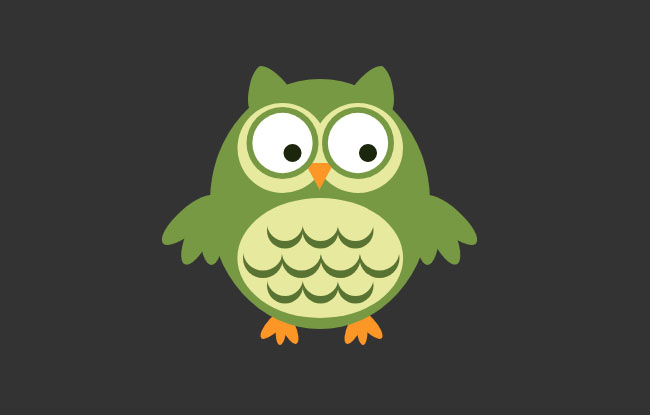
js+css3 owl eyes follow the mouse pointer to rotate animation special effects
js+css3 owl eyes follow the mouse pointer to rotate animation special effects

jquery hover event navigation bar effect
jquery hover event navigation bar effect

js mouse click and drag to generate small icon special effects
js mouse click and drag to generate small icon special effects is a purple background style mouse left click and right click to generate small icon animation special effects.