


vue.js responsive timeline effects
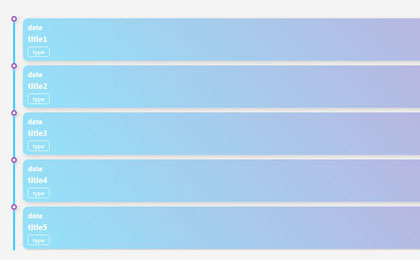
This is a responsive vertical timeline effect based on jQuery and vue.
All resources on this site are contributed by netizens or reprinted by major download sites. Please check the integrity of the software yourself! All resources on this site are for learning reference only. Please do not use them for commercial purposes. Otherwise, you will be responsible for all consequences! If there is any infringement, please contact us to delete it. Contact information: admin@php.cn

 Where is the special effect of the cut-out laser eye?
02 Jan 2026
In the current context where short video creation continues to heat up, various dazzling special effects have become an important means to enhance the appeal of works. As a video editing tool that is easy to operate and rich in functions, Cutting has built-in a large number of special effects resources of various styles, among which the "laser eye" special effect is widely favored by creators because of its strong visual impact. So, where is this cool laser eye effect hidden in the cut? First, start the video editing app, enter the homepage and click "Start Creating" at the top, select the target video from the album and import it to the timeline. Then, in the function bar at the bottom of the editing interface, find and click the "Special Effects" icon to enter the special effects resource library. Here, the special effects are clearly divided into multiple sections, including "picture special effects", "character special effects" and "atmosphere special effects"
 How Camtasia performs batch noise reduction
02 Jan 2026
Camtasia is a professional-grade video editing and screen recording tool, and its audio processing capabilities are particularly outstanding. In actual editing, batch elimination of background noise is a key step in improving video sound quality. The following is a detailed explanation of how to efficiently complete batch noise reduction operations in Camtasia. Step one: Import multiple video files to be processed into the Camtasia project library and drag them into the timeline. Make sure the clips are in a reasonable order, without overlap or misalignment, to lay the foundation for uniform application of audio effects. Step 2: Switch to the "Effects" panel on the top menu bar. Expand the "Audio" sub-item in the left category list and locate the "NoiseRemover" effect. Drag it directly to any video track on the timeline where audio needs to be optimized
 How to create a vertical timeline with CSS?
08 Dec 2025
Answer: Use HTML and CSS to create a vertical timeline, and use flexbox layout and pseudo-elements to achieve centered connections and alternating content arrangement. First, build a point-in-time structure containing dates and content, and use the .timeline container to set relative positioning and pseudo-elements to draw the center line; then set the width of each .timeline-item to 50%, with odd-numbered items to the left and even-numbered items offset to the right. Use the ::before pseudo-element to add a circular mark on the center line; finally, use .timeline-date and .timeline-content to control the right or left alignment of the date and the style of the content block, respectively, to achieve a beautiful and responsive vertical timeline.
 I made a dynamic Excel timeline in 10 minutes (and you can too)
26 Dec 2025
In Microsoft Excel, you can convert your data into many types of charts. However, frustratingly, there's no option for a standard timeline chart. To get over this hurdle, I use a basic line chart to create a dynamic, professional timeline in 10 minut
 How to change the 'Alt Tab' behavior in Windows 11? (Multi-tasking Guide)
01 Jan 2026
IfWindows11’sAlt Tabfeelslimiting,customizeitviaSettings(window-onlyorTimelineview),Registryedits(thumbnailsize,desktoppreview),PowerToys(remappingorTaskViewlaunch),orGroupPolicy(disableTimelineforPro/Enterpriseusers).
 Use GSAP to avoid animations that break absolute positioning
15 Dec 2025
This article aims to solve the problem of position offset of absolutely positioned elements when creating animations using GSAP (GreenSock Animation Platform). By separating the rotation animation from the main timeline and using the setTimeout function to delay execution, ensure that the rotation animation is started after the main timeline is completed, thereby avoiding positioning errors caused by repeated animations of elements.
 How to Use the Timeline View to See File History in VSCode? (Git History)
31 Dec 2025
The Timeline view of VSCode can view the Git history of a single file. You need to open the saved file in the Git repository and click the Timeline label at the top of the Explorer. It supports filtering by author, message, and date. Right-click to compare versions, but only the current file and submissions that have not modified the file are not displayed.
 How to build a timeline component with CSS
11 Dec 2025
Use a semantic HTML list to build a timeline structure, with each item containing a date and description; 2. Create a central timeline through CSS pseudo-elements, combined with Flexbox alignment; 3. Use circular markers to highlight event points, and alternate left and right layouts to improve visual balance; 4. Add responsive design to stack content on mobile devices; 5. Use consistent spacing, soft shadows and colors to enhance readability.
 How to find and remove all gaps in your timeline in premiere
20 Dec 2025
IfyouhavegapsinyourPremiereProtimeline,fixthemquickly:1.UseShift Deletetorippledeleteclipsandclosegapsautomatically.2.ManuallydragclipstogetherusingtheSelectiontool.3.Zoomoutandscrubthroughthetimelinetospothiddengaps.4.Enablesnappingandshiftclipsinto


Popular tool

jQuery timeline company development history special effects
The jQuery timeline company development history special effect is a horizontal timeline scrolling special effect with a wavy background that is based on swiper.js to create a horizontal timeline of the company's development history.


